
Global e-commerce revenue crossed $6 trillion in recent years and is still growing. More people shop online today than at any point in history. If you sell a product, whether it is handmade candles, digital downloads, clothing, or consulting packages, having an online store is no longer optional.
The platform you build that store on matters more than most people realize. Pick the wrong one and you will pay more in transaction fees, fight a clunky editor, or hit a ceiling right when your business starts to grow.
This guide compares the five most widely used e-commerce website builders: Shopify, WooCommerce, Wix, Squarespace, and Webflow. For each one, you will see exactly what it does well, where it falls short, what it costs, and who it is best for.
If you are new to website builders in general, read our guide on Pros and Cons of Using a Website Builder first. It covers the basics of how website builders work and helps you decide whether a builder is even the right choice for your situation.
Here is what this guide covers:
- What makes an e-commerce builder actually good
- A side-by-side comparison of all five platforms
- A detailed breakdown of each platform with real examples
- Pricing tables so you know exactly what you pay
- Which platform fits which type of seller
- A full FAQ section
Table of Contents
Key Takeaways
- Shopify is the strongest dedicated e-commerce platform for most online stores
- WooCommerce gives you the most flexibility but requires the most setup
- Wix is the easiest for beginners who want to sell a small number of products
- Squarespace is best for product-based businesses where design matters most
- Webflow is best for designers and developers who want pixel-perfect control
- Every platform has transaction fees you need to factor into your real cost
- Your store size, technical comfort, and growth plan should drive your decision
Quick Answer
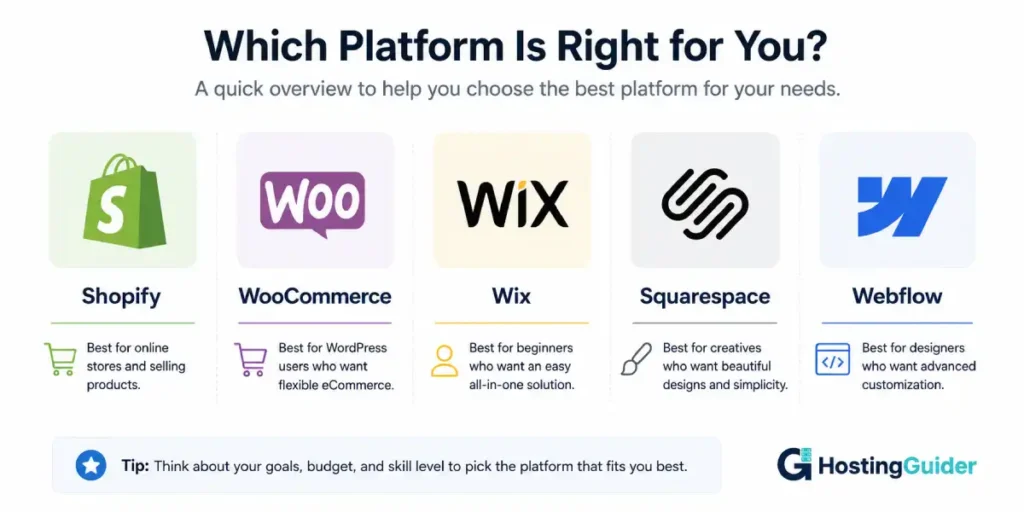
The best e-commerce website builder depends on what you sell and how you plan to grow. Shopify is the top choice for most product-based stores because it is built entirely around selling. WooCommerce is best if you want full control and are comfortable with a self-hosted setup. Wix works well for beginners selling fewer than 50 products. Squarespace suits creative brands that care as much about aesthetics as sales. Webflow is for designers and developers who want to build a fully custom storefront.
What Makes a Good E-commerce Website Builder?
Not all website builders are built for selling. Some platforms added a store feature as an afterthought. Others built everything around it from day one. Before comparing platforms, here is what actually separates a strong e-commerce builder from a weak one.
| Feature | Why It Matters |
|---|---|
| Product management | You need to add, edit, and organize products easily |
| Payment gateways | More options means more customers can pay you |
| Transaction fees | Some platforms charge extra per sale on top of payment processor fees |
| Inventory tracking | You need to know when stock runs out |
| Shipping tools | Calculating and managing shipping rates saves time and money |
| Mobile checkout | Most buyers shop on phones, checkout must work perfectly on mobile |
| SEO tools | Your store needs to show up on Google to get free traffic |
| Scalability | The platform should handle growth without forcing a painful migration |
| App ecosystem | Extra tools help you add features your store needs |
Keep these factors in mind as you read through each platform below. A platform that scores well on all of them is a strong foundation for a real business.
All Five Platforms at a Glance
| Platform | Best For | Starting Price | Transaction Fee | Free Plan |
|---|---|---|---|---|
| Shopify | Most online stores | $29/month | 0% with Shopify Payments | No, 3-day trial |
| WooCommerce | Full control and flexibility | Free plugin, hosting from $5/month | 0% (gateway fees only) | Free plugin |
| Wix | Beginners with small product ranges | $17/month | 0% on all plans | Yes (no store) |
| Squarespace | Design-focused brands | $23/month (Business) | 3% on Business plan | No, 14-day trial |
| Webflow | Designers and developers | $29/month (e-commerce) | 2% on Standard plan | No, free staging only |
Shopify
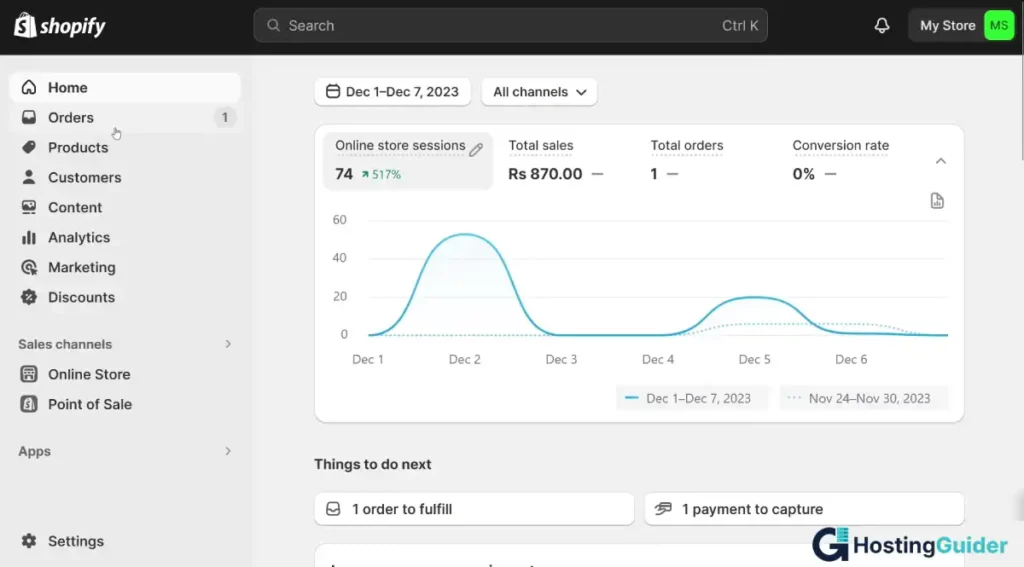
Shopify is the most popular dedicated e-commerce platform in the world. Unlike the other builders on this list, Shopify was built specifically for selling. Every feature, every setting, every tool exists to help you run an online store.
That focus makes it the strongest all-round option for most product-based businesses. Whether you sell 5 products or 50,000, Shopify handles it without slowing down.
What Shopify Does Well
Shopify’s product management is the most complete of any platform on this list. You can add unlimited products, set up variants for size and color, track inventory across multiple locations, and manage orders all from one clean dashboard.
The checkout experience on Shopify is fast, trusted, and optimized for mobile. Shopify has tested and refined their checkout more than any other platform. According to Shopify, their checkout converts up to 36% better than competitors on average.
Shopify has its own payment processor called Shopify Payments. When you use it, there are no additional transaction fees beyond the standard card processing rate. If you use a third-party payment processor like PayPal or Stripe instead, Shopify charges an extra transaction fee of 0.5% to 2% depending on your plan. This is worth knowing upfront.
The Shopify App Store has over 8,000 apps. You can add reviews, upsells, loyalty programs, subscriptions, print-on-demand, dropshipping, and almost anything else your store needs.
Shopify also handles multi-channel selling better than any other platform. You can sell on Instagram, TikTok, Amazon, eBay, and your online store all from one Shopify dashboard.
What Shopify Does Not Do As Well
Shopify’s page builder is functional but not as flexible as Elementor or Webflow for custom page designs. If you want highly designed landing pages and marketing pages, you will likely need a third-party page builder app like Shogun or GemPages.
Shopify’s blogging tools are basic. If content marketing is a major part of your strategy and you plan to publish a lot of articles to drive SEO traffic, WordPress with WooCommerce gives you stronger blogging tools. Read our guide on Wix vs Squarespace vs WordPress.com for a deeper look at how WordPress handles content publishing.
Shopify Pricing
| Plan | Monthly Cost | What You Get |
|---|---|---|
| Basic | $29/month | 2 staff accounts, basic reports, 2% transaction fee (if not using Shopify Payments) |
| Shopify | $79/month | 5 staff accounts, professional reports, 1% transaction fee |
| Advanced | $299/month | 15 staff accounts, custom reports, 0.5% transaction fee |
| Shopify Plus | From $2,300/month | Enterprise features, dedicated support, custom checkout |
All plans include unlimited products, 24/7 support, fraud analysis, and a free SSL certificate.
Who Should Use Shopify
Shopify is the right choice if:
- You plan to sell more than 20 to 30 products
- Selling online is your primary business activity
- You want the most reliable checkout experience available
- You need to sell across multiple channels (Instagram, TikTok, Amazon)
- You plan to scale your store significantly over time
Real example: Ahmed sells handmade leather wallets. He starts with 12 products on Shopify Basic. Over two years he adds more products, hires two staff members to help manage orders, and starts selling on Instagram and Amazon through Shopify’s multi-channel tools. His store processes 300 orders per month and Shopify handles all of it without any issues.
WooCommerce (WordPress)
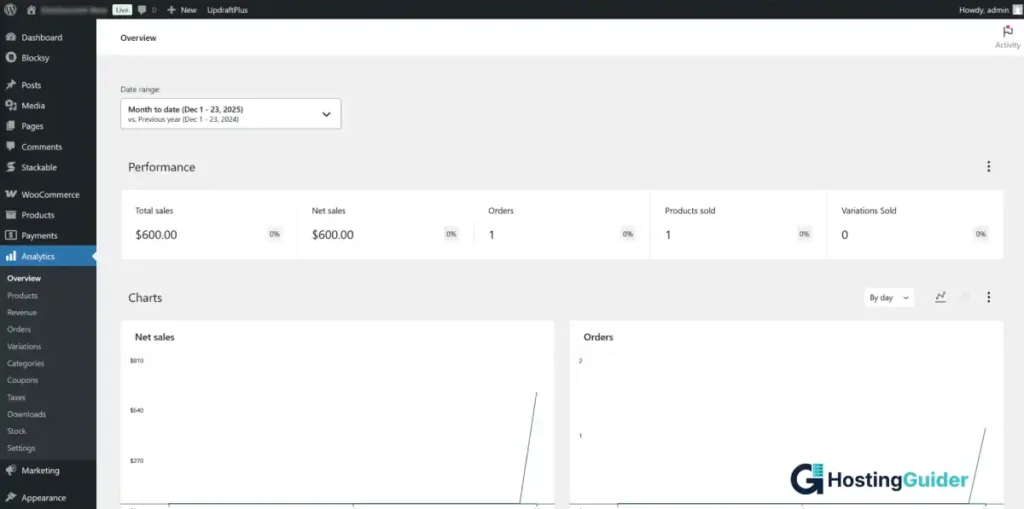
WooCommerce is a free plugin that turns a WordPress.org website into a fully functional online store. It is the most widely used e-commerce solution in the world by total number of stores. According to BuiltWith data, WooCommerce powers a significant share of all e-commerce sites online.
Unlike the other platforms on this list, WooCommerce is not a hosted service. You install it yourself on your own web hosting. That gives you more control and lower long-term costs, but it also means more responsibility for setup and maintenance.
If you are new to self-hosted WordPress, read our hands-on guide on How to Create a Website with a Drag-and-Drop Builder which walks through installing WordPress and plugins step by step.
What WooCommerce Does Well
WooCommerce is completely free. There are no monthly platform fees. You pay only for your hosting, your domain, and any premium plugins or themes you choose to add.
The flexibility is unmatched. Because WooCommerce is open-source software, you can customize absolutely everything. The product page, the cart, the checkout, the order confirmation email, all of it can be changed to look and work exactly the way you want.
WooCommerce has thousands of extensions. Some are free. Some are paid. They cover everything from subscriptions and bookings to product bundles and wholesale pricing. Whatever your store needs, there is almost certainly a WooCommerce extension for it.
There are no transaction fees on WooCommerce itself. You pay only the standard processing fee charged by your payment gateway, typically around 2.9% plus $0.30 per transaction for Stripe or PayPal.
Because WooCommerce runs on WordPress, your blogging and content tools are the best available. This makes it a strong choice for stores that rely heavily on SEO and content marketing to drive traffic.
What WooCommerce Does Not Do As Well
WooCommerce has the steepest learning curve of any platform on this list. You need to find and set up your own hosting, install WordPress, install WooCommerce, configure your payment gateways, set up shipping, and manage security and updates yourself.
For someone with no technical experience, this setup process can feel overwhelming. None of it is impossible, but it takes more time and effort than signing up for Shopify or Wix.
You are also responsible for keeping everything updated. WordPress, WooCommerce, and all your plugins need regular updates. If you skip updates, your site becomes vulnerable to security issues.
WooCommerce Pricing
WooCommerce has no fixed monthly price since costs depend on your choices. Here is a realistic cost breakdown:
| Cost Component | Typical Cost |
|---|---|
| WooCommerce plugin | Free |
| Web hosting | $5 to $30 per month |
| Domain name | $10 to $15 per year |
| Premium theme | $0 to $100 one-time |
| Essential plugins | $0 to $200 per year |
| Payment gateway fees | 2.9% + $0.30 per transaction (Stripe) |
| Total estimated year one cost | $100 to $700 depending on choices |
Who Should Use WooCommerce
WooCommerce is the right choice if:
- You want full ownership and control over your store
- You plan to use content marketing and blogging to drive traffic
- You are comfortable with a self-hosted setup or willing to learn
- You want to minimize platform fees over the long term
- You need highly customized store functionality
Real example: Priya runs an online course and digital download business. She uses WooCommerce because she needs custom pricing rules, a members-only area, and a blog that drives all her traffic from Google. No hosted platform gives her that level of control at a price that makes sense. Her total platform cost is about $25 per month in hosting and plugins.
Wix
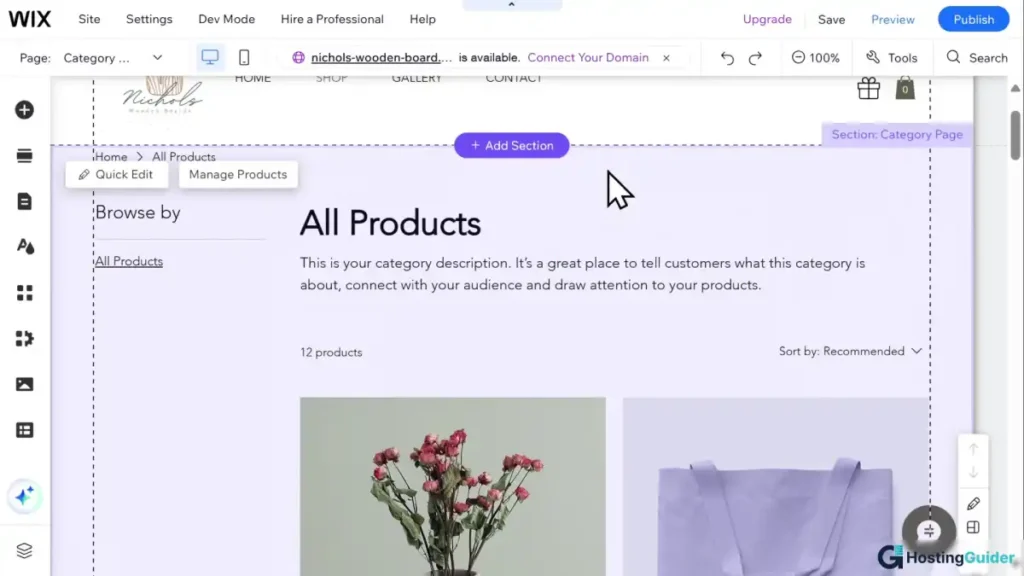
Wix is a hosted website builder that added e-commerce features as a major part of its platform. It is not as dedicated to selling as Shopify, but it gives beginners the easiest path from zero to a working online store.
We covered Wix in detail in our Wix vs Squarespace vs WordPress.com comparison guide if you want a deeper look at the platform as a whole.
What Wix Does Well
Wix is the easiest platform on this list to get started with. The drag-and-drop editor requires no technical skills. The Wix AI tool can generate a starting store layout for you based on a few questions. You can go from signup to a published store in a few hours.
For small product ranges, typically under 50 products, Wix handles everything you need. You can add products with multiple variants, track inventory, set up shipping rates, accept payments, and manage orders all from the Wix dashboard.
The Wix App Market has over 500 apps that extend your store’s functionality. You can add product reviews, loyalty programs, live chat, and abandoned cart recovery without any coding.
Wix has no transaction fees on any plan. Whatever you sell, Wix does not take a cut of your revenue beyond the standard payment processing fees.
What Wix Does Not Do As Well
Wix starts to show limitations as your product range grows beyond 50 to 100 items. The product management tools are less advanced than Shopify. Bulk editing, advanced inventory management, and multi-location selling are either limited or unavailable.
The Wix editor’s drag-and-drop freedom can create problems on mobile. Because you place elements anywhere on the page, the mobile layout sometimes needs significant manual adjustments to look right. See our guide on Pros and Cons of Using a Website Builder for a broader discussion of this limitation.
Wix E-commerce Pricing
| Plan | Monthly Cost (yearly billing) | What You Get |
|---|---|---|
| Core | $29 – $38/month | Online payments, 50GB storage, basic e-commerce |
| Business | $39 – $158/month | Subscriptions, multiple currencies, advanced shipping |
| Business Elite | $159+/month | Priority support, unlimited storage, advanced analytics |
The Core plan is where e-commerce starts on Wix. The free plan does not support taking payments.
Who Should Use Wix
Wix is the right choice if:
- You are a complete beginner building your first store
- You sell fewer than 50 products
- You also need a full business website alongside your store
- You want the easiest possible setup experience
- You do not need advanced inventory or multi-channel selling
Real example: Maria makes handmade jewelry and sells 18 different products. She uses Wix because she wanted to build her own site without hiring anyone. She built her store, her about page, and her contact page in one weekend. Wix handles her 40 to 60 monthly orders without any problems.
Squarespace
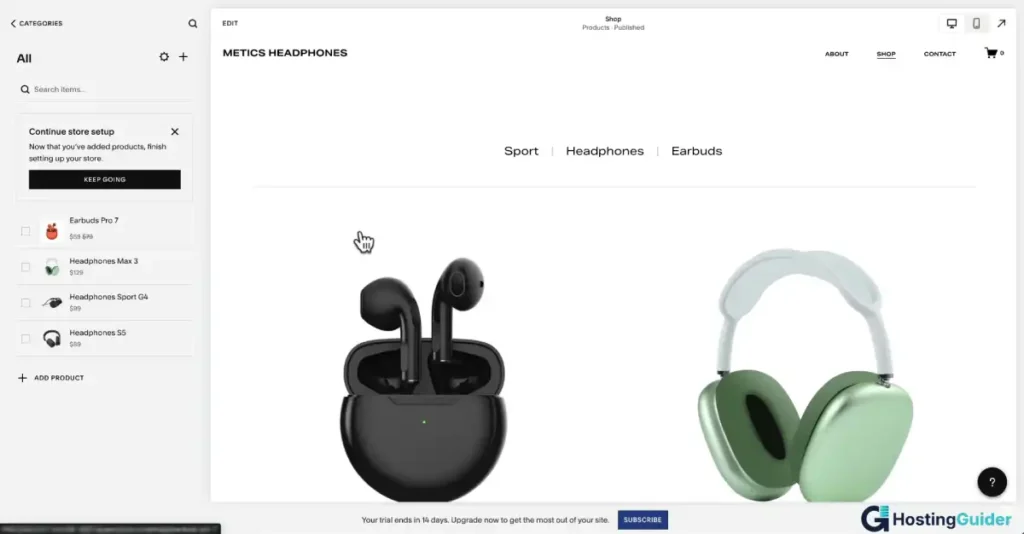
Squarespace is a hosted website builder known for having the most visually polished templates available on any platform. Its e-commerce features are solid for small to medium stores, especially those where brand presentation and visual identity are central to the business.
What Squarespace Does Well
Every Squarespace template looks professionally designed. For product-based businesses where how your products are presented matters, Squarespace makes your store look premium with very little effort. Photographers, artists, fashion brands, home goods sellers, and food businesses consistently produce beautiful storefronts on Squarespace.
Squarespace includes a strong set of built-in e-commerce tools. You get physical and digital product selling, subscription products, gift cards, abandoned cart recovery, and product reviews without installing any extra apps.
The inventory management is clean and simple. Adding products is straightforward. Each product page can include multiple images, a detailed description, product variants, and related products.
Squarespace has no transaction fees on its Commerce plans. On the Business plan, there is a 3% transaction fee, which incentivizes upgrading to a Commerce plan if your sales volume is significant.
What Squarespace Does Not Do As Well
Squarespace’s app ecosystem is much smaller than Shopify’s or even Wix’s. If your store needs a specific third-party tool, there is a reasonable chance Squarespace does not have a native integration for it.
The section-based editor gives you less layout freedom than Wix or Webflow. You work within Squarespace’s structure rather than placing elements freely. For most store owners this is fine, but designers who want full control over every pixel will find it limiting.
Squarespace E-commerce Pricing
| Plan | Monthly Cost (yearly billing) | Transaction Fee | What You Get |
|---|---|---|---|
| Business | $23/month | 3% per sale | Basic selling, unlimited products |
| Basic Commerce | $28/month | 0% | No transaction fees, checkout on your domain |
| Advanced Commerce | $52/month | 0% | Abandoned cart, subscriptions, advanced shipping |
Who Should Use Squarespace
Squarespace is the right choice if:
- Your brand’s visual identity is central to what you sell
- You sell physical products, art, photography, or fashion
- You want a polished store without spending hours on design
- You have a small to medium product range
- You want built-in tools without relying on third-party apps
Real example: David is a fine art photographer who sells limited edition prints. His Squarespace store looks like a gallery. The large image templates, clean typography, and elegant checkout experience match the premium feel of his products. He charges $150 to $800 per print and his store design communicates that value before a customer reads a single word.
Webflow
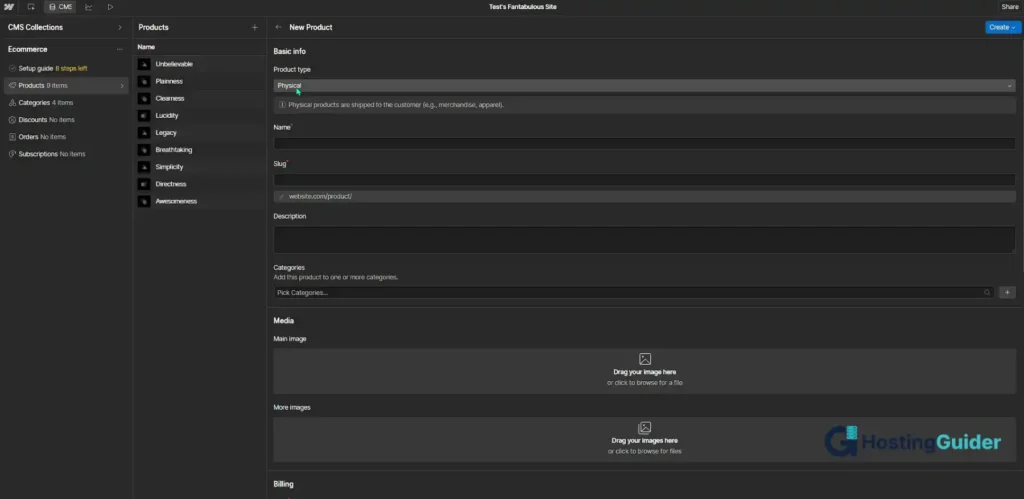
Webflow is the most design-focused platform on this list. It is a visual builder that generates clean HTML and CSS code as you design. That makes it extremely powerful for custom layouts but significantly harder to learn than any other platform here.
Webflow added e-commerce functionality to its platform and it works well for stores that need a completely custom look and feel. But Webflow is honest about who it is for: designers and developers who want pixel-perfect control, not beginners who want a quick setup.
What Webflow Does Well
The design freedom in Webflow is unmatched by any hosted platform. You can build any layout you can imagine without being restricted to sections, columns, or preset templates. Every element can be positioned, sized, and styled exactly as you choose.
Webflow generates clean semantic HTML and CSS. That means your pages load fast and are built on solid code quality, which is good for SEO and performance. Google rewards fast, well-structured pages.
Webflow’s CMS (Content Management System) lets you set up dynamic product collections, filter systems, and custom content structures that most other platforms cannot replicate without a developer.
Webflow gives designers full control over animations and interactions. You can create scroll-triggered animations, hover effects, and micro-interactions that make your store feel unique and premium.
What Webflow Does Not Do As Well
Webflow has the steepest learning curve of any hosted platform on this list. It is not a beginner tool. If you have never used a visual design tool like Figma or Adobe XD, Webflow will feel confusing at first. Most users spend significant time learning the platform before they can build anything complex.
Webflow’s e-commerce features, while solid, are not as complete as Shopify’s. It has no native point-of-sale system, limited multi-channel selling, and a smaller app ecosystem for store-specific tools.
The transaction fee on Webflow’s Standard e-commerce plan is 2%, which adds up quickly on a high-volume store. Upgrading to the Plus or Advanced plan removes this fee but significantly increases the monthly cost.
Webflow E-commerce Pricing
| Plan | Monthly Cost (yearly billing) | Transaction Fee | What You Get |
|---|---|---|---|
| Standard | $29/month | 2% per sale | 500 products, basic e-commerce |
| Plus | $74/month | 0% | 1,000 products, no transaction fees |
| Advanced | $212/month | 0% | 3,000 products, advanced features |
Note: Webflow also charges separately for site hosting. The e-commerce plans above include hosting, but if you use Webflow only as a CMS without e-commerce, separate site plans apply.
Who Should Use Webflow
Webflow is the right choice if:
- You are a designer or developer who wants full visual control
- Your store’s design is a core part of your brand value
- You need custom animations, interactions, and layouts
- You are comfortable with a steeper learning curve
- You want clean code and strong performance as a foundation
Real example: A digital creative agency uses Webflow to build a store for a luxury skincare brand. The store has custom scroll animations, a unique grid layout, and product pages that look nothing like a typical online shop. The brand charges premium prices and the site communicates that immediately. No other hosted platform could have produced the same result without hiring a developer.
Detailed Feature Comparison
| Feature | Shopify | WooCommerce | Wix | Squarespace | Webflow |
|---|---|---|---|---|---|
| Ease of setup | Moderate | Hard | Very easy | Easy | Hard |
| Product limit | Unlimited | Unlimited | Unlimited | Unlimited | 500 to 3,000 |
| Transaction fees | 0% with Shopify Payments | 0% | 0% | 0% on Commerce plans | 0% on Plus and above |
| Payment gateways | 100+ | 100+ | Limited | Stripe and PayPal | Stripe |
| Inventory management | Excellent | Excellent | Basic | Good | Basic |
| Multi-channel selling | Excellent | Good (with plugins) | Limited | Limited | Limited |
| Blogging tools | Basic | Excellent | Basic | Good | Good |
| App ecosystem | 8,000+ apps | 1,000s of plugins | 500+ apps | Limited | Limited |
| Design flexibility | Moderate | Full (with developers) | High | Moderate | Full |
| Mobile checkout | Excellent | Good | Good | Good | Good |
| SEO tools | Good | Excellent | Basic | Good | Good |
| Scalability | Excellent | Excellent | Moderate | Moderate | Moderate |
| Ideal store size | Any size | Any size | Small | Small to medium | Small to medium |
Pricing Comparison: What You Actually Pay Per Year
This table shows realistic first-year costs for a small store with basic needs on each platform.
| Platform | Plan | Monthly Cost | Annual Cost | Transaction Fee |
|---|---|---|---|---|
| Shopify | Basic | $29 | $348 | 0% with Shopify Payments |
| WooCommerce | Hosting + plugins | ~$15 average | ~$180 | 0% platform fee |
| Wix | Business | $36 | $432 | 0% |
| Squarespace | Basic Commerce | $28 | $336 | 0% |
| Webflow | Standard | $29 | $348 | 2% per sale |
WooCommerce looks cheapest on paper. But remember to add the cost of a premium theme and any plugins you need, which can add $100 to $300 to year one costs. Webflow’s 2% transaction fee on the Standard plan can make it significantly more expensive than it appears if your store generates meaningful sales volume.
Which Platform Is Right for Your Situation?
| Your Situation | Best Platform | Why |
|---|---|---|
| First online store, selling under 50 products | Wix | Easiest setup, no transaction fees, beginner-friendly |
| Serious product-based business, planning to grow | Shopify | Built for selling, best checkout, largest app ecosystem |
| Content-heavy store relying on SEO and blogging | WooCommerce | Best blogging tools, full SEO control, no platform fees |
| Creative brand where design is the main selling point | Squarespace | Best templates, polished product pages, clean checkout |
| Designer or developer building a custom store | Webflow | Full design control, clean code, custom interactions |
| Selling digital products and courses alongside physical goods | WooCommerce | Most flexible for mixed product types |
| Selling on Instagram and TikTok alongside your store | Shopify | Best multi-channel selling tools |
| Small budget, just starting out | WooCommerce or Wix | Lowest entry cost for different skill levels |
| Large inventory with complex variants and logistics | Shopify | Most advanced inventory and fulfillment tools |
Things to Check Before You Choose a Platform
Before you commit, ask yourself these five questions:
How many products will you sell?
If it is under 50, any platform works. Over 100, Shopify or WooCommerce give you better management tools.
How important is design to your brand?
If your customers buy partly because of how your store looks, Squarespace or Webflow give you the most visual control. If design is secondary to function, Shopify or WooCommerce are stronger.
Will you sell on social media or other channels?
Shopify’s multi-channel selling is the most complete. If you plan to sell on Instagram, TikTok, Amazon, or eBay alongside your store, Shopify handles all of it from one dashboard.
How comfortable are you with technical setup?
If you want the simplest possible start, use Wix or Shopify. If you are comfortable managing your own hosting and software, WooCommerce gives you more for less money over time.
How important is blogging and SEO to your growth strategy?
If you plan to write content to rank on Google and drive free traffic, WooCommerce on WordPress gives you the best tools by a significant margin. Read our Wix vs Squarespace vs WordPress.com guide for a full breakdown of how each platform handles SEO.
Common Mistakes People Make When Choosing an E-commerce Builder
Choosing based on price alone: The cheapest option on a pricing page is rarely the cheapest in practice. Factor in transaction fees, the cost of necessary apps or plugins, and the time you will spend on setup. A platform that costs $10 more per month but saves you 2 hours per week is worth the extra cost.
Ignoring scalability: Many store owners pick a beginner-friendly platform like Wix and later outgrow it. Migrating a store with hundreds of products and thousands of orders to a new platform is a major project. If you expect significant growth, pick a platform that scales from the start.
Overlooking transaction fees: A 2% transaction fee sounds small. On $100,000 of annual sales, that is $2,000 per year going to the platform on top of payment processor fees. Calculate your expected transaction fee cost before you commit.
Underestimating setup time for WooCommerce: WooCommerce is powerful and cost-effective but it takes real time to set up correctly. Many beginners choose it because it is free and then spend days configuring hosting, plugins, and settings. Be realistic about your available time before choosing a self-hosted solution.
Frequently Asked Questions
Which website builder is best for a small online store just starting out?
Wix is the best starting point for a small online store if you are a complete beginner. It is the easiest to set up, has no transaction fees, and handles a small product range well. If you are comfortable with a little more setup time and want to pay less monthly, WooCommerce on a budget hosting plan is also a strong starting choice. Shopify is worth considering from the start if you know selling online will be your primary business activity, even if your store is small initially.
Do I need Shopify to sell online, or can I use a regular website builder?
You do not need Shopify to sell online. Wix, Squarespace, WooCommerce, and Webflow all support online selling. The difference is that Shopify was built entirely around e-commerce from day one. Its checkout, payment tools, inventory management, and multi-channel selling are more advanced than platforms that added selling as a feature on top of a general website builder. For most serious product-based stores, Shopify’s dedicated focus makes it the stronger long-term choice.
What is the difference between Shopify and WooCommerce?
Shopify is a hosted platform. You pay a monthly fee and Shopify manages the hosting, security, and updates for you. WooCommerce is a free plugin that you install on your own WordPress.org website. You manage your own hosting and are responsible for updates and security. Shopify is easier to start with and more reliable out of the box. WooCommerce is more flexible, cheaper long-term, and better for content-heavy stores, but it requires more technical effort to set up and maintain.
Is Webflow good for e-commerce beginners?
No. Webflow has a steep learning curve and is not recommended for beginners who just want to start selling online quickly. It is designed for designers and developers who want full visual and code control over their store. If you are a beginner, start with Wix or Shopify. If you are a designer who already uses tools like Figma and wants the same level of control over your website, Webflow is worth the learning investment.
Can I switch platforms later if I outgrow my current one?
You can switch, but it is a significant amount of work. Your products, customer data, and order history can be exported from most platforms. But your store design, custom settings, and URL structure will not transfer cleanly. Switching platforms usually means rebuilding your store from scratch on the new one and re-importing your product data manually. The more established your store is when you switch, the more disruptive the migration will be. Choose a platform that can handle your expected growth from the start. We covered platform lock-in in detail in our Pros and Cons of Using a Website Builder guide.
How do I accept payments on an e-commerce website builder?
Every major e-commerce platform connects to payment gateways that process your customers’ payments. The most common options are Stripe, PayPal, and platform-specific processors like Shopify Payments. You connect your chosen payment gateway in your store settings and it handles all card processing securely. You do not need to handle payment data yourself. The platform and payment gateway manage all security and PCI compliance automatically. Most platforms charge a per-transaction fee to the payment gateway of around 2.9% plus $0.30, and some platforms add their own transaction fee on top of that if you do not use their preferred payment processor.
Final Verdict
| Platform | Best For | Avoid If |
|---|---|---|
| Shopify | Most product-based stores, multi-channel selling, growing businesses | You need a content-heavy blog as your main traffic source |
| WooCommerce | Full control, content-heavy stores, long-term cost savings | You want a quick and simple setup with minimal technical work |
| Wix | Beginners, small product ranges, combined business site and store | You plan to sell more than 100 products or need advanced inventory tools |
| Squarespace | Design-focused brands, creative sellers, small to medium stores | You need a large app ecosystem or advanced multi-channel selling |
| Webflow | Designers and developers who want pixel-perfect custom stores | You are a beginner who needs a fast and simple path to selling |
There is no single best platform for everyone. The right choice is the one that matches your current store size, your technical comfort level, your design priorities, and how you expect your business to grow over the next two to three years.


