
Most Wix vs Squarespace vs WordPress posts tell you which one is best.
This one tells you what you will hate about each one after two years. That is the more useful question.
The best website platform is not the one with the most features. It is the one whose limitations you can live with as your business grows. Every platform in this comparison has a hidden cost that shows up later, not at signup. Once you know what those costs are, the decision becomes obvious for your specific situation.
Before the comparisons: a framing that changes how you read everything below.
Think of these three platforms as three different property arrangements.
Wix is a furnished rental apartment. You move in fast. The furniture is already there and it looks good. But you cannot knock down walls. The landlord decides what renovations are allowed. When you want a completely different layout two years in, you find out you have to move out and start over.
Squarespace is a designer studio apartment with a long lease. Genuinely beautiful. Curated. The aesthetic quality is real. But the lease terms are strict, and when you want to leave, you discover your furniture was rented too. Moving takes more effort than you expected.
WordPress is a plot of land. Nothing is built. You bring builders, materials, and plans. You build exactly what you want. You own it forever. The maintenance and the decisions are yours.
None of these is wrong. They suit different people at different stages. The mistake is choosing the furnished apartment when you needed the land.
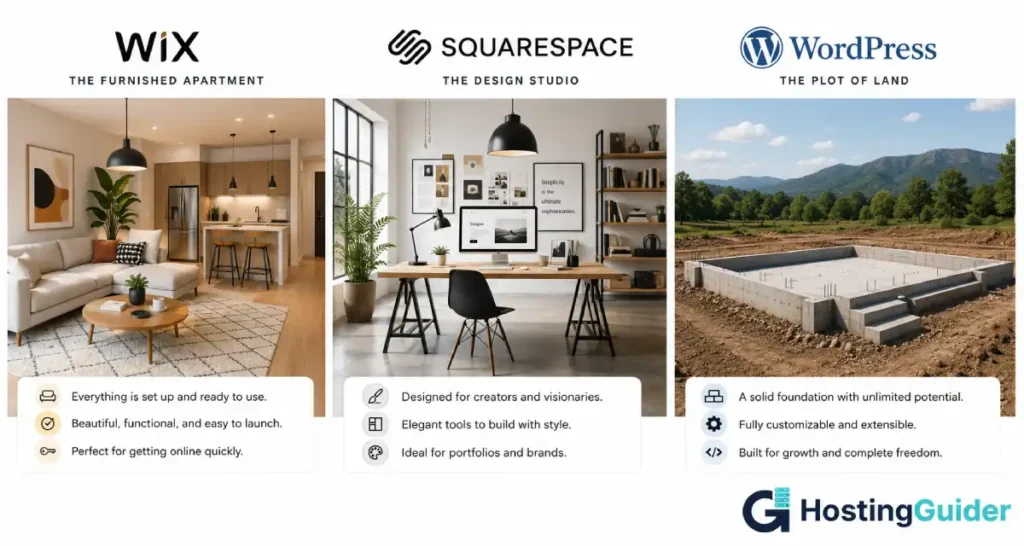
The Honest One-Line Truth About Each Platform in the Wix vs Squarespace vs WordPress Debate
Every comparison saves this for the end. Putting it first saves you twenty minutes.
Wix: The fastest way to get a website live, but you will hit its ceiling sooner than you expect and rebuilding inside Wix is more painful than switching platforms.
Squarespace: The best-looking platform for creative professionals and portfolios, with real SEO limitations and an exit process that punishes you for leaving.
WordPress: The most powerful platform available, running over 40% of the internet, with a learning curve that disappears fully when you use good managed hosting.
According to current data, WordPress powers over 800 million websites. Wix hosts approximately 240 million. Squarespace hosts around 3.8 million. The market share gap reflects the capability gap, though not the ease-of-use gap.
Wix vs Squarespace vs WordPress: Quick Comparison
| Feature | Wix | Squarespace | WordPress |
|---|---|---|---|
| Hosting included | Yes | Yes | No (separate) |
| Templates | 900+ | 180+ | Thousands |
| Can change template after launch | No | Yes | Yes |
| Design flexibility | Moderate | Moderate to high | Unlimited |
| SEO tools | Basic | Moderate | Industry-leading |
| E-commerce | Yes (limited) | Yes (limited) | Full (WooCommerce) |
| Blog capability | Yes | Yes | Excellent |
| Plugin/app ecosystem | 300+ apps | Limited | 60,000+ plugins |
| Free plan | Yes (Wix ads shown) | No (14-day trial) | Software is free |
| Starting price (paid) | ~$16/month | ~$16/month | ~$3 to $10/month hosting |
| Data portability | Partial | Very limited | Full |
| Technical knowledge needed | Minimal | Minimal | Low to moderate |
| Performance | Consistent | Consistent | Depends on hosting |
Ease of Use: The Wix Trap Nobody Warns You About in the Wix vs Squarespace vs WordPress Comparison
Wix Ease of Use
Wix is genuinely the easiest platform to build a website on. The drag-and-drop editor is free-form: you can place any element anywhere on the page. You do not work inside a grid or a section structure. You drag a button to the exact pixel position you want it.
This freedom is the feature that makes Wix feel powerful for beginners. It is also the feature that causes problems later.
When every element is placed by absolute pixel position, changing the layout becomes extremely difficult. Moving from a desktop layout to mobile requires manual rearrangement of elements on the mobile editor separately. A design refresh that would take one afternoon on WordPress often requires a full rebuild on Wix.
The trap nobody mentions: You cannot change your Wix template after you launch. If you select a template in month one and decide you want a completely different look in month eight, you start from scratch. Your content does not transfer to the new template. You rebuild the site from zero inside the new template.
Squarespace and WordPress both allow design refreshes without starting over. Wix does not.
For a business owner who wants to get online fast and never redesign, this is not a problem. For a business owner who treats the website as a living asset that evolves with the brand, this is a structural limitation with real consequences.
Squarespace Ease of Use
Squarespace uses a section-based editor. You build pages by stacking sections, each containing blocks: text, images, galleries, forms, embeds. The layout choices within each section are constrained by the template’s design system.
This structure makes Squarespace easier to use than Wix for non-designers, because the constraints prevent bad design decisions. The trade-off is that the constraints also prevent certain good design decisions. You can make a Squarespace site look exactly like a Squarespace site. Making it look like something else takes developer work.
WordPress Ease of Use
WordPress has a reputation for being difficult that is increasingly outdated. The block editor (Gutenberg) added in recent versions is clean, intuitive, and genuinely accessible to non-technical users. Writing a blog post or updating a page requires no technical knowledge.
The legitimate complexity in WordPress is at setup: choosing a hosting provider, installing WordPress, selecting a theme, and configuring plugins. This is a one-time effort, and managed WordPress hosting providers have reduced it to a guided process.
The day-to-day experience of updating a WordPress site is not significantly more complex than Wix or Squarespace. The day-to-day experience of building a new feature on WordPress is dramatically more powerful than either.
Ease of Use Comparison Table
| Task | Wix | Squarespace | WordPress |
|---|---|---|---|
| Initial site setup | Easiest | Easy | Moderate (managed hosting) |
| Writing blog posts | Easy | Easy | Easy |
| Redesigning after launch | Requires full rebuild | Easy | Easy |
| Changing templates | Not possible | Yes | Yes |
| Adding new functionality | App market (limited) | Limited | 60,000+ plugins |
| Mobile editing | Requires separate work | Auto-responsive | Auto-responsive |
| Managing a team of editors | Basic | Basic | Full user roles |
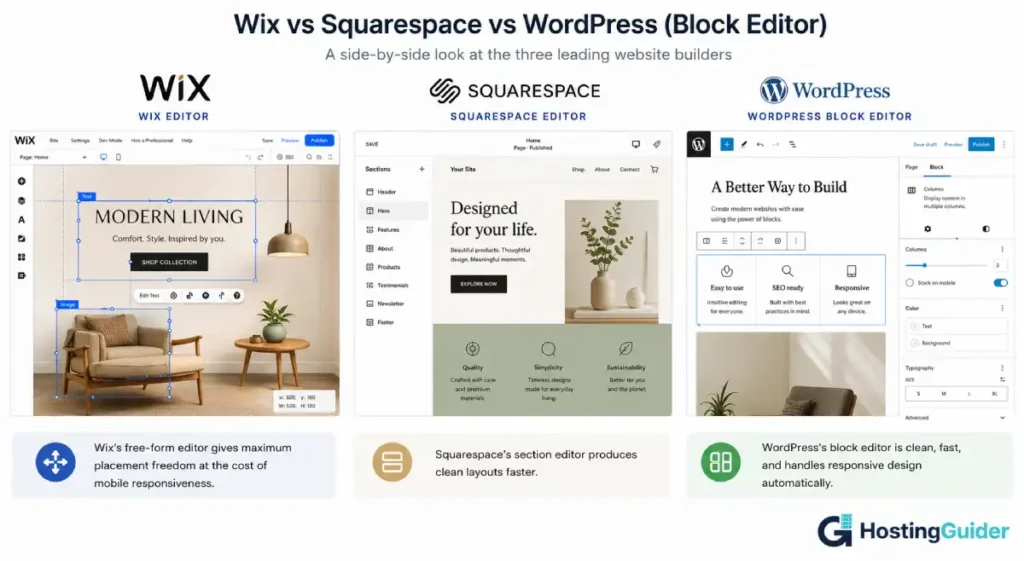
Design: Where Squarespace Earns Its Reputation (and Where It Loses It)
Squarespace Design
This is the category Squarespace wins, and it wins clearly.
Squarespace templates are created by professional designers. The typography is excellent out of the box. Spacing, contrast ratios, and visual hierarchy are built into every template at a standard most WordPress themes do not reach without customisation. For a photographer, architect, creative agency, or brand-led service business, a Squarespace site looks professional from day one without a design background.
Squarespace’s design limit appears when you need something outside the template system. Custom layouts, non-standard grid structures, interactive elements, and complex animations require Squarespace’s Custom CSS and JavaScript injection. It can be done. It requires developer knowledge and it works against the grain of the platform.
Wix Design
Wix’s absolute positioning editor looks powerful but produces inconsistency. Elements that look perfect on desktop often need manual repositioning on mobile. Two team members working on the same site can produce pages with mismatched spacing and font usage because the freeform editor does not enforce consistency.
Wix released Wix Studio for professional designers and agencies in 2023. This is a significant improvement with responsive breakpoints and a proper CSS grid system. It does not apply to the standard Wix editor. Most small business owners are not using Wix Studio.
The template quality on Wix varies significantly across its 900+ options. Some templates are excellent. Many are outdated. Sorting through them is time-consuming and the commitment is permanent (no template change after launch).
WordPress Design
WordPress design depends fully on your theme and page builder. With the right tools, WordPress produces better-looking websites than either Wix or Squarespace. Without the right tools, it produces generic-looking sites that look like WordPress themes from 2015.
The ceiling: unlimited. Developer-built WordPress sites include the most visually sophisticated brand websites in existence. The starting point: lower than Squarespace without investment in a quality theme and page builder combination.
Design Comparison Table
| Factor | Wix | Squarespace | WordPress |
|---|---|---|---|
| Default template quality | Variable | Excellent | Variable |
| Typography control | Moderate | Excellent | Full |
| Responsive design | Manual mobile editing | Automatic | Automatic (most themes) |
| Custom animations | App required | Section-level built-in | Plugin required |
| Design consistency tools | Limited | Built-in | Theme-dependent |
| Design ceiling | Moderate | Moderate | Unlimited |
Wix vs Squarespace vs WordPress design winner out of the box: Squarespace. Winner for design with investment: WordPress.
SEO: The Clearest Performance Gap in the Wix vs Squarespace vs WordPress Comparison
SEO is where platforms differentiate most clearly for business owners who depend on Google for customers. The gap between WordPress and the other two is large.
Wix SEO
Wix has improved its SEO capability significantly since its early days, when it was widely criticised for producing slow, JavaScript-heavy pages that Google struggled to index. The current Wix SEO Wiz tool provides a step-by-step guide for basic optimisation. Meta titles, descriptions, and alt tags are editable. The sitemap is generated automatically.
The honest limitations: Wix generates slower page loads than WordPress because every Wix site loads the full Wix platform before serving the site. URL structure is limited. Schema markup for rich results requires manual code injection. There is no equivalent to Yoast SEO or RankMath for ongoing content optimisation guidance.
For a local business targeting three to five keywords with low competition, Wix is adequate. For a content-led business targeting competitive keywords at scale, Wix is a constraint.
Squarespace SEO
Squarespace has clean URL structures, automatic sitemap generation, solid mobile performance, and good meta data controls. Its out-of-box SEO is better than Wix. However, it falls short of WordPress on technical SEO depth.
The specific Squarespace limitations that affect real businesses:
- No breadcrumb schema without developer work
- No real-time content SEO analysis (no Yoast-equivalent)
- Limited canonical tag control
- URL structure forces /blog/ prefix on all posts (configurable but limited)
- No granular redirect management in lower plans
- Image alt text is editable but the workflow is less efficient than WordPress at scale
Squarespace sites rank. Many Squarespace sites rank well. The ceiling is lower than WordPress, and the time required to implement advanced technical SEO is higher.
WordPress SEO
Yoast SEO is the standard. It turns every post and page into a real-time SEO coaching session: keyword density, readability, internal links, schema markup, meta preview, and breadcrumb data. RankMath adds even more capability at the same price (free).
WordPress gives you complete control over every technical SEO factor:
- Full URL customisation with no forced prefixes
- Schema markup for every content type
- Granular XML sitemap control
- Redirect manager with bulk import
- Core Web Vitals optimisation at the hosting and caching level
- Internal linking suggestions at scale
- All structured data types including LocalBusiness, Product, FAQ, HowTo, and Event
Over a three-year content strategy, a WordPress site with Yoast SEO and a quality managed host compounds in domain authority and keyword rankings significantly faster than the equivalent Squarespace or Wix site. The platform is not the only factor. But the platform is a factor.
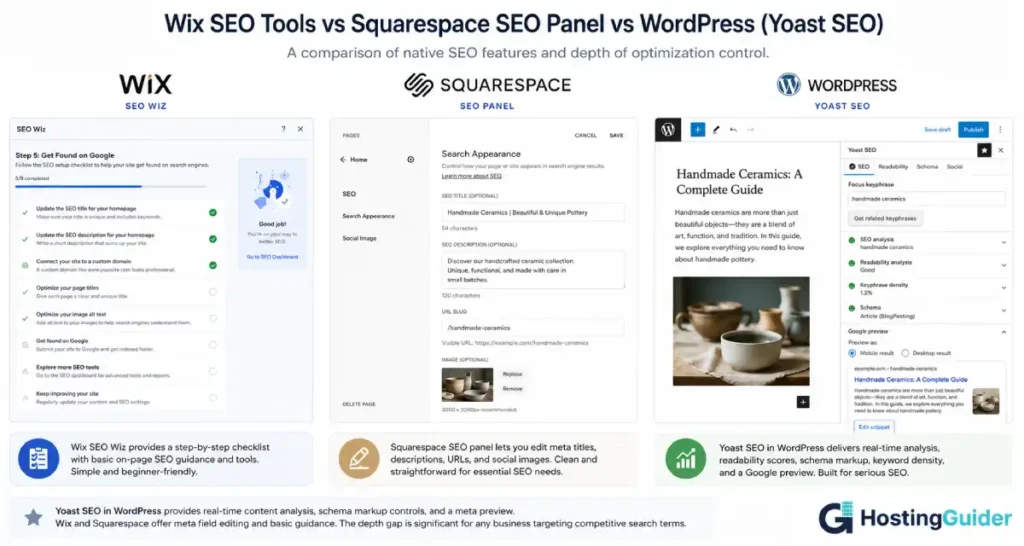
Wix vs Squarespace vs WordPress SEO winner: WordPress. Not close for businesses that depend on organic search.
Pricing: What You Actually Pay in the Wix vs Squarespace vs WordPress Comparison Over Three Years
Most pricing comparisons show you the monthly rate. Here is what three years actually costs.
Wix Pricing
Wix has a free plan that puts Wix branding and ads on your site. It cannot be used for a professional business. Paid plans start at approximately $16/month.
| Plan | Monthly (annual billing) | What it includes |
|---|---|---|
| Light | ~$16/month | 1 collaborator, basic features |
| Core | ~$22/month | Remove Wix ads, basic e-commerce |
| Business | ~$27/month | E-commerce, advanced analytics |
| Business Elite | ~$159/month | Priority support, advanced scaling |
Three-year total for a standard business site (Core plan): approximately $792.
Squarespace Pricing
Squarespace has no free plan. The 14-day trial lets you build before paying.
| Plan | Monthly (annual billing) | What it includes |
|---|---|---|
| Personal | ~$16/month | 2 contributors, basic site |
| Business | ~$23/month | JS/CSS injection, basic e-commerce |
| Commerce Basic | ~$28/month | Full e-commerce, no transaction fee |
| Commerce Advanced | ~$52/month | Subscriptions, abandoned cart |
Three-year total for a standard business site (Business plan): approximately $828.
WordPress Total Cost
WordPress software is free. Here is the real cost:
| Item | Annual Cost |
|---|---|
| WordPress software | Free |
| Managed WordPress hosting | $150 to $400/year |
| Premium theme (one-time) | $0 to $100 |
| SEO plugin (Yoast free version) | Free |
| Security and backup plugin | $0 to $100/year |
Three-year total for a standard business site: approximately $450 to $1,200 depending on hosting quality.
The comparison: At entry-level managed hosting, WordPress costs less over three years than Wix or Squarespace while delivering more capability. At premium managed hosting with paid plugins, costs are comparable or slightly higher, with significantly more functionality.
The hidden cost nobody mentions: platform migration. If you start on Wix and move to WordPress at year two, you rebuild the site from scratch. That migration costs either developer hours or your own time.
Every post you wrote on Wix needs to be manually moved (Wix has limited export capability for blog content). Every image needs to be re-uploaded. The migration cost of choosing Wix and later outgrowing it often exceeds two full years of WordPress hosting costs.
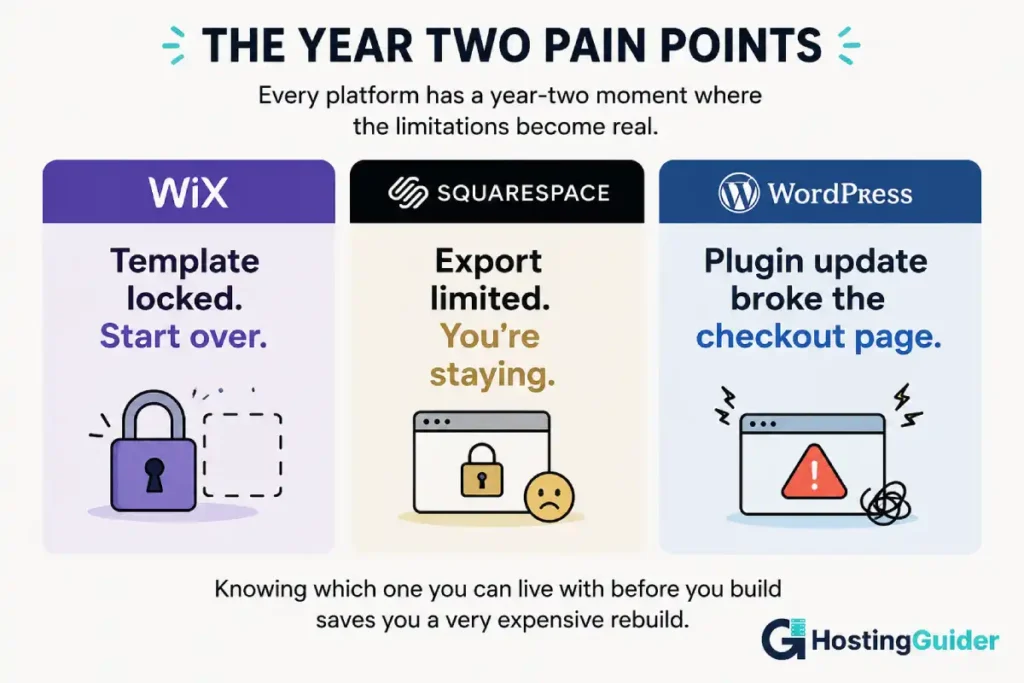
What You Will Hate About Each Platform: The Year Two Reality of Wix vs Squarespace vs WordPress
This is the section every other comparison skips. Here it is, directly.
What You Will Hate About Wix at Year Two
You will hit a design wall. The site looks exactly as it looked on launch day because significant redesigns require full rebuilds. Meanwhile, your competitors on WordPress are refreshing their designs in an afternoon.
You will discover the template lock. You want to move from your current template to one of the new Wix templates they released last year. You find out you cannot transfer your content. You start over.
You will notice mobile performance issues. Wix sites consistently score lower on Core Web Vitals than well-configured WordPress sites. If you run Google Ads, your Quality Score suffers because your landing pages load slowly.
You will want a feature that is not in the Wix App Market. A specific booking system, a complex membership structure, a product configurator. You will find the Wix app that sort of does it and spend a month trying to make it work properly.
What You Will Hate About Squarespace at Year Two
You will find the SEO ceiling. A competitor on WordPress with Yoast SEO and a content strategy starts outranking you for terms you used to own. The clean Squarespace code helps, but the lack of schema markup, the limited redirect management, and the absence of real-time SEO guidance in the editor add up.
You will want to leave and find out how hard it is. Squarespace has the worst export options of the three platforms. Your blog posts export as XML that most other platforms do not cleanly import. Images must be downloaded and re-uploaded. Your page designs have no export path. Everything you built stays in Squarespace.
You will want an app that does not exist. Squarespace’s integration ecosystem is significantly smaller than WordPress or even Wix. That specific CRM integration, that advanced form tool, that third-party payment gateway works on WordPress and not on Squarespace.
What You Will Hate About WordPress at Year Two
You will get plugin update notifications constantly. Every week, three to five plugins have updates waiting. Ignoring them creates security risk. Applying them occasionally breaks something. Managed WordPress hosting reduces this significantly, but it does not eliminate it.
You will have one bad hosting experience. At some point, on a budget host, something will go slow or break, and troubleshooting will require more technical knowledge than you have. The solution is better hosting, not a different platform, but the experience is unpleasant.
You will spend more time configuring tools than you expected at the start. Every new piece of functionality requires plugin evaluation, installation, and configuration. Wix and Squarespace handle this within the platform interface. WordPress requires decisions.
E-Commerce: Wix vs Squarespace vs WordPress for Selling Online
Wix E-Commerce
Wix has a usable e-commerce feature built into its paid plans. For a small shop with under 50 products and basic shipping needs, Wix works. The setup is fast and the checkout is clean.
The limitations surface at medium scale: no wholesale or tiered pricing, no subscription billing without a third-party app, no product bundles, limited multi-currency support, and no WooCommerce-level inventory management. Wix charges no transaction fees on its paid plans, which is a genuine advantage over Shopify.
Squarespace E-Commerce
Squarespace’s e-commerce is better designed than Wix’s from a visual standpoint. Product pages look excellent. The checkout is clean. Abandoned cart recovery is available on the Commerce Advanced plan.
The limits: no subscription billing on the basic commerce plan, no customer group pricing, no B2B or wholesale features, and the same limited integration ecosystem that affects everything else on Squarespace. Squarespace charges no transaction fees on Commerce plans but does charge 3% on the Business plan.
WordPress E-Commerce (WooCommerce)
WooCommerce powers nearly 40% of all online stores globally. It is a free plugin that turns WordPress into a full e-commerce platform with no product limits, no transaction fees, and no revenue caps.
WooCommerce handles physical products, digital downloads, subscriptions, memberships, bookings, auctions, and any combination of the above. The extension library covers every commerce need a growing business could have. The data stays on your server. You own the customer records.
Wix vs Squarespace vs WordPress e-commerce winner:
WordPress with WooCommerce for any store that plans to grow.
Squarespace for small, design-led shops.
Wix for the very smallest and simplest stores.
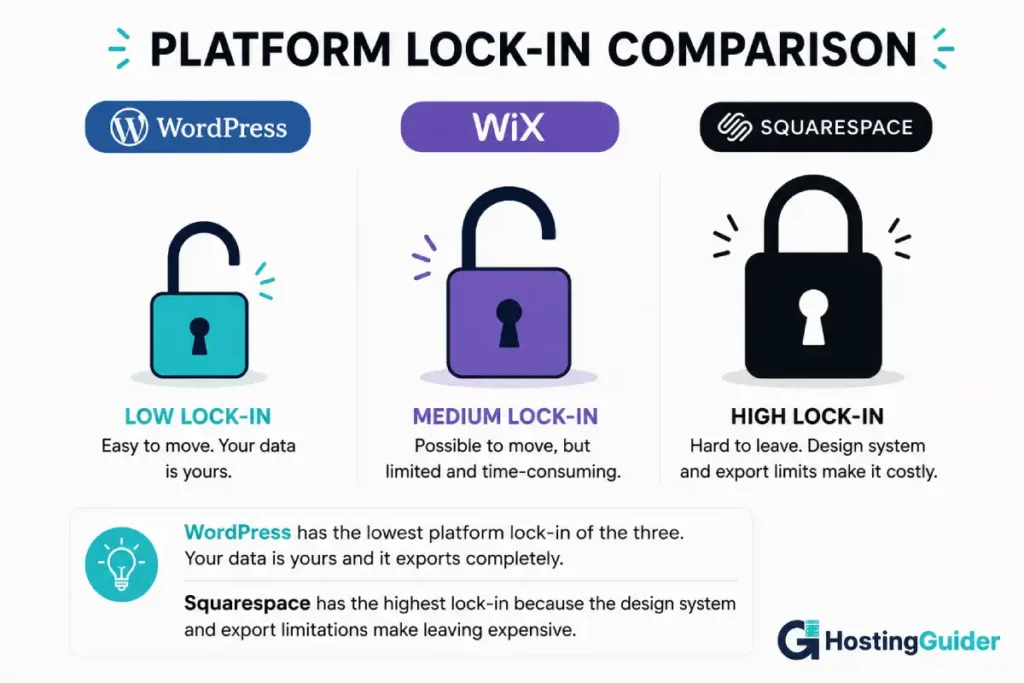
Platform Lock-In in the Wix vs Squarespace vs WordPress Comparison
This is the question that changes everything. Before you choose a platform, ask what it costs to leave it.
Leaving Wix
Wix allows you to export your contacts and basic site data. It does not export your full site design in a portable format. Blog posts can be exported in some formats but the design elements, widget configurations, and page layouts do not transfer. Leaving Wix means rebuilding the visual site from scratch on the new platform.
The exit cost: medium. Content can be manually moved over time. The design must be rebuilt.
Leaving Squarespace
Squarespace’s export options are the most limited of the three. Blog posts export as XML. Product data exports as CSV. Images must be manually downloaded. Page layouts, section designs, and custom elements have no export path. Squarespace also uses a proprietary template and CSS system that does not map to any other platform.
The exit cost: high. Both content and design must be rebuilt. Squarespace knows this, and the platform’s pricing reflects the retention it generates from switching friction.
Leaving WordPress
WordPress exports everything in a standard XML format that every major platform imports. Database exports are standard MySQL format. Files export through FTP or hosting file manager. Moving from one WordPress host to another takes under ten minutes with a migration plugin. Moving from WordPress to a different CMS is easier than moving from Wix or Squarespace because the content export is complete and the formats are standard.
The exit cost: low. You own the data. The platform does not hold you.
Who Each Platform Is Actually For in the Wix vs Squarespace vs WordPress Decision
Here are the specific users each platform serves best. Not hedged. Not “it depends.” Specific.
Wix Is Best For
- A local business owner who needs a website this week and has never built one before
- A service business with under five pages, no blog, and no plans to compete on SEO
- Someone who wants to get live fast, test the market, and is not yet sure if the business will continue
- A business where the website is a digital business card, not a growth channel
- Someone running simple paid ads who just needs a landing page and a contact form
Squarespace Is Best For
- Photographers, architects, designers, artists, and creative agencies where visual portfolio quality is the primary website purpose
- Service businesses in luxury, wellness, or hospitality where aesthetic brand coherence is part of the value proposition
- Event-based businesses with a regular but small product range
- Small restaurants and local businesses that want a beautiful booking and menu presence without an SEO strategy
- Anyone who is willing to trade SEO ceiling and export flexibility for consistent design quality
WordPress Is Best For
- Any business that plans to use content and SEO as a growth channel
- Any business that plans to sell products online with complexity beyond a basic shop
- Businesses that need specific functionality (bookings, memberships, directories, custom tools) beyond what Wix or Squarespace offer
- Agencies and freelancers managing multiple client sites
- Businesses that are serious about owning their platform and data permanently
For non-technical business owners who want WordPress without the setup complexity, managed WordPress hosting removes most of the friction. Our comparison of DreamPress vs Pressable covers two platforms built specifically for non-technical users who want managed WordPress with zero server decisions. Our SiteGround vs Cloudways comparison covers the most common choice for small businesses moving to WordPress for the first time.
Final Verdict
Wix is a great platform for getting started. It is a frustrating platform for growing past where you started. The template lock and the design ceiling are real constraints that show up at exactly the moment your business starts to take the website seriously.
Squarespace is genuinely the best-designed platform of the three. If your business lives and dies by visual brand quality and you have no SEO ambitions, Squarespace is the right choice. The exit cost is real and the SEO ceiling is real. Go in knowing both.
WordPress is the right long-term choice for almost every business that treats its website as a growth asset. The learning curve is smaller than its reputation suggests, especially on managed hosting. The capability ceiling is unlimited. The data ownership is complete. The SEO tools are the best available.
The question to ask before you choose: where do you want to be in three years, and does this platform still work there?
For Wix, the honest answer for many businesses is no. For Squarespace, the honest answer is yes, with SEO caveats. For WordPress, the honest answer is yes, assuming you choose good hosting.
Three-Way Final Summary Table
| Category | Wix | Squarespace | WordPress |
|---|---|---|---|
| Speed to launch | Fastest | Fast | Moderate |
| Design quality (default) | Variable | Excellent | Variable |
| Design ceiling | Moderate | Moderate | Unlimited |
| Template flexibility | Cannot change after launch | Can change | Can change |
| SEO capability | Basic | Moderate | Industry-leading |
| E-commerce | Limited | Limited | Full (WooCommerce) |
| Plugin ecosystem | 300+ apps | Small | 60,000+ plugins |
| Performance (default) | Moderate | Good | Depends on hosting |
| Data portability | Partial | Very limited | Full |
| Three-year cost | Medium | Medium | Low to medium |
| Lock-in level | Medium | High | Low |
| Best for growth | No | Limited | Yes |
Frequently Asked Questions
Wix vs Squarespace vs WordPress SEO: Is Wix Good for SEO?
Wix has improved its SEO capability significantly from its early days but still lags behind WordPress in depth. You can edit meta titles, descriptions, and alt tags. The sitemap is automatic. Core Web Vitals are generally lower than well-configured WordPress sites because Wix loads its full platform before serving the site content. For basic local business SEO targeting a handful of low-competition keywords, Wix is adequate. For competitive content-led SEO, Wix is a meaningful constraint.
Wix vs Squarespace vs WordPress Migration: Can I Switch from Wix to WordPress?
Yes, but it requires rebuilding your site. Wix does not export your page designs in a format that WordPress can import. Blog posts can be manually moved but the process is time-consuming. Images need to be re-uploaded. Every page needs to be rebuilt in WordPress using a theme and page builder. The migration is possible. It typically takes several days for a site with meaningful content, which is why choosing the right platform at the start is important.
Wix vs Squarespace vs WordPress for Photographers: Is Squarespace the Best Choice?
For photographers who want a portfolio site with no blog strategy and no SEO ambitions, Squarespace’s design quality is genuinely hard to match without professional WordPress development. The template quality and typography out of the box is excellent. For photographers who also want to be found on Google for terms like “wedding photographer in [city],” WordPress with a conversion-focused theme and a local SEO strategy will outperform Squarespace over two to three years.
Wix vs Squarespace vs WordPress Pricing: Which Is Cheapest Over Three Years?
Over three years, WordPress on quality managed hosting is typically cheaper than Wix or Squarespace while providing more capability. Entry-level managed WordPress hosting runs approximately $150 to $200 per year. Wix Business plan runs approximately $324 per year. Squarespace Business plan runs approximately $276 per year. The gap widens as you add functionality: WordPress adds free plugins where Wix and Squarespace charge monthly app fees or require plan upgrades.
Wix vs Squarespace vs WordPress Learning Curve: Does WordPress Still Require Technical Knowledge in 2026?
Less than its reputation suggests. The block editor (Gutenberg) is clean and intuitive for daily content editing. The setup complexity has been dramatically reduced by managed WordPress hosting providers that handle installation, configuration, and maintenance automatically. The legitimate learning curve is in understanding the plugin ecosystem, not in daily use. A business owner who uses managed WordPress hosting with a visual page builder can operate their site without developer knowledge.
Wix vs Squarespace vs WordPress: Which Is Best for a Small Business?
It depends on whether organic search is part of your growth plan. If you need to rank on Google for your services or location, WordPress is the right choice because of its SEO tooling, performance capability, and content management depth. If your business grows through referrals, paid ads, or social media and you simply need a professional presence with no SEO strategy, Squarespace provides the best design quality for the simplest experience.
Wix vs Squarespace vs WordPress E-Commerce: Which Platform Sells Best?
Squarespace has better-designed e-commerce than Wix, with cleaner product pages and a more polished checkout experience. Both platforms are limited compared to WordPress with WooCommerce for any store with growth ambitions. Squarespace charges 3% transaction fees on its Business plan (but not on Commerce plans). Wix charges no transaction fees on paid plans. For a serious e-commerce business, neither Wix nor Squarespace has the product depth, subscription billing flexibility, or integration ecosystem that WooCommerce provides.


