Best Cloud Hosting Providers in 2026 : Our Tests & Reviews

Written by:

·

Last Updated on:

·

HostingGuider uses affiliate links. We may earn a commission if you purchase through them, at no extra cost to you.

Traditional hosting works well until a major traffic spike hits your website. A viral post or a big sale sends thousands of visitors to your pages at once. On standard shared hosting, your site immediately slows down. Eventually, it crashes. You lose visitors, sales, and credibility because your single physical server cannot handle the sudden load.

Cloud hosting completely solves this problem. Instead of relying on one physical machine in a single location, your website lives on a connected network of multiple servers. This is called a clustered environment. If one hardware component fails, another instantly takes over. If you need more processing power to handle a traffic surge, the cloud pulls unused resources from the network to keep your pages loading quickly.

The main challenge is that cloud hosting comes in many different configurations. You have managed cloud services where the host does all the technical work. You have unmanaged cloud platforms where you build the server from scratch. You also have enterprise-level setups that cost hundreds of dollars and budget options that cost less than ten.

This guide reviews every major cloud provider available right now. Each host is matched to a specific user type. Whether you run a high-traffic WordPress blog, a massive WooCommerce store, or you just want faster page speeds for a local business, you will find the exact cloud setup you need on this list.

Key Takeaways

  • Cloud hosting spreads your website data across a network of connected servers for maximum uptime and reliability
  • Scalability is the biggest benefit because you can add more RAM or CPU power instantly without migrating your site
  • Managed cloud is the best choice for most users because the hosting company handles server maintenance and security
  • True cloud infrastructure prevents your site from crashing if a single physical hardware component fails
  • Most websites should upgrade to the cloud when they surpass 50,000 monthly visitors or require strict security protocols
  • Price, RAM, storage type, and network architecture are the most important factors when comparing plans

Quick Answer

For most users upgrading to the cloud for the first time, Cloudways and ScalaHosting are the smartest choices. Both provide a fully managed control panel so you do not need technical skills to run your server. If you want maximum performance for a WordPress site and have the budget for premium infrastructure, Kinsta and WP Engine lead the market. For raw value and cheap cloud resources, Hostinger is excellent. For massive corporate websites that cannot afford a single second of downtime, Liquid Web provides top tier enterprise hardware.

Cloud Hosting Tiers Comparison
Comparison of budget, mid-range, and premium cloud hosting providers

What is Cloud Hosting?

Before you choose a provider, it is important to understand what makes cloud architecture different from everything else.

In standard hosting setups, your website data lives on a single hard drive inside a single computer box. This is called a physical server. If the power supply on that physical server burns out, your website goes offline until a technician physically replaces the broken part.

Cloud hosting uses a technology called virtualization. A massive group of physical servers is linked together to act as one giant pool of computing resources. Your website is assigned a virtual container within this massive pool. Because your data is distributed across the network, you are never tied to just one piece of hardware.

Imagine a large city water supply. Standard hosting is like having a single water tank on your roof. If the tank breaks, you have no water. Cloud hosting is like being connected to the main city grid. The water comes from many different reservoirs. If one reservoir needs maintenance, the water simply flows from another one, and your tap never runs dry.

This clustered approach provides two massive benefits. First, you get extreme reliability. Second, you get instant scalability. You can drag a slider in your dashboard to add more memory to your website, and the network provides it instantly.

traditional hosting compared with cloud hosting network infographic
Visual comparison of single-server hosting and cloud infrastructure

Cloud vs VPS vs Shared Hosting

Understanding exactly where the cloud sits in the hosting hierarchy helps you decide if you actually need to pay for it.

FeatureShared HostingVPS HostingCloud Hosting
Hardware SetupOne physical serverOne physical serverNetwork of servers
Resource AllocationShared with othersDedicated to youDedicated to you
ReliabilityLowModerateExtremely High
ScalabilityVery hardRequires downtimeInstant and seamless
Traffic SpikesWill crash siteHandles them wellEasily absorbs them
Best ForBeginners and hobbiesGrowing businessesHigh traffic and stores

Managed vs Unmanaged Cloud: Which Do You Need?

This is the most critical choice you will make. Getting this wrong means you will either overpay for services you do not use or you will accidentally break your own website because you lack the technical skills to run it.

An unmanaged cloud server gives you total control. The hosting company provides the network infrastructure and nothing else. You have to log in using a command-line interface. You install the operating system. You configure the firewalls. You set up the databases. If something breaks, the support team will not help you fix your software. This requires deep Linux administration knowledge.

A managed cloud server does all the heavy lifting for you. The hosting company configures the server, updates the security patches, and gives you a simple graphical dashboard to use. You just click a button to install WordPress and focus on building your business.

Managed CloudUnmanaged Cloud
Control panel includedNo graphical interface
Host fixes server issuesYou fix server issues
Automatic security patchesYou manage security
Higher monthly costLower monthly cost
Best for business ownersBest for developers

When Do You Actually Need Cloud Hosting?

Not everyone needs a cloud environment. If you run a small personal blog, standard shared hosting is fine. Here are the exact indicators that tell you it is time to upgrade.

Your website traffic is growing fast, and you frequently experience slow page loads during busy hours of the day.

You are running an active e-commerce store. Online stores require constant database queries that shared servers simply cannot process fast enough.

You have a global audience. Cloud networks often allow you to deploy your site across multiple regions simultaneously.

You expect a sudden wave of traffic from a television appearance, a large advertising campaign, or a major product launch.

Your current host keeps suspending your account because you are exceeding your allotted CPU limits.

What to Look for in a Cloud Provider

FactorWhat It MeansWhat to Look For
Resource ScalingAdding power on demandOne click vertical scaling
Storage TypeThe drives holding your dataNVMe SSD storage only
Network ArchitectureWho provides the hardwareGoogle Cloud or AWS integration
Management LevelTechnical support depthFully managed for non developers
Uptime GuaranteeThe promise of reliability99.99 percent or higher
Global ReachWhere the servers liveMultiple locations worldwide

Best Cloud Hosting Providers at a Glance

ProviderBest ForStarting PriceManagedFull Review
CloudwaysBest overall cloudFrom $14.00/monthYesReview
ScalaHostingBest value managed cloudFrom $29.95/monthYesReview
KinstaBest for premium WordPressFrom $35.00/monthYesReview
HostingerBest for mission-critical sitesFrom $9.99/monthYesReview
SiteGroundBest performance cloudFrom $100.00/monthYesReview
WP EngineBest enterprise WordPressFrom $20.00/monthYesReview
Liquid WebBest speed-focused cloudFrom $149.00/monthYesReview
HostArmadaBest speed focused cloudFrom $41.21/monthYesReview
FastCometBest global data centersFrom $46.95/monthYesReview
ContaboBest cheap raw cloudFrom $5.50/monthNoReview

Detailed Cloud Provider Reviews

Cloudways: Best Overall Cloud Hosting

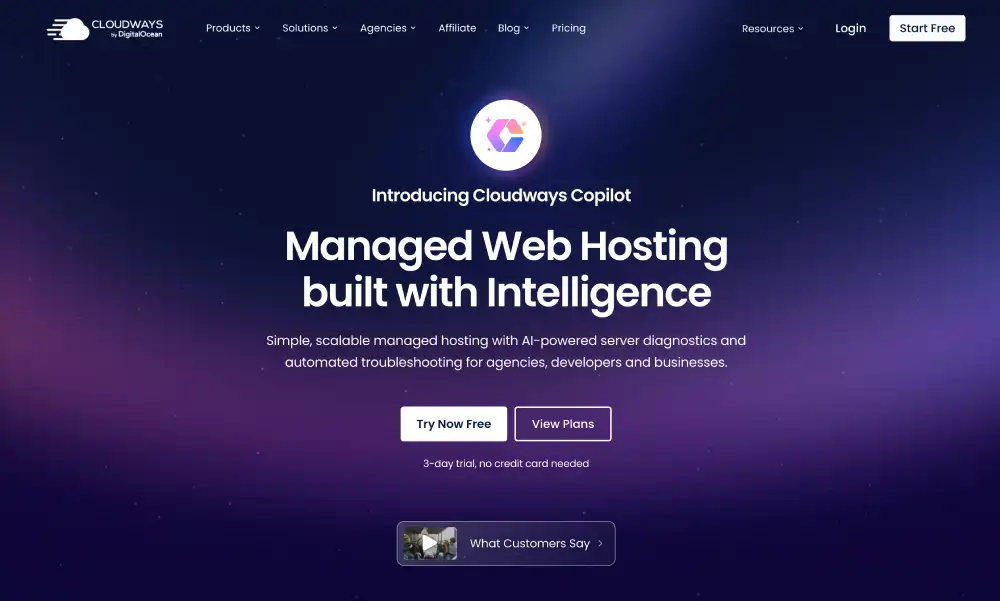
Cloudways takes a completely different approach to hosting. They do not own any data centers. Instead, they provide a powerful management dashboard that sits on top of the best cloud networks in the world. You can choose to host your site on DigitalOcean, Amazon Web Services, or Google Cloud Platform.

Normally, setting up a server on AWS is an incredibly complex task that requires an engineering background. Cloudways makes it as simple as clicking a few buttons. Their platform automatically installs WordPress, sets up caching, and configures security firewalls.

The biggest advantage here is the pay-as-you-go pricing model. You only pay for the exact resources you use. If you need to upgrade your server for a weekend sale, you slide a toggle in the dashboard to double your RAM. When the sale ends, you scale it back down. You are never locked into an expensive yearly contract for server space you do not need.

Who it is for: growing businesses, agencies, and e-commerce store owners who want enterprise-grade network speed without the complicated server management.

Read the full Cloudways review for infrastructure comparison data and setup guides.

ScalaHosting: Best Value Managed Cloud

ScalaHosting solves a massive problem in the hosting industry. Control panel licenses have become very expensive. To keep costs low, ScalaHosting built their own proprietary control panel called SPanel. They include it for free with every managed cloud plan.

SPanel is lightweight, extremely fast, and incredibly easy to navigate. It allows complete beginners to manage emails, databases, and website files without touching a single line of code. Their cloud infrastructure uses highly available clusters. If a hardware node fails, your virtual machine automatically migrates to a healthy node in seconds.

Security is another major focus. Every cloud plan includes SShield, an automated security system that monitors your site around the clock. ScalaHosting states that SShield successfully blocks over 99.998 percent of incoming web attacks. They also provide free, unlimited site migrations performed by human experts.

Who it is for: small business owners and bloggers who want a premium managed cloud experience but want to avoid the high costs associated with traditional control panels.

Read the full ScalaHosting review to see SPanel screenshots and performance benchmarks.

Kinsta: Best for Premium WordPress

Kinsta focuses entirely on managed WordPress hosting using the premium tier of the Google Cloud Platform. They do not offer shared hosting or generic servers. They built a highly optimized environment specifically designed to make WordPress load faster than anywhere else.

Every website on Kinsta lives in its own isolated software container. This container holds all the software resources required to run the site, including Linux, Nginx, PHP, and MySQL. Because the resources are completely private, no other website can ever steal your processing power. This also provides an incredibly tight security perimeter.

They integrate deeply with Cloudflare to provide enterprise level firewall protection and a global content delivery network. Their custom dashboard, MyKinsta, is widely considered the best custom interface in the industry. It gives developers instant access to staging environments and performance analytics. Support is provided exclusively by WordPress engineers.

Who it is for: high traffic blogs, massive WooCommerce stores, and corporate sites that require absolute top tier speed and expert level WordPress support.

Read the full Kinsta review to see their Google Cloud network advantages.

Hostinger: Best Entry Level Cloud

Hostinger built its reputation by offering the cheapest shared hosting on the market. They have applied that same pricing strategy to their cloud plans. This makes Hostinger the absolute best starting point for a user who has finally outgrown shared hosting but cannot afford a fifty dollar monthly bill.

Their cloud architecture runs on isolated virtual instances to ensure your resources remain dedicated to your project. They utilize a custom control panel called hPanel. It is designed specifically for beginners and provides one click installations, easy backup management, and simple domain configuration.

All cloud plans include automated daily backups, a dedicated IP address, and integration with their in house content delivery network. While their support team might not offer the deep engineering expertise of Kinsta or Liquid Web, they are highly responsive and capable of handling standard technical issues.

Who it is for: users on a strict budget who need more reliability and power than shared hosting can provide.

Read the full Hostinger review for detailed pricing breakdowns and feature lists.

SiteGround: Best Performance Cloud

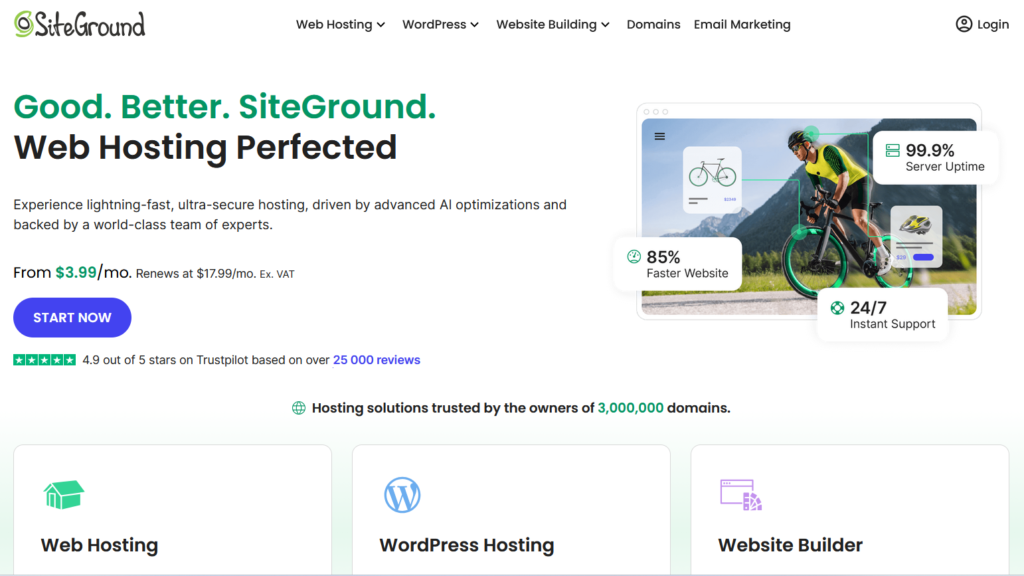
SiteGround shifted their entire hosting infrastructure to the Google Cloud Platform several years ago. While they offer standard web hosting, their dedicated Cloud Hosting product is a massive step up in power. These plans are fully managed and designed for ultimate performance.

The standout feature of SiteGround Cloud is the auto scaling technology. You can configure your server to automatically add CPU and RAM the exact moment a traffic surge hits. This guarantees your site will never crash during a major event. You can set strict limits on this scaling so you never receive an unexpected massive bill.

They include a suite of custom speed tools. Their SuperCacher system is highly optimized for WordPress and WooCommerce. They also offer a customized PHP setup that executes code significantly faster than standard configurations. The support team is legendary in the industry for their speed and helpfulness.

Who it is for: successful online stores and high volume publishers who need an absolutely hands off, high performance environment.

Read the full SiteGround review to learn about their auto scaling technology.

WP Engine: Best Enterprise WordPress

WP Engine is the pioneer of the managed WordPress space. They built a massive cloud architecture utilizing both Amazon Web Services and Google Cloud. Their platform is engineered from the ground up to make WordPress secure, fast, and scalable.

They offer a highly developer friendly environment. You get access to seamless staging sites, easy Git integration, and automated daily backups. One of their biggest selling points is the inclusion of the Genesis Framework and an entire library of premium StudioPress themes at no extra cost.

WP Engine takes security very seriously. They proactively block millions of attacks every day and will actually fix your site for free if it ever gets hacked on their watch. Their EverCache proprietary caching technology ensures that even heavy, complex pages load instantly for visitors.

Who it is for: professional WordPress developers, digital marketing agencies, and enterprise companies that need a polished, highly secure workflow.

Read the full WP Engine review for details on their caching and developer tools.

Liquid Web: Best for Mission Critical Sites

Liquid Web operates at the very top end of the hosting market. Their cloud infrastructure is designed for websites where even a single minute of downtime results in massive financial losses. They own their own core data centers and control the entire network stack.

Their managed cloud plans come with a heroic support guarantee. They legally promise to respond to phone calls and live chats in under 59 seconds. You get access to highly trained system administrators who can fix complex database issues and server errors instantly.

The hardware is entirely premium. They use high availability clusters, redundant network switches, and top tier SSD storage. Their cloud setups are heavily customized for demanding applications like massive WooCommerce catalogs or high traffic membership portals.

Who it is for: large corporations, massive e-commerce portals, and applications that require custom server clusters and strict service level agreements.

Read the full Liquid Web review for SLA details and enterprise hardware specifications.

HostArmada: Best Speed Focused Cloud

HostArmada built their cloud platform specifically around the LiteSpeed web server technology. LiteSpeed processes PHP and serves static files significantly faster than older technologies like Apache. When paired with their cloud SSD storage, websites load incredibly fast.

Their managed cloud plans use a low number of clients per server node. This prevents the noisy neighbor problem where another website slows down the network. They include cPanel for easy management, automated daily backups, and free SSL certificates across all tiers.

Their technical support team is highly rated. They help with initial site migrations and proactively monitor the cloud network to prevent downtime before it happens. They offer data centers across multiple continents to ensure low latency for global audiences.

Who it is for: website owners who want the specific speed benefits of LiteSpeed technology combined with a fully managed cloud environment.

Read the full HostArmada review for speed test results and caching details.

FastComet: Best Global Data Centers

FastComet stands out by offering one of the largest global networks in the hosting industry. If your target audience is located in Tokyo, Sydney, or Mumbai, FastComet has a cloud node nearby. Keeping your server physically close to your visitors is the best way to guarantee fast loading times.

Their cloud VPS plans are fully managed and include the industry standard cPanel interface. They use high performance SSD drives and guarantee dedicated resources for your applications. The plans include advanced security features like a web application firewall and brute force protection.

FastComet provides very transparent pricing. They do not hide renewal rates or force long term contracts to get a decent price. Their technical support is available all day and night and handles complex WordPress issues very well.

Who it is for: businesses with an international audience that need a data center located outside of standard North American or European locations.

Read the full FastComet review to see their complete list of global data center locations.

Contabo: Best Cheap Raw Cloud

Contabo provides absolutely massive amounts of server resources for incredibly low prices. Their cloud instances offer high core counts, huge RAM allocations, and fast NVMe storage for the cost of a cup of coffee.

The catch is that Contabo is almost entirely unmanaged. They hand you the keys to a powerful virtual machine and you must do everything else yourself. You must install the operating system, configure the web server, and manage all security updates via a command line terminal.

For those who have the technical skills, Contabo offers unbeatable value. Developers use them to run resource heavy applications, host private gaming servers, or build custom testing environments. They have data centers in Germany, the US, and Asia.

Who it is for: experienced system administrators and developers who want maximum raw computing power for the lowest possible price.

Read the full Contabo review for benchmark data and technical specifications.

More Cloud Providers Worth Considering

DreamHost

DreamHost offers a specialized cloud computing service called DreamCompute. It is built on open source technology and provides a highly flexible environment for developers who need root access and fast SSD storage. It operates on predictable hourly billing.

Read the full DreamHost review.

Bluehost

Bluehost recently upgraded their premium plans to include better cloud infrastructure. Their managed options are heavily tailored for WordPress beginners and include a very clean onboarding process. They are a safe, recognizable brand for small businesses.

Read the full Bluehost review.

GoDaddy

GoDaddy offers cloud options that integrate perfectly with their massive domain registration system. While their cloud servers are basic, the convenience of managing all your web properties in one single dashboard appeals to many small business owners.

Read the full GoDaddy review.

Thamara Cloud

Thamara Cloud is an emerging provider focusing on high-performance localized servers. They offer competitive pricing and solid network redundancy for specific regional markets that larger companies often ignore.

Read the full Thamara Cloud review.

AccuWeb Hosting

AccuWeb is one of the few hosts that excels at Windows-based cloud hosting. If your company relies on ASP.NET frameworks or Microsoft SQL databases, AccuWeb provides incredibly stable cloud environments configured exactly for Microsoft software.

Read the full AccuWeb review.

Hosting.com

Hosting.com provides elite managed cloud services aimed squarely at mid market and enterprise companies. They specialize in complex compliance requirements, making them ideal for healthcare portals and financial technology websites.

Read the full Hosting.com review.

UltaHost

UltaHost focuses entirely on high security cloud hosting. They provide massive protection against DDoS attacks and malware. They are a highly reliable choice for websites that frequently face malicious bot traffic or coordinate sensitive data.

Read the full UltaHost review.

IONOS

IONOS provides some of the cheapest entry level cloud servers in the world. They offer a very straightforward pay as you go model. They are a massive company with a huge footprint in the European market, offering excellent data privacy compliance.

Read the full IONOS review.

WPX

WPX is famous for having the absolute fastest technical support in the WordPress hosting industry. Their cloud infrastructure uses a custom content delivery network to serve pages instantly. They also offer free malware removal if your site gets compromised.

Read the full WPX review.

Pressable

Pressable is owned by Automattic, the same company that created WordPress. Their cloud network is specifically tuned by the actual creators of the software. It provides a flawless, highly stable environment for WordPress agencies.

Read the full Pressable review.

OVHcloud

OVHcloud is a giant in the European technology sector. They offer unmanaged cloud instances with incredible raw power. They are the top choice if your business requires strict compliance with European data residency laws.

Read the full OVHcloud review.

WordPress.com

The premium business tiers of WordPress.com actually utilize a massive, globally distributed cloud network. They lock down the environment so you cannot break it, providing an incredibly secure and hands off hosting experience.

Read the full WordPress.com review.

Rocket.net

Rocket.net forces all of your website traffic through the Cloudflare Enterprise network. This means your cloud site is cached at the absolute edge of the internet, resulting in zero latency page loads regardless of where your visitor lives.

Read the full Rocket.net review.

How to Choose the Right Cloud Provider for Your Situation

Selecting a cloud host means matching your technical ability and your budget to the right platform.

If you run a business and have no interest in learning server commands, you must choose a fully managed provider. Cloudways gives you the best balance of premium Google or Amazon network speeds combined with an easy dashboard. ScalaHosting is the best choice if you want top tier managed support on a tighter budget.

If you are running a very successful WordPress site or WooCommerce store, you need a specialized environment. Kinsta and WP Engine isolate your site perfectly and ensure that plugin conflicts or database queries never slow down your checkout pages.

If you are a developer testing new applications, you do not want a managed host getting in your way. You need the raw root access and incredibly cheap computing power offered by Contabo or OVHcloud.

If your website traffic is highly unpredictable, you need a host with true auto scaling. SiteGround allows your server to instantly expand its memory during a viral traffic surge without any human intervention.

Frequently Asked Questions

What makes cloud hosting different from standard web hosting?

Standard web hosting places your website files on one single physical machine. If that machine has a hardware failure, your site drops offline. Cloud hosting places your website files across a network of connected virtual servers. If one physical component fails, the network instantly routes your site to healthy hardware. This redundancy makes cloud hosting significantly more reliable.

Will migrating to the cloud speed up my website?

Yes, moving to a cloud environment almost always improves page load speeds. Cloud networks utilize advanced hardware like NVMe solid state drives and enterprise grade processors. Because you receive dedicated memory and CPU power that is not shared with thousands of other users, your server executes database queries and loads images much faster.

Is it difficult to move my current site to a cloud server?

It is very easy if you choose a managed cloud provider. Companies like Cloudways, ScalaHosting, and Kinsta employ migration experts who will transfer all your files and databases for free. They handle the complex technical work in the background, ensuring your website experiences zero downtime during the transition.

How does cloud server scaling actually work?

Scaling allows you to increase your server power without migrating to a new machine. If you expect a massive traffic spike, you can log into your cloud dashboard and click a button to double your RAM and CPU cores. The network assigns the new power instantly. Once the traffic spike ends, you can scale the resources back down to save money.

Are cloud servers more secure than shared servers?

Cloud servers provide a much higher level of security. In a shared environment, a hacker who compromises one website can sometimes infect other sites on the same hard drive. In a cloud setup, your website lives inside an isolated virtual container. Malicious software cannot cross the virtual barrier, keeping your files completely insulated from other users.

Do I need to learn coding to use cloud hosting?

You do not need any coding skills if you purchase a managed cloud plan. The hosting company provides a graphical control panel where you manage everything using your mouse. You can install software, create email addresses, and restore backups with simple clicks. You only need coding skills if you purchase an unmanaged server.

What does pay as you go billing mean for cloud hosting?

Pay as you go billing means you are charged based on the exact amount of time you use a specific amount of server power, usually calculated by the hour. If you upgrade your server for a three day holiday sale, you only pay the higher rate for those 72 hours. You are not forced to pay for a massive server for the entire year.

About The Author

Hostinger

4.7/5 (62k)
Claim 88% OFF Now

Liquid Web

4.3/5 (2.6k)
Claim 50% OFF Now

WP Engine

4.3/5 (1.6k)
Claim 33% OFF Now