
WordPress.com Review: Is It the Same as Self-Hosted WordPress?
WordPress.com is a hosted platform run by Automattic. WordPress.org is free, open-source software you install on any host. They’re not the same thing, despite the name.
WordPress.com is a hosted website-building platform owned and operated by Automattic, the company Matt Mullenweg founded in 2005.
It offers a free plan plus four paid tiers: Personal, Premium, Business, and Commerce.
Quick Answer
WordPress.com is a good fit for someone who wants managed WordPress hosting bundled with the platform itself, with no separate host to choose.
It’s a weaker fit for anyone who wants full plugin freedom on a lower-tier plan, since only Business and Commerce allow unrestricted plugin installs.
Paid plans start at $4 a month for Personal, confirmed on WordPress.com’s own pricing page, September 9, 2026, billed annually.
Personal auto-renews at $10 a month; Premium, Business, and Commerce auto-renew at $18, $45, and $75 a month respectively.
The one thing to check before you buy: the “was” price WordPress.com displays alongside its sale price doesn’t match the actual renewal price on three of four plans.
Personal shows a struck-through $9 next to its $4 sale price, but renews at $10, not $9.
Business shows a struck-through $40 next to its $25 sale price, but renews at $45. Commerce shows $70 struck through, sells at $45, renews at $75.
Only Premium’s struck-through price ($18) matches its actual renewal rate.
WordPress.com’s own refund policy allows 14 days on annual, 2-year, and 3-year plans, or 7 days on monthly plans, described as “no-questions-asked.”
WordPress.com carries a 3.7/5 “Average” rating on Trustpilot from roughly 4,135 reviews as of this writing, a notably lower score than most hosts in this category.
Who should look elsewhere: anyone who wants unrestricted plugin and theme installs from the cheapest paid tier; that requires Business or Commerce, not Personal or Premium.
Pros and Cons
Pros
- A genuine free plan exists, not just a trial, for anyone who wants to try WordPress.com before paying
- Business and Commerce plans include real-time backups, one-click restores, and SFTP/SSH/WP-CLI access
- A 14-day refund window on annual plans, described by WordPress.com as “no-questions-asked”
- Free domain for the first year and a free business email account for one year on Business and Commerce
- Built by Automattic, the same company behind Jetpack, WooCommerce, and Akismet, with deep WordPress-specific expertise
Cons
- Only Business and Commerce allow unrestricted plugin and theme installs; Personal and Premium are limited to WordPress.com’s own marketplace (see our breakdown of why hosting renewal pricing jumps like this)
- The struck-through “was” price shown next to the sale price doesn’t match the actual renewal rate on three of four paid plans
- 3.7/5 “Average” on Trustpilot, a meaningfully lower third-party rating than most hosts covered on this site
- Free-plan sites display WordPress.com ads to visitors; removing them requires upgrading to Personal or higher
- Automattic’s CEO, Matt Mullenweg, also leads the separate WordPress.org project, a dual role worth knowing about given the 2024-2025 dispute with WP Engine
Review Summary
| Category | What we found |
| Starting price | Free plan available; paid plans from $4/mo (Personal, billed annually) |
| Renewal price | $10/mo (Personal) up to $75/mo (Commerce) |
| Free domain | Yes, first year, on all paid plans |
| Plugin freedom | Unrestricted only on Business and Commerce |
| Refund window | 14 days (annual/2-yr/3-yr plans), 7 days (monthly), per WordPress.com’s own policy |
| Third-party rating | 3.7/5 “Average” on Trustpilot, ~4,135 reviews (live counter, checked September 2026) |
| Best for | Buyers who want the platform and hosting bundled together, without picking a separate host |
About WordPress.com
WordPress.com is owned and operated by Automattic, founded in 2005 by Matt Mullenweg and headquartered in San Francisco, California.
Automattic also owns WooCommerce, Jetpack, Akismet, Tumblr, and Day One, among other products.
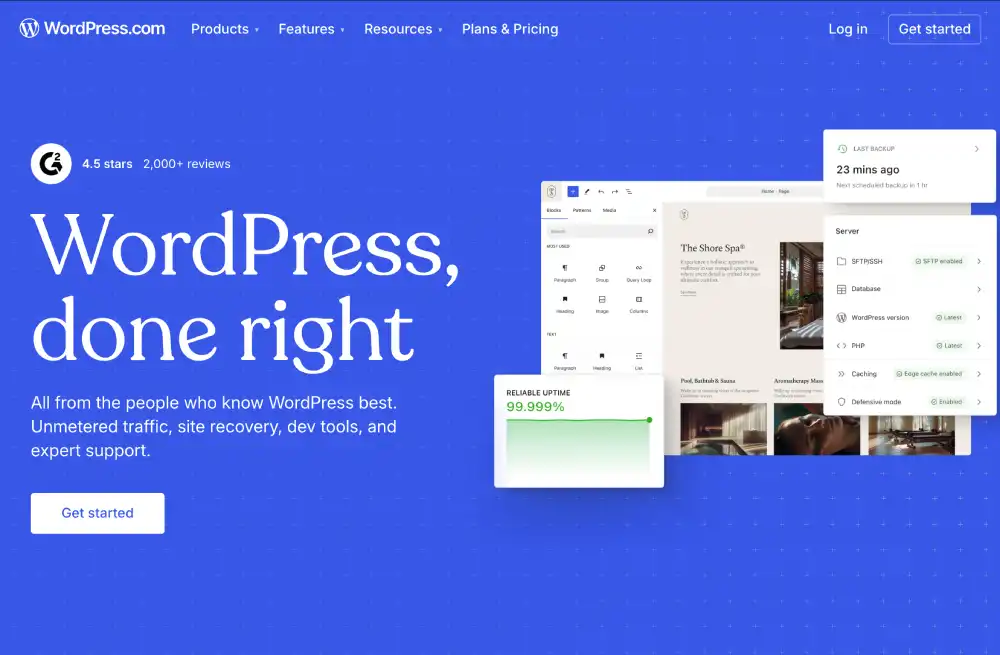
WordPress.com should not be confused with WordPress.org, the free, open-source software project that any host, including every other provider reviewed on this site, can run.
Matt Mullenweg is both Automattic’s CEO and a lead figure in the separate WordPress.org open-source project, a dual role that became publicly contentious during 2024-2025.
In September 2024, a dispute between Automattic and WP Engine over trademark use escalated into WordPress.org blocking WP Engine’s plugin and repository access.
A federal injunction restored that access in December 2024. For the other side of that dispute, see our WP Engine review.
Pricing & Plans
WordPress.com sells a free plan and four paid tiers: Personal, Premium, Business, and Commerce, plus a custom-priced Enterprise tier for large sites.
For how these compare against other beginner-friendly hosts, see our best web hosting for bloggers and content creators roundup.
Paid plans (billed annually)
| Plan | Intro price | Auto-renews at | Storage | Plugin access |
| Personal | $4/mo | $10/mo | 6 GB | WordPress.com marketplace only |
| Premium | $8/mo | $18/mo | 13 GB | WordPress.com marketplace only |
| Business | $25/mo | $45/mo | 50 GB | Any of 60,000+ plugins, or upload your own |
| Commerce | $45/mo | $75/mo | 50 GB | Any of 60,000+ plugins, or upload your own |
Detailed GoDaddy Hosting Plans & Pricing
Personal |
Premium |
Business |
Commerce |
Enterprise |
|---|---|---|---|---|
$9
/mo |
$18
/mo |
$40
/mo |
$70
/mo |
Starting at US$25,000
/year |
|
|
|
|
|
Monthly, 2-year, and 3-year billing options also exist, at different per-month rates than the annual figures shown here.
This review confirmed the annual-billing figures directly; it didn’t extract exact monthly or multi-year figures for every plan.
All paid plans include a free domain for the first year, unlimited pages and users, and a guided AI website builder.
Business adds real-time backups, one-click restores, SFTP/SSH and WP-CLI access, GitHub Deployments, and a free business email account for one year.
It also includes $200 in Blaze advertising credits and an email marketing tool, powered by MailPoet, for up to 500 subscribers.
Commerce adds WooCommerce-oriented store tools and the ability to sell in 60+ countries with 135+ supported currencies.
WordPress.com’s refund policy allows 14 days on annual, 2-year, and 3-year plans, or 7 days on monthly plans; domain refunds have a separate 96-hour window.
Use Cases
A hobbyist or writer starting a blog can use the free plan or Personal for a hosted WordPress site without picking a separate hosting company.
A small business that wants a professional email address and priority support can use Business, which adds real-time backups, unrestricted plugins, and 24/7 priority support.
A store owner building a WooCommerce shop can use Commerce, which bundles WooCommerce-oriented tools on top of everything in Business.
A developer who wants full plugin freedom and SSH/WP-CLI access needs Business or higher; Personal and Premium restrict installs to WordPress.com’s own marketplace.
Hosting Types
Free Plan. A hosted WordPress.com site with a subdomain, WordPress.com branding and ads, and usage limits on the guided website builder.
Personal and Premium. Entry paid tiers with a free domain, no ads, and access to WordPress.com’s own plugin and theme marketplace, but not outside plugins.
For how WordPress.com compares against traditional managed WordPress hosts, see our best managed WordPress hosting roundup.
Business. Unrestricted plugin and theme installs, real-time backups, SFTP/SSH, WP-CLI, and GitHub Deployments, aimed at businesses and developers.
Commerce. Everything in Business plus WooCommerce-oriented store tools, multi-currency selling, and store-specific themes.
Enterprise. A custom-priced tier for large-scale or high-traffic WordPress sites, requiring direct contact with WordPress.com’s sales team.
Detailed Features
| Feature | WordPress.com’s offering |
| Free plan | Yes, with WordPress.com subdomain and ads |
| Entry paid price | $4/mo (Personal, billed annually) |
| Plugin freedom | Only on Business and Commerce; Personal/Premium limited to WordPress.com’s marketplace |
| Storage | 6 GB (Personal) up to 50 GB (Business, Commerce) |
| Free domain | First year, on all paid plans |
| Backups | Real-time with one-click restores, Business and Commerce only |
| Developer access | SFTP/SSH, WP-CLI, GitHub Deployments, Business and Commerce only |
| Marketing tools | $200 in Blaze ad credits and MailPoet-powered email marketing (500 subscribers), Business and Commerce only |
| Refund window | 14 days (annual/2-yr/3-yr), 7 days (monthly), 96 hours (domains) |
| Third-party rating | 3.7/5 “Average” on Trustpilot, ~4,135 reviews (checked September 2026, live counter) |
GoDaddy Hosting Detailed Plan Features
Sources: wordpress.com/pricing, wordpress.com/support/refunds, wordpress.com/support/manage-purchases/cancel-a-purchase, and trustpilot.com/review/wordpress.com, all viewed live on September 9, 2026.
Infrastructure
WordPress.com runs on WP Cloud, Automattic’s own infrastructure product, described by the company as built specifically for scalable, highly available WordPress hosting.
Automattic states every plan includes end-to-end security and automatic performance optimization, without the customer managing servers directly.
This review didn’t independently benchmark WordPress.com’s server response times or uptime against competing managed WordPress hosts.
Support & Usability
Support channels. Free-plan and Personal-tier users get community forum support. Premium and higher get email support from WordPress.com’s Happiness team.
Business and Commerce add 24/7 priority support, meaning those tickets are answered first rather than in general queue order.
Onboarding. Every plan includes a guided, AI-assisted website builder that generates a starting site from a short questionnaire.
This review didn’t independently test the builder’s output quality or the accuracy of support response times.
Frequently Asked Questions
Is WordPress.com the same as WordPress.org?
No. WordPress.com is a hosted platform owned by Automattic. WordPress.org is free, open-source software you can install on any hosting provider, including this site’s other reviewed hosts.
Does WordPress.com have a free plan?
Yes. The free plan includes a WordPress.com subdomain, unlimited pages and users, and a guided website builder, but displays ads and doesn’t include a custom domain.
How much does WordPress.com cost after the first term?
Personal auto-renews at $10/mo, Premium at $18/mo, Business at $45/mo, and Commerce at $75/mo, all higher than the discounted intro rates shown at signup.
Can I install any WordPress plugin on WordPress.com?
Only on Business and Commerce. Personal and Premium restrict installs to WordPress.com’s own plugin marketplace, not the full WordPress.org plugin repository.
What is WordPress.com’s refund policy?
14 days on annual, 2-year, and 3-year plans, or 7 days on monthly plans, described by WordPress.com as “no-questions-asked.” Domains have a separate 96-hour window.
Who owns WordPress.com?
Automattic, founded in 2005 by Matt Mullenweg, who is also a lead figure in the separate, open-source WordPress.org project.
Did WordPress.com’s parent company have a dispute with WP Engine?
Yes. In September 2024, Automattic and WordPress.org blocked WP Engine’s plugin and repository access during a public trademark dispute. A federal injunction restored access in December 2024.
Does WordPress.com include a business email account?
Yes, a free business email account for one year is included on Business and Commerce plans, powered by Titan.
Our Verdict
WordPress.com’s strongest documented advantage is bundling the platform and hosting into one product, with a genuine free tier for anyone who wants to try it first.
The plugin restriction on Personal and Premium is the detail most likely to frustrate a buyer who assumes “WordPress” means unrestricted WordPress.org-style plugin freedom.
The mismatch between WordPress.com’s displayed “was” price and its actual renewal rate, on three of four plans, is worth checking before you commit to a term.
The 3.7/5 Trustpilot rating is also meaningfully lower than most hosts covered on this site, worth weighing against WordPress.com’s platform-specific advantages.
For a closer look at the other side of Automattic’s 2024-2025 dispute, see our WP Engine review.
Alternative Reviews
The other side of Automattic’s 2024-2025 WordPress.org dispute

A WordPress.org-recommended host with unrestricted plugin access at every tier

Another WordPress.org-recommended host, self-hosted rather than platform-based
How We Evaluated WordPress.com
This review is built from WordPress.com’s own current live pricing and refund-policy pages, plus its Trustpilot profile for third-party rating data.
The Automattic/WP Engine dispute was cross-checked against Wikipedia’s sourced record and public reporting rather than either party’s own framing alone.
See our Methodology page for what each of our evaluation methods means and what it entitles a review to claim.


