Cloudflare Pages is our top static site host for most projects.
Its free plan includes unlimited bandwidth, unlimited sites, and 500 builds a month, with no commercial-use restriction on its pricing page.
For Next.js projects, Vercel is the natural pick, but its free Hobby plan is for personal, non-commercial use only. Business sites need the $20-a-month Pro plan.
Static hosting is cheap, often free, because the platform only serves ready-made files from a CDN.
The differences are in the limits: bandwidth, builds, and whether a free plan can host a business.
What static site and Jamstack hosting is
A static site is made of ready-built HTML, CSS, JavaScript, and images, with no server building pages on each visit.
Jamstack is the approach of building sites that way and adding dynamic features through APIs and serverless functions.
Static hosting platforms connect to your Git repository, build the site when you push changes, and serve copies from a network of edge servers close to readers.
For your site, this means fast pages, little to maintain, and nothing for attackers to exploit on a server.
The best static site hosting at a glance
- Cloudflare Pages: best free plan for most sites
- Netlify: best all-in-one workflow for beginners
- Vercel: best for Next.js projects
- Sevalla: most generous free tier for many small sites
- GitHub Pages: best for personal projects and documentation
- DigitalOcean App Platform: best for mixing static sites with apps
- Render: best for static sites next to backend services
Free tiers compared
| Platform | Free sites | Free bandwidth | Free builds | Commercial use on free plan | Paid plan from |
|---|---|---|---|---|---|
| Cloudflare Pages | Unlimited | Unlimited | 500 a month | Not restricted on its pricing page | $20/mo billed yearly |
| Netlify | Not capped | Counted in 300 monthly credits (20 credits per GB) | 15 credits per production deploy | Not restricted on its pricing page | $9/mo |
| Vercel Hobby | Not capped | 100 GB | Included in usage limits | Personal, non-commercial only | $20/mo |
| Sevalla (Kinsta) | 100 | 100 GB per account | 600 build minutes | Not restricted on its page | Not part of our check |
| GitHub Pages | Not capped | 100 GB soft limit | 10 per hour soft limit | Not for business or e-commerce | Free only |
| DigitalOcean App Platform | 3 apps | 1 GiB per app | Included | Not restricted on its pricing page | $3 per extra app |
| Render | Not capped | 5 GB | 500 build minutes | Not restricted on its pricing page | Paid workspace plans |
“Not capped” means the platform’s page didn’t state a site limit.
Free-tier allowances on these platforms change without much notice, so reread the bandwidth line on each pricing page before you launch. We read them on September 30, 2026.
How we chose the best static site hosting
We compared the platforms most static and Jamstack sites run on, focusing on what the free plans actually allow and what happens when you outgrow them.
- Free tier limits: sites, bandwidth, and builds.
- Commercial-use rules: whether a business can use the free plan.
- Overage costs: what extra bandwidth or builds cost.
- Developer workflow: Git deploys, previews, and serverless functions.
Page weight, caching, and edge delivery matter as much as the host here, and the wider set of site speed and caching topics covers them in depth.
1. Cloudflare Pages: best free plan for most sites
Best for: blogs, portfolios, documentation, and business sites that want a free plan with no bandwidth cap.
Skip it if: your builds are long and frequent, since the free plan runs one build at a time.

Cloudflare Pages’ free plan includes unlimited sites, unlimited bandwidth, 500 builds a month, and 100 custom domains per project. A traffic spike doesn’t create a bandwidth bill.
Pro costs $20 a month billed yearly, or $25 monthly, and raises builds to 5,000 a month with 5 at a time.
Limitation: a busy team may wait in the build queue on the free plan. Anything beyond static files, like server-side code, needs extra setup.
2. Netlify: best all-in-one workflow for beginners
Best for: beginners and small teams who want deploy previews, custom domains, and functions set up with little configuration.
Skip it if: you want a free allowance you can predict without doing credit math.
Netlify’s free plan includes deploy previews, custom domains with SSL, and serverless functions, paid for with 300 credits a month.
Credits are shared across usage: each production deploy uses 15 credits, and each GB of bandwidth uses 20.
For example, 10 deploys and 7.5 GB of bandwidth would use the full 300.
Limitation: the credit system makes costs harder to predict. Personal costs $9 a month for 1,000 credits, and extra credits cost $5 per 500.
3. Vercel: best for Next.js projects
Best for: developers building with Next.js who want previews, image optimization, and functions in one place.
Skip it if: you need a free plan for a business site.

Vercel’s Hobby plan is free with 100 GB of fast data transfer, 1 million CDN requests, and 1 million function invocations a month.
It stops at those limits rather than billing extra.
Pro costs $20 a month and includes $20 of usage credit, with pay-as-you-go pricing above that, such as $0.60 per million extra function invocations.
Limitation: Hobby is for personal, non-commercial use only. Any business, client, or revenue site needs Pro.
4. Sevalla: most generous free tier for many small sites
Best for: agencies and developers hosting many small static sites under one account.
Skip it if: you want a published paid price before you commit.

Sevalla, a Kinsta product, offers 100 static sites free, with 600 build minutes and 100 GB of bandwidth a month per account, served from 260+ locations.
It lists SOC 2 Type 2 and ISO 27001 certifications, which matter to some business clients.
Limitation: the 100 GB bandwidth allowance is shared across the whole account. Each build is limited to 1 GB, with one build at a time.
5. GitHub Pages: best for personal projects and documentation
Best for: developer portfolios, open-source documentation, and project pages.
Skip it if: the site sells anything or runs a business.
GitHub Pages is free and publishes straight from a repository.
Its limits include a 1 GB site size, a soft 100 GB monthly bandwidth limit, and a soft limit of 10 builds an hour.
Limitation: GitHub says Pages isn’t allowed as free hosting for an online business or e-commerce site. Deploys also time out after 10 minutes.
6. DigitalOcean App Platform: best for mixing static sites with apps
Best for: developers who host static front ends alongside APIs or databases on DigitalOcean.
Skip it if: the static site is your whole project and draws steady traffic.
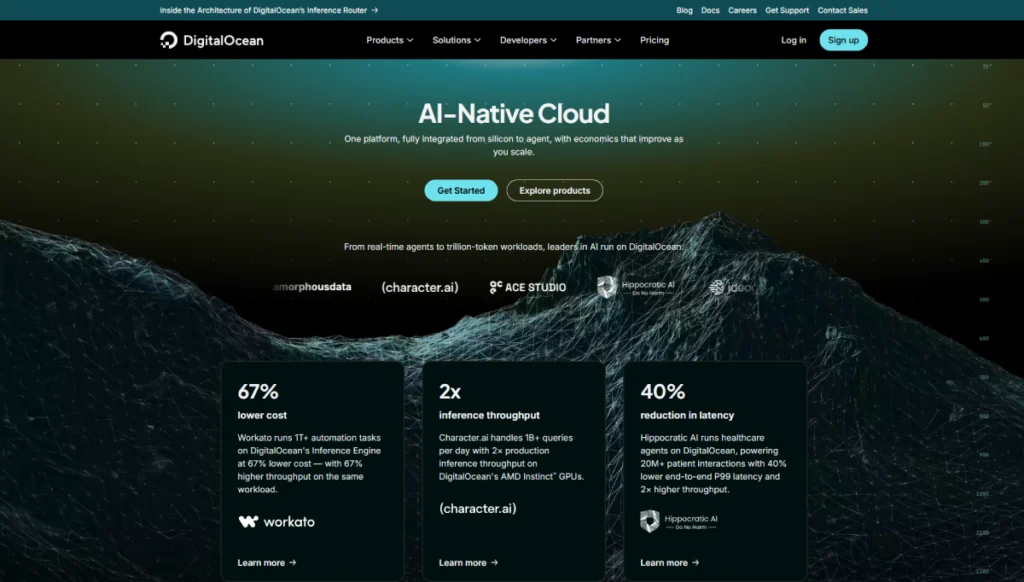
DigitalOcean’s App Platform includes 3 free apps with static sites, each with 1 GiB of data transfer, plus a global CDN, automatic HTTPS, and DDoS mitigation.
For your project, this means the front end and the DigitalOcean servers and databases behind it share one account and one bill.
Limitation: 1 GiB per app is small. Extra transfer costs $0.02 per GiB, and extra static apps cost $3 each a month.
7. Render: best for static sites next to backend services
Best for: teams already running web services or databases on Render.
Skip it if: the site has no backend on Render to sit beside.
Render says static sites are “always free to deploy”. Its Hobby workspace includes 5 GB of bandwidth, 500 build minutes, and 2 custom domains a month.
Limitation: extra bandwidth costs $0.15 per GB, the highest here, and extra custom domains cost $0.25 each a month.
Can you use regular web hosting for a static site?
Yes. Any web host can serve HTML files. Shared hosting like Hostinger Premium costs $2.99 a month on a 48-month term, then $10.99, with a CDN included.
You upload files by FTP or a file manager instead of deploying from Git.
That suits a simple site you rarely change, and traditional hosts ranked on cost and tested speed cover that route.
If you update often or use a static site generator, Git-based platforms like Cloudflare Pages save time.
When a static site needs more than static hosting
- Forms and comments: use a form service or serverless function.
- Search: use client-side search or a hosted search API.
- Logins and payments: use third-party services, or move to a full application host.
- A CMS for non-developers: consider a headless CMS, or WordPress if editors need a familiar dashboard.
Which static host should you choose?
Free plan with no bandwidth cap? Cloudflare Pages.
Easiest setup with previews and functions? Netlify.
Next.js project? Vercel (Pro for business use).
Many small client sites? Sevalla.
Personal portfolio or docs? GitHub Pages.
Static front end next to an app? DigitalOcean App Platform or Render.
Front end plus an API? A DigitalOcean account covers both on App Platform. For a pure static site, connect your repo to Cloudflare Pages’ free plan first.
Frequently asked questions
Is static site hosting really free?
Often, yes. Cloudflare Pages, Netlify, Vercel Hobby, Sevalla, GitHub Pages, DigitalOcean, and Render all have free options. The limits differ, and two of them rule out commercial use.
Which free static host allows commercial use?
Cloudflare Pages, DigitalOcean, and Render don’t restrict it on their pricing pages. Vercel’s Hobby plan is non-commercial only, and GitHub Pages isn’t for businesses or e-commerce.
What happens if my static site goes viral?
On Cloudflare Pages, nothing changes, since bandwidth is unlimited. On Netlify, bandwidth uses credits. On Vercel Hobby, the site stops at its limits.
On Render, extra bandwidth costs $0.15 per GB.
Can I use a custom domain on free static hosting?
Yes, on most platforms. Cloudflare Pages allows 100 per project for free, Netlify includes custom domains with SSL, and Render includes 2 on its Hobby plan.
Is Jamstack better than WordPress?
For sites that change rarely and are edited by developers, a static site is faster and needs less upkeep. For sites that non-technical editors update often, WordPress is usually easier.
What is a build minute?
It’s the time the platform spends turning your source files into the final site after each change. Large sites with many pages use more build minutes.
How we compared static site hosting
We compared the platforms that rank most often for static and Jamstack hosting, using their official pricing and documentation pages, checked on September 30, 2026.
We haven’t run our own static test site on these platforms, and most of them have no HostingGuider review yet. Rankings rest on published limits and terms, not speed tests.
The scoring rules HostingGuider applies to free and paid plans explain how limits and terms were weighted.