
Vultr Review 2026: Plans, Pricing, and Who It’s Actually For
Vultr has built a reputation as the cloud provider developers reach for when they want root access, hourly billing, and infrastructure in places bigger clouds don’t bother with. It runs 32+ locations spanning South America, Africa, and Southeast Asia, not just the usual US/EU regions.
It’s also one of the more confusing providers to actually price out. Between Cloud Compute, Optimized Cloud Compute, VX1, Bare Metal, and a sprawling GPU lineup, it’s easy to compare the wrong tier against a competitor and walk away with the wrong impression.
4.3/5 (Based on G2)
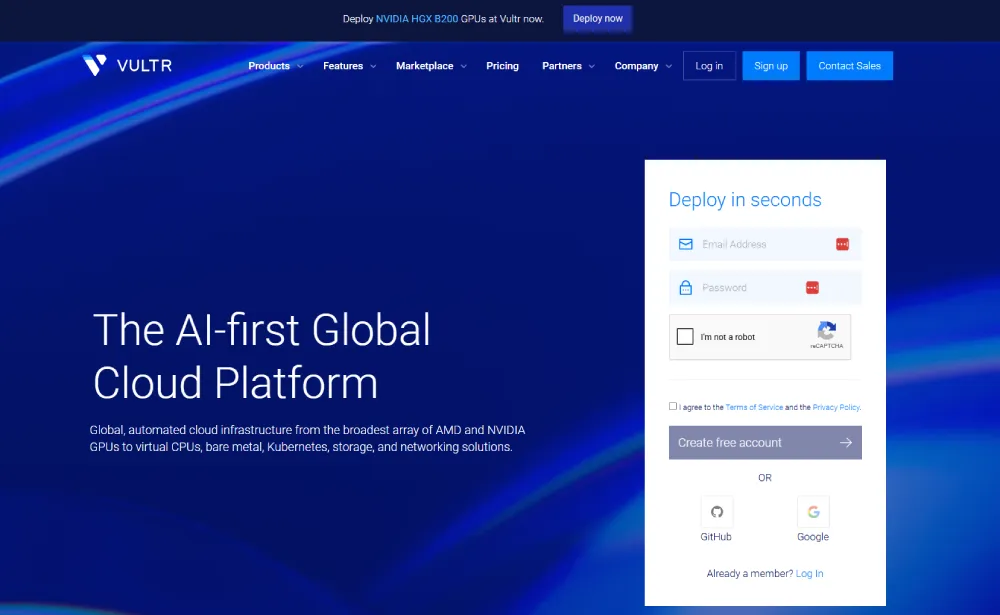
HostingGuider uses affiliate links. We may earn a commission if you purchase through them, at no extra cost to you.
This review is built from Vultr’s own published documentation plus named independent sources. See How We Evaluated Vultr near the end, and our Methodology page, for what that means.
Pros and Cons
Is Vultr’s global reach worth the trade-offs? We break down where it delivers for serious infrastructure teams and where the experience falls short.
✓ Pros
- ✓ Wide geographic footprint, 32+ locations including South America, Africa, and Southeast Asia
- ✓ Transparent hourly and monthly pricing published for every plan
- ✓ No long-term contracts, spin up or destroy any instance on demand
- ✓ Competitive GPU compute pricing across NVIDIA and AMD lineups
- ✓ Broad compliance certification coverage (SOC 2+, ISO 27001/27017/27018, PCI)
- ✓ Free Kubernetes control plane
- ✓ Official Terraform provider and full REST API for infrastructure-as-code
✗ Cons
- ✗ No live chat or phone support on any plan, ticket-based only
- ✗ Backups (+~20% of instance cost) and DDoS protection (~$10/mo) cost extra rather than being included
- ✗ Pricing structure is complex enough that comparing real total cost across plan types takes real effort
- ✗ Not beginner-friendly if you\'ve never managed a Linux server
- ✗ No blanket money-back guarantee, refunds handled case by case
Quick summary scorecard
| Best for | Developers and small technical teams self-managing infrastructure |
| Starting price | $2.50/mo (IPv6-only Cloud Compute) |
| Data center locations | 32+ across ~20 countries |
| Uptime SLA | 100% (network/host node, standard instances) |
| Support channels | Ticket, docs, community forum (no live chat/phone) |
| Free trial/credit | Not published on Vultr’s own pricing pages; check current promotions directly |
| Refund policy | None published; handled case by case via support |
| G2 / Trustpilot | ~4.3/5 (G2) vs. 1.5-2/5 (Trustpilot), see “Support” for why these diverge |
Good fit if you: are comfortable with SSH and Linux administration, need infrastructure in a specific region among Vultr’s 32+ locations, want hourly billing with no long-term contract, or need GPU instances for AI/ML work.
Look elsewhere if you: want managed hosting with a support team that sets things up for you, need phone or live-chat support, or are hosting a single WordPress site without any server-management experience.
Pricing & Plans
Vultr publishes exact hourly and monthly rates for every plan, unusual for the industry, most competitors only show monthly numbers.
VX1 General Purpose |
VX1 NVMe Instance |
VX1 Memory Optimized |
Regular Performance Cloud |
High Performance Cloud |
High Frequency Cloud |
General Purpose Optimized |
CPU Optimized Cloud |
Memory Optimized Cloud |
Storage Optimized Cloud |
NVIDIA A16 GPU Cloud |
NVIDIA L40S GPU Cloud |
NVIDIA HGX H100 |
Intel E3-1270 Bare Metal |
AMD EPYC 4245P Bare Metal |
AMD EPYC 7443P Bare Metal |
MySQL Managed Database |
PostgreSQL Managed Database |
Valkey Managed Database |
Kubernetes Engine |
Load Balancer |
NAT Gateway |
NVMe Block Storage |
Object Storage |
File System Storage |
Vultr CDN |
Direct Connect |
|---|---|---|---|---|---|---|---|---|---|---|---|---|---|---|---|---|---|---|---|---|---|---|---|---|---|---|
$5.00
/mo |
$6.00
/mo |
$6.00
/mo |
$30.00
/mo |
$28.00
/mo |
$40.00
/mo |
$75.00
/mo |
$120
/mo |
$295
/mo |
$725
/mo |
$90
/mo |
$90
/mo |
$160
/mo |
$10
/mo |
$1
/mo |
$18
/mo |
$1
/mo |
$10
/mo |
$5
/mo | ||||||||
|
|
|
|
|
|
|
|
|
|
|
|
|
|
|
|
|
|
|
|
|
|
|
|
|
|
|
All plans bill hourly with a monthly cap on the standard tiers, so a partial month never costs more than the listed monthly rate. Automated backups add roughly 20% to an instance’s base cost, and DDoS protection is a separate paid add-on rather than included by default.
A real cost example: the $24/mo High Performance instance most small production workloads would actually use isn’t really $24 once you add what most people end up needing.
Automated backups add about $4.80/mo (20%), and per-instance DDoS protection runs roughly $10/mo. That pushes a realistic total closer to $39/mo before any bandwidth overage.
Compare that real number, not the sticker price, against any competitor that bundles backups or DDoS protection in by default.
Refund policy: Vultr’s own site doesn’t publish a blanket money-back guarantee, unused credit and cancellation requests are handled case by case through a support ticket rather than an automatic refund button.
Free credit and promotions: Vultr and its affiliate partners periodically run signup credit promotions, but the amount and terms change often. Check Vultr’s own current promotions rather than relying on a number from any third-party page, including this one.
Full, current pricing for every configuration: Vultr Pricing
Use Cases
Scalable web applications and APIs
hourly billing and instant provisioning make Vultr a fit for workloads that scale up and down, spin up capacity for a traffic spike, destroy it after.
Global and regional deployments:
the 32+ location footprint, including regions competitors skip, fits projects needing presence in South America, Africa, or Southeast Asia specifically.
AI/ML training and inference
the GPU lineup spans from budget NVIDIA A16 instances for light inference to multi-GPU HGX-class clusters for large training runs, sized to the actual job rather than one-size-fits-all.
Infrastructure-as-code driven teams:
the official Terraform provider and full REST API fit teams that provision and manage servers through code rather than a dashboard.
What Vultr actually sells
Vultr’s lineup is organized into a few distinct product lines, and mixing them up is the most common source of confusion in cheaper reviews:
Cloud Compute
shared-vCPU VPS instances in three tiers: Regular Performance (older Intel CPUs, standard SSD), High Performance (newer AMD EPYC or Intel Xeon CPUs, NVMe SSD), and High Frequency (3GHz+ Xeon CPUs, NVMe SSD, tuned for latency-sensitive workloads like databases).
Bare Metal
Dedicated physical servers with no hypervisor overhead. Full hardware control with single-tenant isolation. Available in multiple CPU and RAM configurations across selected locations.
Cloud GPU
A large lineup spanning NVIDIA A16 instances (from roughly $0.47/hour) up to multi-GPU NVIDIA HGX B200 and AMD MI355X clusters aimed at large-scale AI training. Several of the highest-end tiers are quote-only.
Managed Kubernetes
Production-ready Kubernetes clusters with automated upgrades, autoscaling, and monitoring. Worker nodes billed at standard Compute rates. Control plane is free.
Managed Databases
Fully managed MySQL, PostgreSQL, Redis, Kafka, and Ceph clusters. Automated backups, point-in-time recovery, and read replicas are included.
Object Storage
S3-compatible object storage available in multiple regions. Flat pricing per GB stored and per GB transferred. No minimum commitment.
Detailed Features
Beyond the specs. A closer look at the tools, global network, Windows support, and infrastructure capabilities included on every Vultr plan.
About Vultr
Vultr was founded in 2014 by David Aninowsky and is headquartered in West Palm Beach, Florida, operating under parent company Constant.
In 2024 it raised $333 million in funding led by AMD. That lines up with Vultr’s unusually deep AMD-based GPU lineup (MI300X, MI325X, MI355X) alongside its NVIDIA offerings. It secured an additional $329 million in credit financing in 2025 from major financial institutions.
In 2025, Vultr also drew public criticism for terminating hosting service for FreeWeChat, a project that archived censored Chinese social media content, following reported pressure from Tencent. Worth knowing if a provider’s stance on content-related pressure matters to your use case.
Sources: Vultr on Wikipedia
Global infrastructure
Vultr operates in 32+ locations across roughly 20 countries, one of the widest footprints among independent cloud providers. That includes regions in South America, Africa, and Southeast Asia that several larger competitors don’t cover.
If your audience is outside North America and Western Europe, this geographic spread is one of Vultr’s clearest practical advantages.
Performance Data
Vultr’s published specifications and SLA provide the baseline. Independent benchmark data from an external testing service adds real, measured performance evidence on top of that, so this section is more than a restated spec sheet.
What independent benchmarking shows
VPSBenchmarks.com runs its own automated performance trials against Vultr instances on a recurring basis, tracking CPU, disk, and network performance across plan tiers.
This is a benchmarking database, not another site’s editorial review of Vultr. Citing it adds real, independently-measured data without leaning on a competing review for the facts.
Two tiers from VPSBenchmarks’ most recent published trials:
| Plan | Web performance | Raw CPU | Disk I/O | Network | Source |
| High Frequency 2GB ($12/mo) | Grade D (7.0/20) | Grade F (2.2/20) | Grade C (11.7/20) | Grade C (11.7/20) | VPSBenchmarks.com, trial dated July 31, 2026 |
| VX1 GP 4C 16G 240S ($110.16/mo) | Grade B (15.2/20) | Grade C (12.8/20) | Grade B (15.9/20) | Grade B (14.5/20) | VPSBenchmarks.com, trial dated October 21, 2025 |
Note the VX1 configuration benchmarked here (4 vCPU / 16GB RAM / 240GB storage, $110.16/mo) is a larger tier than the entry-level VX1 example in the pricing table above (2 vCPU / 8GB RAM, ~$43/mo). Both are VX1, but sized differently, so don’t read the $110.16/mo figure as VX1’s starting price.
VPSBenchmarks also recorded an average provisioning time of 84 seconds across 12 separate instance launches spanning multiple plan types, a different measurement from Vultr’s own “under 15 seconds” marketing claim for VX1 specifically.
It scored performance consistency at 62 out of 100, meaning individual servers of the same plan type showed moderate variation in real-world performance, not identical results every time.
These grades tell a specific, useful story. Entry-level Vultr plans score noticeably lower on raw CPU than the higher dedicated-vCPU tiers, which matches Vultr’s own architecture: shared vCPU on the cheap tiers, dedicated vCPU on Optimized Cloud Compute and VX1.
If raw CPU performance matters for your workload, that’s a real reason to budget for a dedicated tier rather than the cheapest listed price.
Source: VPSBenchmarks.com, Vultr performance data.
These figures reflect specific instances tested at specific points in time by an independent benchmarking service, not a guarantee of what any given new deployment will see.
Uptime
| Metric | Result | Source |
| Uptime SLA | 100% (network and host node, standard instances) | Vultr’s own SLA |
| Excludes | Control panel, API, DNS | Vultr’s own SLA |
Vultr’s published SLA guarantees 100% uptime for the covered network and host-node components, backed by service credits if unmet. This is a contractual SLA, not a historical uptime measurement.
If you want to check actual recent uptime history yourself, Vultr publishes real-time and historical incident data at status.vultr.com.
Security and compliance
| Certification | Notes |
| SOC 2+ (with HIPAA) | Per Vultr Compliance page |
| ISO/IEC 27001:2022 | Per Vultr Compliance page |
| ISO/IEC 27017:2015 (cloud) | Per Vultr Compliance page |
| ISO/IEC 27018:2019 (personal data) | Per Vultr Compliance page |
| ISO/IEC 20000-1:2018 | Per Vultr Compliance page |
| PCI (Merchant) | Per Vultr Compliance page |
| CSA STAR Level 1 | Per Vultr Compliance page |
Which specific certifications apply varies by data center region, worth checking directly if compliance is a hard requirement for your project.
Source: Vultr Compliance
Developer tools and API
Vultr publishes a full REST API and an official Terraform provider for infrastructure-as-code deployment, maintained in Vultr’s own GitHub organization, alongside guides for Terraform and Terragrunt-based provisioning.
If your workflow depends on scripting infrastructure rather than clicking through a dashboard, this is a genuine practical advantage worth weighing against a competitor’s API maturity.
Sources: Vultr Terraform Provider (GitHub), Vultr Terraform Docs
Documentation and community
Vultr maintains a public documentation library (docs.vultr.com) covering setup guides, API reference, and how-tos, plus a community forum where users discuss issues directly with each other and occasionally with Vultr staff.
There’s no dedicated account manager or onboarding specialist at any tier. Self-service documentation is the primary support supplement to the ticket system.
Support & Usability
1. The Control Panel: Vultr Customer Portal
Vultr’s control panel is built for developers, not for someone who wants a one-click “install WordPress and walk away” experience.
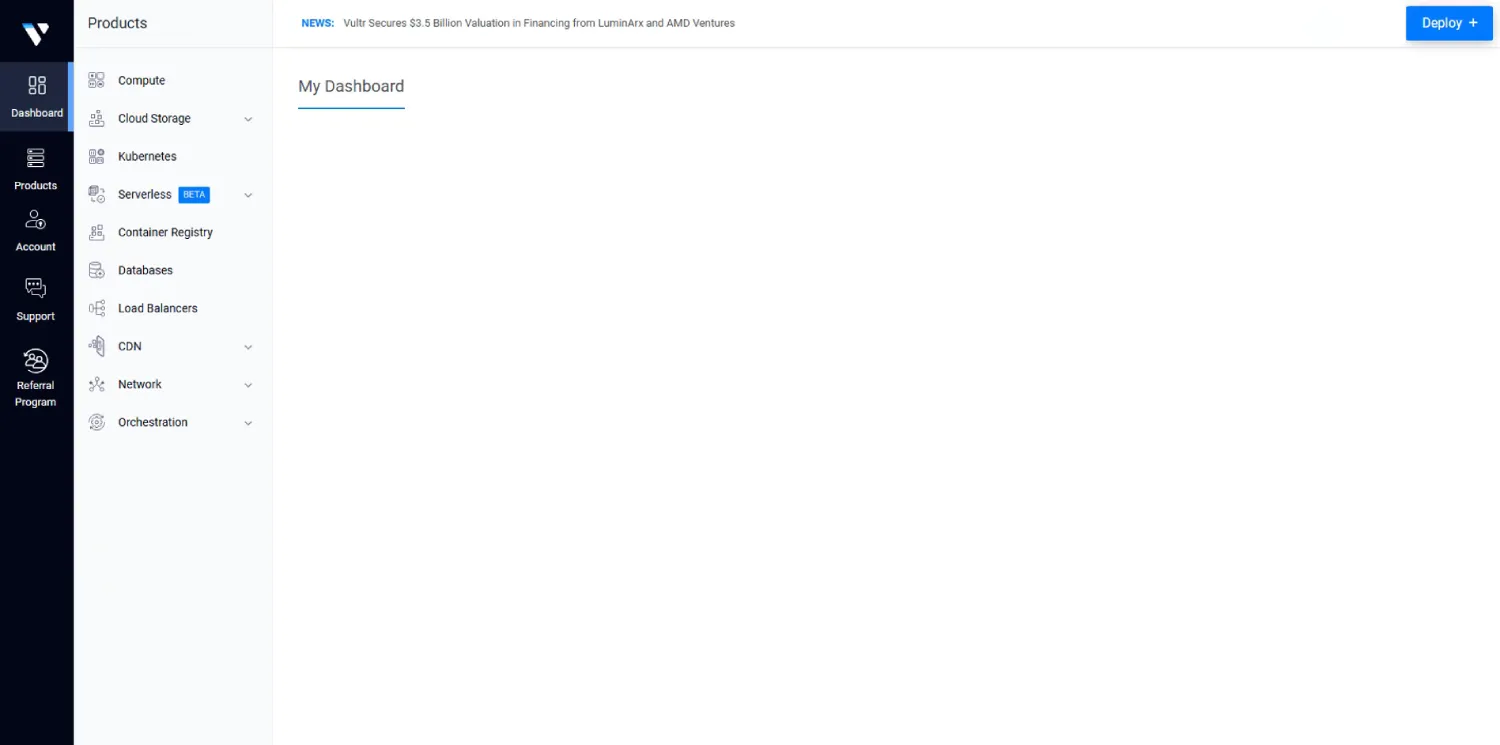
It includes a 1-click app marketplace (WordPress, LAMP, cPanel, Docker, and others), snapshot and backup management, and a browser-based console for instances without needing a separate SSH client.
There’s no drag-and-drop site builder and no managed setup service. You’re expected to configure the server yourself or bring your own automation.
What Public Reviews Say About Support
Vultr’s support is ticket-based. There’s no live chat or phone support listed on its official support page, regardless of plan tier. Available channels are support tickets, a documentation library, a community forum, and a separate sales contact for partnership inquiries.
Vultr’s own support page doesn’t publish a stated response-time SLA. Public discussions on Vultr’s own community forum and third-party forums include user reports of slow ticket response at times, so treat any specific response-time figure you see elsewhere as anecdotal rather than an official commitment.
Public review aggregator scores, for context: G2 rating around 4.3/5, Trustpilot rating considerably lower, in the 1.5-2/5 range.
That gap is worth noting. G2 skews toward business/IT-buyer reviewers, while Trustpilot skews toward individual consumer complaints, largely billing and support-related.
Sources: Vultr Support, G2 Reviews, Trustpilot
Skills you actually need
Vultr doesn’t configure anything for you beyond spinning up the instance itself. Comfort with SSH and basic Linux command-line administration is effectively required.
You’ll be setting up your own firewall rules, security updates, and web server or application stack from scratch, or via the 1-click app marketplace. That marketplace handles initial installation but not ongoing maintenance.
Some networking knowledge helps if you’re configuring load balancers, private networking, or multi-region deployments. If none of that sounds familiar yet, a managed hosting provider will get you running faster. Vultr rewards existing server-management skill rather than teaching it.
How Vultr compares to alternatives
Vultr isn’t the only developer-focused cloud provider in this price range. DigitalOcean, Linode (now part of Akamai), Hetzner, and Contabo all compete directly on similar shared and dedicated VPS pricing. Larger clouds like AWS Lightsail cover some of the same ground, backed by a much larger and more complex parent platform.
Vultr’s clearest differentiators are its geographic reach into regions like South America, Africa, and Southeast Asia, and its unusually deep GPU compute lineup. If neither of those matters for your project, it’s worth comparing pricing and support directly against those alternatives rather than assuming Vultr is the default choice.
At the exact spec Vultr prices its High Performance tier at, 2 vCPU / 4GB RAM / NVMe for $24/mo, DigitalOcean’s comparable Basic Droplet lands at the same $24/mo, per DigitalOcean’s own published pricing page.
At that specific tier, price alone won’t decide it. The real difference is region coverage and the backups/DDoS add-on cost structure covered above, not a cheaper sticker price on either side. That’s worth knowing before assuming either provider is the budget option at this spec.
Which Vultr plan actually fits your situation
Spec sheets don’t tell you which tier to pick, so here’s how the lineup maps to real situations:
Running a side project or a Discord/Telegram bot: a Regular Performance Cloud Compute instance ($5-10/mo) is enough, you’re not paying for NVMe speed or dedicated cores you won’t use.
Running a production web app or API with real traffic: High Performance or High Frequency Cloud Compute is the right tier, NVMe storage and newer CPUs matter once you have concurrent users, and High Frequency specifically is worth the same price if your workload is database-heavy rather than CPU-bound.
Anything where a noisy neighbor sharing your host could hurt you: Optimized Cloud Compute or VX1. These dedicated-vCPU tiers exist specifically to remove that risk, shared Cloud Compute doesn’t guarantee you’re not sharing a physical core with someone else’s spike.
Training or fine-tuning a model, or running inference at scale: the GPU lineup, but size it to the job. An NVIDIA A16 instance at under $0.50/hour is enough for light inference workloads. The HGX-class multi-GPU clusters are built for training runs most solo developers and small teams will never actually need.
Anything customer-facing where downtime has a real cost: budget separately for backups and DDoS protection, since neither is included by default on the standard tiers. Factor that into your real monthly cost before comparing Vultr’s sticker price against a competitor that bundles them in.
Frequently Asked Questions
Vultr’s published pricing pages don’t list a free trial or credit offer. Check Vultr’s current promotions page directly, as these change over time.
Does Vultr have phone support?
No. Support is ticket-based only, across all plans, per Vultr’s own support page.
Is Vultr good for beginners?
Not particularly. It assumes comfort with SSH, Linux server administration, and self-managed security. If you’ve never managed a server before, a managed hosting provider will be a smoother start.
What’s Vultr’s uptime guarantee?
100% on network and host node for standard instance types, per Vultr’s SLA. This is a contractual guarantee with service credits, not a historical measured average.
Does Vultr offer refunds?
Vultr doesn’t publish a blanket money-back guarantee on its site. Refund and cancellation requests are handled case by case through support rather than automatically.
What’s the difference between Vultr and DigitalOcean or Linode?
All three compete on similar developer-focused VPS pricing. Vultr’s clearest edge is its wider geographic footprint (32+ locations including regions competitors skip) and a larger GPU compute lineup. The right choice depends on which regions and workloads matter for your specific project.
Is Vultr good for hosting WordPress?
It can host WordPress via the 1-click installer, but it’s not a managed WordPress host. You’re responsible for updates, security, and performance tuning yourself. If you want a provider that manages WordPress for you, look at a managed WordPress hosting plan instead.
Where are Vultr’s data centers located?
32+ locations across roughly 20 countries, including North America, Europe, Asia-Pacific, South America, Africa, and Southeast Asia. See Vultr’s own site for the current full list, as it’s added to periodically.
Final verdict
Vultr is a capable, developer-oriented cloud infrastructure provider with genuinely wide global reach, transparent pricing, and a broad compliance certification list.
It’s not a hosting company built for hand-holding, non-technical users, or anyone who wants live support.
Based on the published data above, Vultr is worth considering if:
- You’re comfortable managing your own Linux server
- You need data center presence in a region competitors don’t cover
- You want GPU compute without a long-term contract
- You provision infrastructure via API or Terraform rather than a dashboard
Look elsewhere if:
- You want a managed hosting experience with hands-on support
- You need phone or live-chat support
- You’re hosting a single WordPress site with no server-management experience
- You want backups and DDoS protection included by default
Alternative Reviews
Looking for alternatives? Read about similar hosting providers based on pricing, features, and use cases.

Raw server power built for developers and technical teams

Raw cloud power and unbeatable server resources on a budget

Cloud infrastructure built for developers, startups, and scaling teams
How We Evaluated Vultr
This review is based on Vultr’s own published pricing, product documentation, SLA, and compliance pages, supported by independent public benchmark and review data where cited.
Vultr sells dozens of distinct products, from $2.50/month shared instances to enterprise GPU clusters, this review covers the overall lineup and public track record, not a performance guarantee for any specific plan.
See our Methodology page for how HostingGuider defines Hands-On Purchase, Provider-Provided Access, and Research-Based evaluations.
Some links on this page are affiliate links, see our Affiliate Disclosure.
See our Editorial Guidelines for how we fact-check and correct content like this.