Best VPS Hosting Providers for Performance, Control & Scalability

Written by:

·

Last Updated on:

·

HostingGuider uses affiliate links. We may earn a commission if you purchase through them, at no extra cost to you.

Shared hosting works well until it does not. Your site starts loading slowly. Traffic spikes send error pages to real visitors. Your host throttles your account for using too many shared resources. A neighbouring site on the same server gets hacked and your support ticket gets buried.

VPS hosting solves all of these problems. You get your own dedicated slice of a server with fixed CPU, RAM, and storage that belongs entirely to your site. No sharing. No throttling. No impact from what other sites on the same hardware are doing.

The challenge is that VPS hosting comes in many forms. Managed and unmanaged. Cloud-based and traditional. Entry-level and enterprise-grade. Choosing the wrong type for your situation means either overspending on resources you do not need or underspecifying a server that cannot handle your workload.

This guide covers every major VPS provider honestly. Each one is matched to a specific type of user and use case. Whether you are a developer who wants raw server control, a growing business that needs reliable performance, or a complete beginner who wants VPS resources without the technical management, there is a right answer for your situation on this list.

Key Takeaways

  • VPS hosting gives you dedicated resources on a shared physical server, which is more reliable and faster than shared hosting
  • Managed VPS handles server administration for you, unmanaged VPS gives you full control but requires technical knowledge
  • The cheapest VPS is not always the best value when you factor in management time, support quality, and actual performance
  • Cloud VPS is generally more reliable than traditional VPS because of infrastructure redundancy
  • Most businesses outgrow shared hosting between 10,000 and 50,000 monthly visitors
  • Price, RAM, storage type, network speed, and management level are the five factors that matter most

Quick Answer

For most users moving from shared hosting to VPS for the first time, ScalaHosting and Cloudways are the strongest starting points because both provide a managed experience that does not require server administration skills. For raw value and maximum specifications per dollar, Contabo is unmatched in its price range. For premium managed VPS with enterprise support, Liquid Web leads the field. For European users with data residency requirements, OVHcloud is the most established choice.

vps hosting tiers comparison chart
Comparison of budget, mid-range, and premium VPS hosting providers

What is VPS Hosting?

Before comparing providers, it helps to understand exactly what a VPS is and why it matters.

VPS stands for Virtual Private Server. A physical server, which is a powerful computer in a data centre, gets divided into multiple independent virtual machines. Each virtual machine behaves exactly like a dedicated server even though it shares the same physical hardware with others.

Here is a simple way to understand this. Imagine a large office building. Shared hosting is like a hot-desking arrangement where you sit wherever there is a free seat and share everything with whoever is nearby. VPS is like having your own private office in the same building. Your room has its own lock, your own furniture, and your own ventilation. What happens in the corridor does not affect your office.

The dedicated resources you get on a VPS, typically a specific amount of RAM, a set number of CPU cores, and an allocated amount of storage, are yours alone. No other website on the same physical server can consume your RAM or slow down your processing capacity.

Traditional VPS ties your site to one physical server. If that machine develops a hardware fault, your site goes offline until it is repaired.

VPS vs Shared vs Dedicated Hosting

Understanding where VPS fits in the hosting landscape helps you decide whether you actually need it.

FeatureShared HostingVPS HostingDedicated Hosting
ResourcesShared with othersDedicated to youEntire server to you
Performance consistencyAffected by other sitesConsistent, isolatedMaximum, isolated
Price$2 to $15/month$5 to $200/month$80 to $500+/month
Technical controlVery limitedFull root access (unmanaged)Full root access
ScalabilityLimitedScale RAM and CPU as neededUpgrade hardware
Best forNew sites, low trafficGrowing sites, developersHigh-traffic, enterprise
Affected by neighboursYesNoNo
Setup complexityVery simpleModerate to complexComplex

Managed vs Unmanaged VPS: Which Do You Need?

This is the most important decision to make before choosing a VPS provider. Getting it wrong means either paying for management you do not need or struggling with server administration you are not prepared for.

An unmanaged VPS gives you a bare server. The hosting company keeps the physical hardware running and ensures your virtual machine stays online. Everything inside the server is your responsibility. You install the operating system, configure the web server, set up databases, manage security, apply software updates, and troubleshoot every problem yourself. This requires genuine Linux server administration skills.

A single DDoS attack can take an unprotected VPS offline within minutes. Network-level DDoS protection is the only defence that actually works at scale.

A managed VPS provides a server where the hosting company handles the technical administration layer. They install the control panel, configure the web server for your workload, apply security patches, monitor server health, and provide support when something goes wrong. You focus on your website. They handle the infrastructure.

Managed VPSUnmanaged VPS
Who handles server setupHosting providerYou
Who applies security patchesHosting providerYou
Who manages the control panelHosting providerYou
Technical skill neededLow to moderateHigh (Linux admin)
Monthly costHigherLower
Best forBusinesses, non-developersDevelopers, sysadmins
Support scopeFull server and applicationHardware only

For most business owners, bloggers, and WordPress site owners, managed VPS is the right choice. The cost difference is quickly justified by the hours you do not spend managing server configuration. If you are a developer or system administrator who enjoys the control and knows what you are doing, unmanaged VPS gives you more flexibility at lower cost.

When Do You Actually Need VPS Hosting?

Not every site needs VPS hosting. Here are the clear signals that your site has outgrown shared hosting.

Your pages load slowly during peak hours even though your content has not changed. This is a sign that shared server resources are being consumed by other sites during busy periods.

Your host has throttled or temporarily suspended your account for exceeding CPU or memory limits. Most shared hosts have undisclosed soft limits and enforce them during peak server load.

You receive consistent traffic above 30,000 to 50,000 monthly visitors. Shared hosting can handle moderate traffic but becomes unreliable above this range for most site types.

You need to install specific software, PHP extensions, or server configurations that shared hosting does not allow. VPS gives you root access to configure your server environment precisely.

You are running an e-commerce store and cannot afford performance inconsistency during checkout. The reliable resources of a VPS protect your most critical user journeys.

You are a developer who needs to run multiple applications, set up staging environments, or work with technologies that shared hosting does not support.

What to Look for in a VPS Provider

FactorWhat It MeansWhat to Look For
RAMMemory available for your site processesMinimum 2GB for most WordPress sites
CPU coresProcessing power for running scripts2+ cores for active sites
Storage typeSSD vs HDD affects speed dramaticallyNVMe SSD for best performance
BandwidthData transfer limit per monthUnmetered or at least 1TB
Network speedHow fast data moves to visitors1Gbps port minimum
Data centre locationAffects speed for your geographic audienceChoose nearest to your visitors
Management levelHow much server admin the host handlesManaged for non-developers
Control panelInterface for managing your servercPanel, Plesk, or SPanel
Backup frequencyHow often your data is savedDaily minimum
Support qualityHelp when something goes wrong24/7 with server expertise
ScalabilityCan you add resources without migrationYes, instant scaling preferred
Uptime guaranteeMinimum reliability commitment99.9% or higher

Best VPS Hosting Providers at a Glance

ProviderBest ForStarting PriceManagedFull Review
ContaboBest value raw VPSFrom $7.50/monthNoReview
ScalaHostingBest managed VPS with SPanelFrom $29.95/monthYesReview
CloudwaysBest managed cloud VPSFrom $14/monthYesReview
Liquid WebBest premium managed VPSFrom $25/monthYesReview
HostingerBest affordable managed VPSFrom $5.99/monthPartiallyReview
InMotionBest for business VPSFrom $17.99/monthYesReview
OVHcloudBest for European data residencyFrom $3.50/monthNoReview
IONOSBest entry-level VPSFrom $2/monthPartiallyReview
FastCometBest for global audienceFrom $59.95/monthYesReview
HostArmadaBest value cloud VPSFrom $41.21/monthYesReview
InterServerBest price-lock VPSFrom $6/monthYesReview
AccuWebBest for Windows VPSFrom $5.99/monthYesReview
BluehostBest for WordPress VPSFrom $18.99/monthYesReview
DreamHostBest developer-friendly VPSFrom $10/monthNoReview
SiteGroundBest cloud VPS for WordPressFrom $100/monthYesReview
HostGatorBest budget VPSFrom $23.95/monthYesReview
NamecheapBest budget unmanaged VPSFrom $6.88/monthNoReview
GoDaddyBest all-in-one VPSFrom $8.99/monthYesReview
HostPapaBest for small businessesFrom $19.99/monthYesReview

Detailed VPS Provider Reviews

Contabo: Best Raw Value VPS Hosting

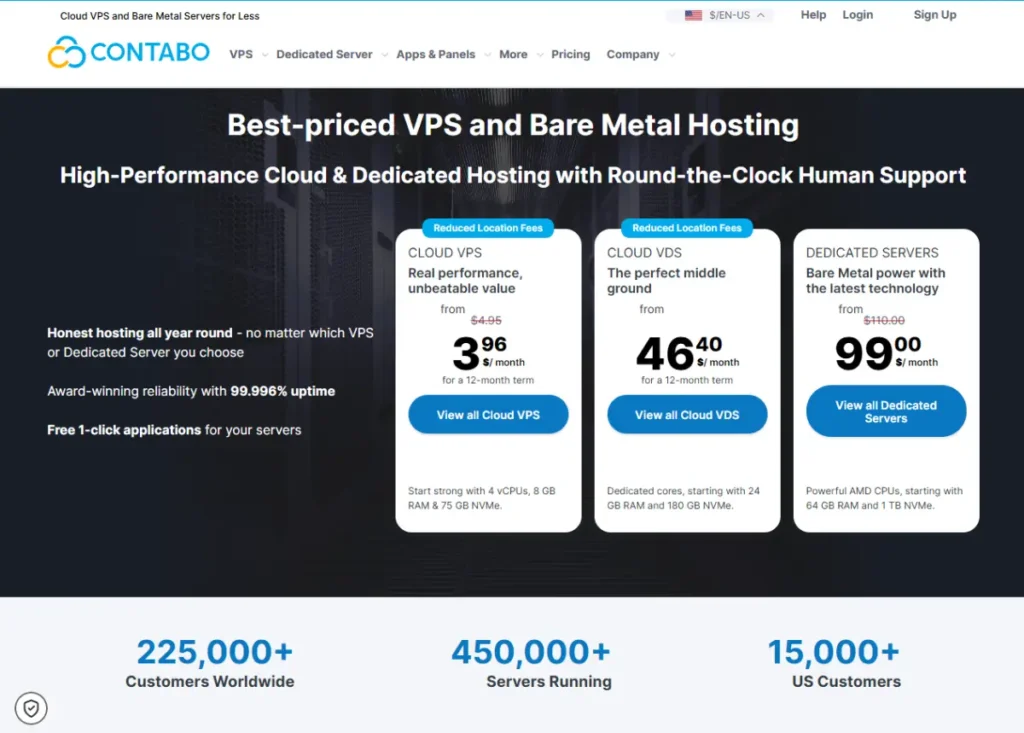
No other VPS provider in the market offers the specifications that Contabo provides at its price points. Entry VPS plans come with 4 vCPU cores, 4GB RAM, and 100GB NVMe SSD storage starting from around $7.50 per month. At the mid-range, the value advantage becomes even more pronounced.

This makes Contabo the standout choice for anyone who needs maximum raw resources per dollar. Developers running resource-intensive applications, agencies hosting multiple client sites on a single VPS, and technically capable users who want to do more with less spending all benefit from this specification advantage.

The important caveat is that Contabo is primarily an unmanaged provider. You get a powerful server and it is your responsibility to manage it. The control panel interface is more basic than competitors. Customer support, while available, is not the fastest or most comprehensive. For users who know what they are doing at the server level, none of this is a problem.

Contabo data centres are located in Germany, the US, the UK, Singapore, Japan, and Australia, giving reasonable geographic coverage for most audiences.

What makes Contabo unusual is how little the value proposition degrades at higher tiers. Most hosting providers charge premium prices for premium specifications. Contabo keeps the per-resource cost remarkably consistent as plans scale up.

Who it is for: developers, system administrators, technically capable users who want maximum server resources at minimum cost and are comfortable managing their own server environment.

Read the full Contabo review for detailed benchmark data and configuration options.

Visit Contabo

ScalaHosting: Best Managed VPS with SPanel

ScalaHosting solves one of the most persistent problems in VPS hosting: how to provide genuine server power with a management experience accessible to non-technical users.

The answer is SPanel, a proprietary control panel ScalaHosting developed as a fully featured alternative to cPanel. SPanel provides one-click WordPress installation, email management, file management, database administration, SSL certificate management, and security tools in a clean interface that non-developers can navigate comfortably. The fact that ScalaHosting owns SPanel means they can update and optimise it for their own infrastructure without depending on third-party licensing.

Every ScalaHosting managed VPS plan includes SShield, a real-time security monitoring system that blocks 99.998% of web attacks according to their documentation. It monitors your site continuously and intervenes automatically when threats are detected. Daily automated backups are included on all managed plans with a restoration process available through SPanel.

The managed VPS plans include free site migrations handled by ScalaHosting’s team, which removes the technical barrier of moving from another host. Anytime scalability lets you add CPU, RAM, or storage without migrating to a different server or experiencing downtime.

ScalaHosting’s support is available 24/7 via live chat and handles both general server questions and WordPress-specific issues with reasonable expertise.

Who it is for: small businesses, WordPress professionals, and growing sites that want VPS resources with a managed experience that does not require server administration skills.

Read the full ScalaHosting review for SPanel screenshots, performance data, and plan comparisons.

Visit ScalaHosting

Cloudways: Best Managed Cloud VPS for WordPress

Cloudways positions itself differently from every other provider on this list. Rather than running its own hardware, Cloudways lets you choose which cloud provider your server runs on: DigitalOcean, Linode, Vultr, AWS, or Google Cloud. Cloudways then provides a managed interface on top of your chosen infrastructure.

This matters for two reasons. First, you get genuine cloud infrastructure with redundancy and reliability that traditional VPS providers cannot match without running their own cloud network. Second, you can start on affordable DigitalOcean servers and migrate to AWS or Google Cloud as your needs grow, without changing your management interface or rebuilding your site.

The Cloudways dashboard is one of the cleanest in managed hosting. Server deployment takes under two minutes. WordPress installation happens in a few clicks. The Breeze caching plugin is optimised specifically for Cloudways servers. Free CDN through Cloudflare is included. Staging environments are available from the dashboard.

Cloudways has no visitor limits, which distinguishes it significantly from managed WordPress hosts that trigger automatic plan upgrades when visitor thresholds are exceeded. You pay for server resources. If your site gets more visitors but your server resources are adequate, your bill does not change.

The learning curve is slightly steeper than fully managed hosts because you interact with more infrastructure-level concepts. But for most technically capable WordPress users, this is not a barrier.

Our broader look at cloud hosting vs traditional hosting explains the infrastructure advantages that cloud-based VPS like Cloudways provides over traditional VPS providers.

Who it is for: WordPress developers and growing businesses that want cloud infrastructure performance with a managed interface at a flexible price point.

Read the full Cloudways review for infrastructure comparison data and plan details.

Visit Cloudways

Liquid Web: Best Premium Managed VPS

Liquid Web targets the enterprise end of the managed VPS market with infrastructure, support, and SLAs that justify the premium pricing.

The Heroic Support guarantee, which is Liquid Web’s trademarked support promise, includes a 59-second phone and live chat response time guarantee. This is not a general aspiration but a documented SLA with accountability. For businesses where server problems have immediate revenue consequences, knowing that a knowledgeable support engineer will respond within a minute carries real value.

Liquid Web’s managed VPS plans run on their own cloud infrastructure with redundant storage and network connections. The Managed WordPress and Managed WooCommerce products built on top of the VPS infrastructure include automatic WordPress updates, staging environments, daily backups with 30-day retention, malware scanning, and a CDN.

Liquid Web’s Nexcess brand handles the WordPress-specific managed hosting while the parent Liquid Web brand handles the broader VPS and dedicated server market. Both are worth evaluating depending on whether your needs are specifically WordPress-focused or more general.

The pricing starts from $25 per month for managed VPS and scales to several hundred dollars for configurations appropriate for high-traffic enterprise deployments.

Who it is for: businesses running mission-critical sites where downtime has direct financial consequences, high-traffic WooCommerce stores, and enterprise WordPress deployments that need professional-grade support guaranteed by SLA.

Read the full Liquid Web review for SLA details, infrastructure specifications, and enterprise plan comparisons.

Visit Liquid Web

Hostinger: Best Affordable Managed VPS

Hostinger brings the same value-focused pricing philosophy to VPS hosting that made it a leader in the shared hosting market. VPS plans start from under $6 per month, making Hostinger one of the most accessible entry points into VPS hosting available.

Hostinger’s VPS plans come with a pre-configured server managed through their custom hPanel. The infrastructure uses KVM virtualisation, which provides strong isolation between virtual servers and consistent resource allocation.

The plans come with full root access for developers who want it, while hPanel provides a more user-friendly interface for those who prefer not to use the command line. This combination covers both technical and non-technical users with the same infrastructure.

Hostinger’s VPS plans include weekly backups on entry plans and daily backups on higher tiers. A dedicated IP address is included. Bandwidth is generous across all plan levels.

The main limitation compared to more established managed VPS providers is support depth. Hostinger’s support team is large but the quality of responses to complex server-level questions is less consistent than specialists like ScalaHosting or Liquid Web.

Who it is for: budget-conscious users who want VPS resources without shared hosting limitations, developers who want affordable root access, and businesses making their first step up from shared hosting.

Read the full Hostinger review for benchmark data and plan comparisons.

Visit Hostinger

InMotion Hosting: Best Business VPS

InMotion Hosting has built a reputation for reliable business hosting with a focus on US-based performance and genuine phone support availability.

The managed VPS plans include a WHM and cPanel licence, which gives you the most widely used control panel in the shared hosting industry. This familiarity matters for users who are scaling up from cPanel-based shared hosting and want to avoid learning a new interface.

InMotion’s VPS infrastructure uses SSD storage across all plans. The UltraStack platform used in their higher-tier VPS plans is specifically tuned for WordPress and WooCommerce workloads, using LiteSpeed web server with object caching.

Free website migration, a dedicated IP, and DDoS protection are included across VPS plans. The launch assist service provides free one-on-one setup help from InMotion’s team, which is particularly valuable for users who are setting up a managed VPS for the first time.

Phone support availability sets InMotion apart from many VPS providers. 24/7 phone, chat, and email support is available on VPS plans.

Who it is for: US-based small and medium businesses that want managed VPS with a familiar cPanel interface and the confidence of phone support availability.

Read the full InMotion Hosting review for performance data and plan details.

Visit InMotion Hosting

OVHcloud: Best VPS for European Data Residency

OVHcloud is the largest European cloud provider and a significant presence in the global VPS market. For European businesses, OVHcloud offers something most American-headquartered providers cannot: data stored and processed entirely within EU infrastructure, which is relevant for GDPR compliance and data sovereignty requirements.

OVHcloud’s VPS plans offer strong raw specifications at competitive prices, particularly in the European market. Locations include France, Germany, the UK, Poland, and Canada, with additional data centres in North America and Asia Pacific.

The VPS plans are largely unmanaged, giving you root access to a configured server. OVHcloud provides an anti-DDoS system called VAC on all VPS plans, which is included without additional charge. Weekly snapshots are available as a backup option.

The management interface and support experience are less polished than managed-first providers, and support response times can be slower than premium alternatives. OVHcloud is positioned as infrastructure-first rather than support-first.

Who it is for: European businesses with data residency requirements, technically capable users who want European cloud infrastructure at competitive prices, and developers who want raw VPS access with good network connectivity across Europe.

Read the full OVHcloud review.

Visit OVHcloud

IONOS: Best Entry-Level VPS

IONOS offers some of the most accessible entry pricing in VPS hosting, with plans starting from around $2 per month for a basic configuration and scaling reasonably as resources increase.

The VPS plans run on IONOS’s own cloud infrastructure with data centres in Germany, the US, and the UK. The interface is clean and relatively straightforward for users who are new to VPS management.

IONOS includes DDoS protection and daily backups on VPS plans. Domain and SSL are available to bundle with the hosting purchase, making IONOS a convenient all-in-one option for users who want to manage their domain and hosting from one account.

Support is available 24/7 via phone and email, which is notably accessible for an entry-level provider.

Who it is for: users who want to try VPS hosting at the lowest possible cost, European users who want an established provider with EU data centres, and small projects that have outgrown shared hosting but do not yet justify a higher monthly investment.

Read the full IONOS review.

Visit IONOS

FastComet: Best VPS for Global Audiences

FastComet differentiates through one of the largest global data centre networks among VPS providers available at its price point. With locations covering North America, Europe, Asia, and Australia, FastComet allows you to host your server in the region closest to your primary audience.

Geographic proximity directly reduces latency. A site hosted in Singapore loads faster for visitors in Southeast Asia than one hosted in the US, even with CDN assistance for static content. For sites with a geographically concentrated international audience, data centre choice matters significantly.

FastComet’s managed VPS plans include cPanel and WHM, automated daily backups with 7-day retention, free website migration, free SSL, and 24/7 support. The plans use SSD storage and include DDoS protection.

Who it is for: sites with an international audience concentrated in a specific region who would benefit from data centre proximity, and users who want managed VPS with cPanel at a competitive price.

Read the full FastComet review.

Visit FastComet

HostArmada: Best Value Cloud VPS

HostArmada runs its VPS on cloud infrastructure rather than traditional hardware, which provides better reliability and consistency than many competitors at similar price points.

Cloud VPS means your virtual server is not tied to a single physical machine. If the underlying hardware has a problem, your virtual server can be migrated to healthy hardware automatically. This is a meaningful reliability advantage over traditional VPS that runs on dedicated physical hardware. The benefits of cloud infrastructure apply to cloud VPS just as they do to other cloud-based hosting products.

HostArmada’s managed VPS plans include cPanel and WHM, free daily backups with 7-day retention, free SSL certificates, free website migrations, and 24/7 support with strong customer satisfaction ratings. The support team is consistently praised in user reviews for responsiveness and actual problem-solving ability.

Who it is for: growing sites and small businesses that want cloud VPS reliability with a managed experience and genuine support quality at a mid-range price point.

Read the full HostArmada review.

Visit HostArmada

InterServer: Best Price-Lock VPS

InterServer carries its distinctive price-lock guarantee into the VPS market. The price you sign up at is the price you pay at every renewal, indefinitely. In a market where VPS providers regularly offer promotional pricing that doubles or triples at renewal, this transparency is genuinely unusual.

InterServer’s VPS plans are structured differently from most competitors. Rather than fixed plans, you can configure your server precisely by choosing exactly how much RAM, CPU, and storage you need in single-unit increments. This flexibility means you pay for exactly what you use rather than rounding up to the nearest fixed plan.

The VPS infrastructure runs on InterServer’s own hardware in their US-based data centres. Both Linux and Windows VPS are available, which makes InterServer one of the stronger options for users who need Windows Server environments.

Managed support is available as an add-on or included on specific plan types. The unmanaged entry option is genuinely affordable, starting from $6 per month.

Who it is for: budget-conscious users who want predictable long-term pricing without renewal rate increases, users who need Windows VPS, and those who want the flexibility to configure their exact resource requirements.

Read the full InterServer review.

Visit InterServer

More VPS Providers Worth Considering

AccuWeb Hosting

AccuWeb Hosting is notable for its Windows VPS options, which are available alongside Linux VPS at competitive prices. For developers and businesses that need Windows Server environments, ASP.NET hosting, or MSSQL databases, AccuWeb covers these requirements more thoroughly than most providers on this list. Linux VPS plans with managed support are also available. Read the full AccuWeb Hosting review.

Bluehost VPS

Bluehost offers VPS hosting as a step-up product for customers already on their shared hosting plans. The managed VPS plans include cPanel, SSD storage, and root access. For existing Bluehost customers who want to upgrade without switching providers, the seamless migration path and familiar interface make Bluehost VPS a natural progression. Read the full Bluehost review.

DreamHost VPS

DreamHost provides VPS hosting with a focus on developer flexibility. The unmanaged VPS plans give full root access at affordable prices starting from $10 per month. The custom DreamHost control panel provides domain, email, and database management without requiring command-line interaction. For developers who want affordable unmanaged VPS with a decent interface, DreamHost is a solid mid-range option. Read the full DreamHost review.

SiteGround Cloud

SiteGround does not offer traditional VPS but its Cloud Hosting product provides dedicated resources on cloud infrastructure that fills a similar role. Plans start from $100 per month, making this the premium end of the non-enterprise market. For users who want SiteGround’s excellent WordPress optimisation and support quality with dedicated resources and cloud reliability, the Cloud Hosting product is worth evaluating. Read the full SiteGround review.

HostGator VPS

HostGator provides managed VPS hosting with cPanel included. The plans offer SSD storage, unlimited bandwidth, and full root access. HostGator is a recognised brand with a long track record in hosting. For users who prefer an established name and want managed VPS with a familiar control panel, HostGator covers the basics reliably. Read the full HostGator review.

Namecheap VPS

Namecheap offers unmanaged VPS plans at budget-friendly prices starting from around $6.88 per month. For domain customers who already use Namecheap for domain registration and want to add affordable VPS hosting without opening a new account, the convenience of consolidation is a practical benefit. Read the full Namecheap review.

GoDaddy VPS

GoDaddy provides managed VPS with cPanel included. The main advantage of GoDaddy VPS is the convenience of managing your domain and server from one provider account. For users whose primary criterion is consolidation and brand familiarity, GoDaddy VPS is functional. Read the full GoDaddy review.

HostPapa VPS

HostPapa offers managed VPS hosting with a focus on small Canadian businesses. Plans include cPanel, SSD storage, free SSL, and dedicated IP addresses. The PapaSquad support team provides one-on-one onboarding assistance which is particularly useful for first-time VPS users. Read the full HostPapa review.

How to Choose the Right VPS Provider for Your Situation

With so many options, matching your situation to the right provider is more useful than following a generic ranked list.

If you are a developer or system administrator who wants maximum control and the best value for raw resources, Contabo delivers more specifications per dollar than any other provider. You manage the server yourself and get more power for less money.

If you want VPS resources without technical server management, ScalaHosting or Cloudways provide the most complete managed experience at accessible price points. Both handle server administration while giving you control over your websites.

If you are moving a WordPress or WooCommerce site from shared hosting to VPS, Cloudways offers the most WordPress-focused managed VPS experience. For the highest performance WordPress VPS, Liquid Web provides enterprise-grade infrastructure with WordPress-specific optimisation.

If European data residency matters to your business for GDPR or other regulatory reasons, OVHcloud is the most established European provider. IONOS also provides EU data centre options at entry-level pricing.

If predictable billing matters because you are tired of renewal rate increases, InterServer is the only provider that genuinely locks your price at signup.

If your audience is geographically concentrated in Asia Pacific, Southeast Asia, or Australia, FastComet or Contabo both offer data centre locations in those regions at competitive pricing.

If you are building a WordPress-specific site and want to understand the difference between managed VPS and managed WordPress hosting, our managed vs regular WordPress hosting comparison covers this distinction in detail.

Cloud VPS scales automatically when traffic spikes. A traditional VPS cannot do this. You either plan ahead or your site slows down.

Some sites outgrow what even a large VPS can handle. A dedicated server removes the shared hardware entirely and gives you the full machine.

VPS hosting recommendation flowchart infographic
Simple flowchart for choosing the right VPS host

Frequently Asked Questions

What is the difference between VPS hosting and shared hosting?

Shared hosting puts your website on a server with hundreds of other websites where you all share the same pool of CPU, RAM, and storage. When other sites use a lot of resources, your site gets less. VPS hosting gives you a dedicated allocation of resources that belongs exclusively to your site. Another site on the same physical server cannot consume your RAM or slow your CPU. This isolation is why VPS hosting delivers more consistent performance and reliability than shared hosting, particularly as your traffic grows and your site becomes more resource-intensive.

Do I need technical skills to manage a VPS?

It depends on whether you choose managed or unmanaged VPS. Unmanaged VPS requires genuine Linux server administration skills. You are responsible for installing and configuring all software, applying security patches, troubleshooting server problems, and managing backups. If you are not comfortable with Linux commands and server administration, unmanaged VPS is not the right choice. Managed VPS handles all of that for you. A control panel like cPanel or SPanel lets you manage your websites through a graphical interface without touching the command line. For most business users and WordPress site owners, managed VPS is the right starting point.

How much RAM do I need for my WordPress site on a VPS?

For a single WordPress site with moderate traffic and standard plugins, 2GB of RAM is a workable starting point. A site receiving 50,000 or more monthly visitors, or running WooCommerce with active transactions, benefits from 4GB of RAM. Sites running multiple WordPress installations on the same VPS, or with heavy plugin loads and complex database queries, should start with 4GB and plan to scale to 8GB as traffic grows. Always start with more RAM than you think you need because upgrading mid-traffic-event is stressful, and the cost difference between 2GB and 4GB RAM on most VPS plans is relatively small.

Is cloud VPS better than traditional VPS?

Cloud VPS is generally more reliable than traditional VPS. In a traditional VPS setup, your virtual server runs on a specific physical machine. If that machine has a hardware failure, your VPS goes offline until the host repairs or replaces the hardware. Cloud VPS runs on infrastructure with built-in redundancy. If one physical node fails, your virtual server migrates automatically to healthy hardware. Cloud infrastructure also scales more flexibly because resources are drawn from a pool rather than from a single machine.

What is the difference between managed VPS and managed WordPress hosting?

Both provide managed services, but they operate at different levels. Managed VPS means the hosting provider handles server-level administration including the operating system, server software, security patches, and infrastructure management. You still manage what runs on the server, including WordPress itself. Managed WordPress hosting goes further by also handling WordPress-specific management including automatic WordPress and plugin updates, WordPress-optimised caching, staging environments, and WordPress-specialist support. For a site that only runs WordPress, managed WordPress hosting from a provider like Kinsta or WP Engine provides a more complete managed service than a general managed VPS. Our best WordPress hosting guide covers that distinction in detail.

Can I host multiple websites on a VPS?

Yes. One of the main advantages of VPS over shared hosting plans limited to a specific number of sites is the ability to host as many websites as your server resources can support. With a control panel like cPanel or SPanel, you create separate accounts or subdomains for each site. Each site has its own web root, its own database, and can have its own SSL certificate. A VPS with 4GB RAM and 4 CPU cores can comfortably host ten to twenty small to medium WordPress sites simultaneously, depending on their traffic levels and resource requirements.

What happens if I need more resources as my site grows?

Most managed VPS providers allow you to scale resources up without migrating to a new server. You upgrade your plan, additional RAM and CPU are allocated to your existing virtual machine, and your site continues running without interruption. This is called vertical scaling. ScalaHosting advertises instant scalability as a specific feature. Cloudways allows you to resize your server through the dashboard. Providers that require you to set up a new server and migrate manually when you need more resources are significantly less convenient when growth happens quickly.

About The Author

Hostinger

4.7/5 (62k)
Claim 88% OFF Now

Liquid Web

4.3/5 (2.6k)
Claim 50% OFF Now

WP Engine

4.3/5 (1.6k)
Claim 33% OFF Now