
DigitalOcean Review: Cloud Infrastructure, Not Managed Hosting
DigitalOcean sells cloud servers, not shared hosting. There’s no cPanel, no bundled WordPress install, and no traditional customer-support-does-it-for-you setup.
DigitalOcean is a cloud infrastructure provider best known for Droplets, its virtual private server product, plus managed databases, Kubernetes, and App Platform.
It’s publicly traded on the NYSE and owns Cloudways, the managed hosting platform built on top of DigitalOcean’s own infrastructure.
Quick Answer
DigitalOcean is a good fit for developers and technical teams who want root-access cloud servers at predictable, published prices.
It’s a weaker fit for anyone who wants a hosting company to configure the server, install WordPress, and handle support tickets for them.
Basic Droplets start at $4 a month for 512 MiB RAM and 1 vCPU, confirmed on DigitalOcean’s own pricing page, September 7, 2026.
That’s a shared-CPU tier; dedicated-CPU Droplet types (CPU-Optimized, General Purpose, Memory-Optimized, Storage-Optimized) start higher, from $42 to $131 a month depending on type.
What sets DigitalOcean apart on paper: billing moved to per-second increments on January 1, 2026, with a 60-second or $0.01 minimum charge, whichever is higher.
There’s no long-term contract or renewal-price jump the way shared hosting works; you pay for the hours or seconds a Droplet actually runs.
DigitalOcean carries a 4.6/5 “Excellent” rating on Trustpilot from roughly 2,541 reviews as of this writing. That count is a live counter and moves daily.
Who should look elsewhere: first-time site owners who want a control panel, one-click WordPress installs, and phone support out of the box.
DigitalOcean’s own Cloudways, a separate product it owns, is built specifically to add that managed layer on top of the same underlying infrastructure.
Pros and Cons
Pros
- Per-second billing since January 1, 2026, with no long-term prepay required to get the published price
- 99.99% monthly uptime SLA on Droplets, backed by a 100% service credit if DigitalOcean misses it
- Five distinct Droplet types (Basic, CPU-Optimized, General Purpose, Memory-Optimized, Storage-Optimized) covering different workload shapes
- Managed databases for MongoDB, MySQL, PostgreSQL, Kafka, Valkey, and OpenSearch, starting around $15 a month
- 4.6/5 “Excellent” rating on Trustpilot from roughly 2,541 reviews
Cons
- No cPanel, no bundled WordPress install, and no traditional shared-hosting support model; this is self-managed cloud infrastructure
- SLA credits apply to future invoices only, not cash refunds, since there’s no plan-based money-back guarantee the way shared hosting works
- New-account free credit is $5 per DigitalOcean’s own pricing-page FAQ; third-party sites advertising larger promotional credits weren’t independently confirmed for this review
- Per-second billing means a busy month can cost more than a flat-rate host if Droplets run continuously without being resized down
- Five separate Droplet pricing pages (Basic, CPU-Optimized, General Purpose, Memory-Optimized, Storage-Optimized) take more comparison work than a single shared-hosting price table
Review Summary
| Category | What we found |
| Starting price | $4/mo (Basic Droplet, 512 MiB RAM, 1 vCPU) |
| Billing model | Per-second, with a 60-second or $0.01 minimum, whichever is higher |
| Uptime SLA | 99.99% monthly, with a 100% service credit if unmet |
| Free credit | $5 for new accounts, per DigitalOcean’s own pricing FAQ |
| Money-back guarantee | None in the traditional sense; SLA credits apply to future invoices only |
| Third-party rating | 4.6/5 “Excellent” on Trustpilot, ~2,541 reviews (live counter, checked September 2026) |
| Best for | Developers and technical teams who want root-access cloud servers, not managed hosting |
About DigitalOcean
DigitalOcean was founded on June 24, 2011, by Moisey Uretsky, Ben Uretsky, Jeff Carr, Alec Hartman, and Mitch Wainer.
The company is headquartered in Broomfield, Colorado, and went public on the New York Stock Exchange on March 24, 2021, under ticker DOCN.
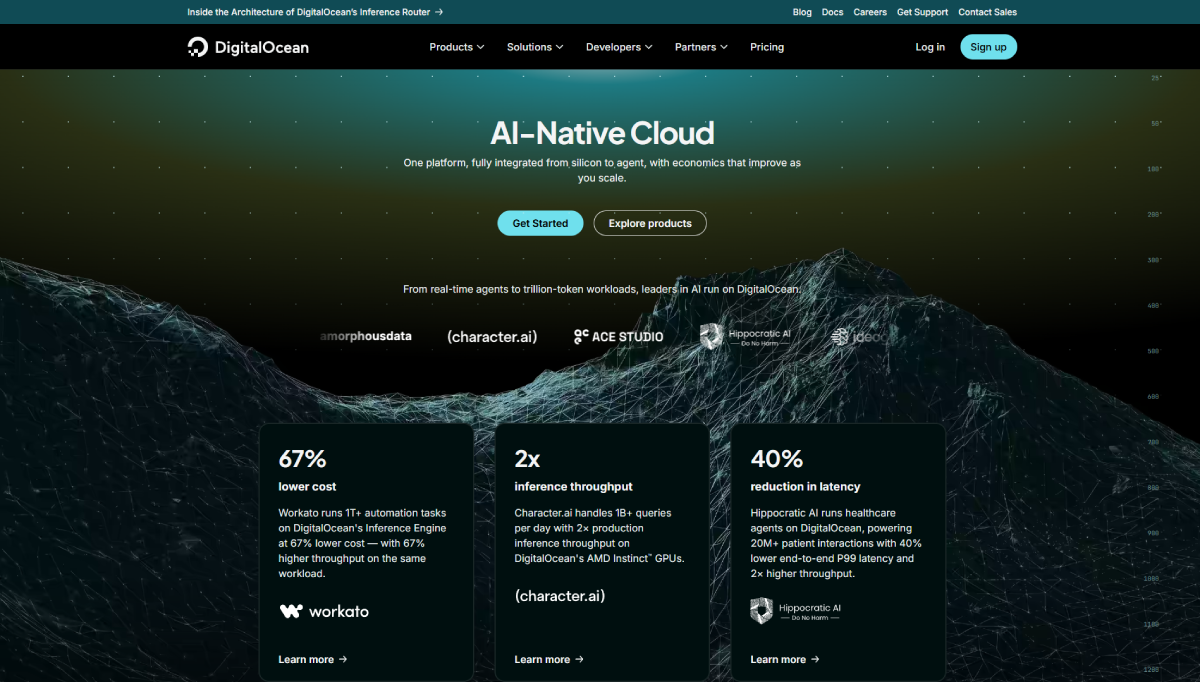
DigitalOcean reported $901 million in full-year 2025 revenue, with 2026 revenue projected around $1.1 billion.
The company has made several acquisitions: Nimbella (2021), CSS-Tricks (2022), and Cloudways (2022) for $350 million in cash.
Cloudways now operates as a DigitalOcean-branded managed hosting platform, built on top of DigitalOcean’s own cloud infrastructure.
For a review of that managed layer specifically, see our Cloudways review.
Pricing & Plans
DigitalOcean’s core compute product is the Droplet, a virtual private server priced hourly or, as of January 1, 2026, per second.
For how Droplets compare against other VPS-style providers, see our best VPS hosting roundup.
Basic Droplets (shared CPU, Regular tier)
| Memory | vCPU | Transfer | SSD | $/mo |
| 512 MiB | 1 | 500 GiB | 10 GiB | $4.00 |
| 1 GiB | 1 | 1,000 GiB | 25 GiB | $6.00 |
| 2 GiB | 1 | 2,000 GiB | 50 GiB | $12.00 |
| 4 GiB | 2 | 4,000 GiB | 80 GiB | $24.00 |
| 8 GiB | 4 | 5,000 GiB | 160 GiB | $48.00 |
| 16 GiB | 8 | 6,000 GiB | 320 GiB | $96.00 |
DigitalOcean Detailed Pricing Plans
AI Platform |
GPU Droplets |
Additional GPU Options |
App Platform |
Droplets |
Kubernetes |
Functions |
Cloudways Managed Hosting |
Backups |
Managed Databases |
Spaces (Object Storage) |
Network File Storage |
Volumes (Block Storage) |
Load Balancers |
Virtual Private Cloud (VPC) |
Container Registry |
Uptime Monitoring |
Cloud Security (CSPM) |
Support Plans |
|---|---|---|---|---|---|---|---|---|---|---|---|---|---|---|---|---|---|---|
$0.05
/1M tokens |
Variable Pricing |
$0
/mo |
$4
/mo |
$12
/mo |
$11
/mo |
$0.01
/GiB |
$15
/mo |
$5
/mo |
$0.15
/GiB |
$10
/mo |
$12
/mo |
$0
/mo |
$0
/mo |
$0
/mo |
$0
/mo |
$0
/mo | ||
|
|
|
|
|
|
|
|
|
|
|
|
|
|
|
|
|
|
|
DigitalOcean also sells four dedicated-CPU Droplet types: CPU-Optimized (from $42/mo), General Purpose (from $63/mo), Memory-Optimized (from $84/mo), and Storage-Optimized (from $131/mo).
Each scales up to considerably larger configurations, with General Purpose topping out at 160 GiB RAM and 40 vCPUs for $1,260/mo.
Newer v5 Droplets let you pick vCPU, memory, and storage independently, billed hourly starting around $0.024/hour for small shared configurations.
App Platform, DigitalOcean’s PaaS product, has a free tier (3 static sites) and a paid tier starting at $5 a month for a fixed shared container instance.
Managed Databases start at $15.15 a month for MySQL or PostgreSQL, and $15.23 a month for MongoDB, with Kafka, Valkey, and OpenSearch also available at their own separate price points.
DigitalOcean’s own FAQ states new accounts get a $5 free credit; this review didn’t independently confirm the larger promotional credit amounts some third-party sites advertise.
There’s no plan-based money-back guarantee. Instead, DigitalOcean commits to 99.99% monthly uptime per Droplet, with a 100% service credit toward future invoices if that’s missed.
Use Cases
A developer deploying a single app or API can start on a $4-6 Basic Droplet and scale vCPU, RAM, and storage independently as traffic grows.
A team running a database-backed application can pair a Droplet with a Managed Database (MySQL, PostgreSQL, MongoDB, or others) instead of self-hosting the database layer.
A team that wants managed WordPress without configuring a server should look at Cloudways instead, DigitalOcean’s own managed hosting brand built on the same infrastructure.
An agency or startup with variable, bursty workloads can use per-second billing and v5 Droplets to pay only for the compute actually consumed.
Hosting Types
Basic Droplets. Shared-CPU virtual servers from $4 to $96 a month across six sizes, the most budget-friendly entry point into DigitalOcean’s compute lineup.
CPU-Optimized, General Purpose, Memory-Optimized, and Storage-Optimized Droplets. Four dedicated-CPU Droplet families, each tuned for a different resource ratio, starting between $42 and $131 a month.
App Platform. A fully managed PaaS with a free static-site tier and paid container tiers from $5 a month, for teams that don’t want to manage servers directly.
Managed Databases. MongoDB, MySQL, PostgreSQL, Kafka, Valkey, and OpenSearch, each managed and billed separately from compute, starting around $15 a month for the smallest database tiers.
Kubernetes. Managed Kubernetes clusters starting at $12 a month, with a free control plane and free bandwidth allowance.
Detailed Features
| Feature | DigitalOcean’s offering |
| Entry price | $4/mo (Basic Droplet, 512 MiB RAM) |
| Billing model | Per-second, 60-second or $0.01 minimum (whichever is higher), since January 1, 2026 |
| Control panel | None included; self-managed via SSH, API, or the DigitalOcean dashboard |
| Uptime SLA | 99.99% monthly per Droplet, 100% service credit if unmet |
| Free credit | $5 for new accounts, per DigitalOcean’s own FAQ |
| Backups | Percentage-based (20% weekly, 30% daily of Droplet cost) or usage-based from $0.01/GiB/mo |
| Managed databases | MySQL, PostgreSQL, MongoDB, Kafka, Valkey, OpenSearch, priced separately from compute |
| Money-back guarantee | None in the traditional sense; SLA credits only, applied to future invoices |
| Third-party rating | 4.6/5 “Excellent” on Trustpilot, ~2,541 reviews (checked September 2026, live counter) |
DigitalOcean Detailed Features Across Plans
Sources: digitalocean.com/pricing, digitalocean.com/pricing/droplets, digitalocean.com/pricing/app-platform, digitalocean.com/pricing/managed-databases, digitalocean.com/sla/cpu-droplets, and trustpilot.com/review/digitalocean.com, all viewed live on September 7, 2026.
Infrastructure
DigitalOcean runs its own global data center network across multiple regions, with Droplets provisioned on KVM-based virtualization.
Storage-Optimized and Premium Droplet variants use NVMe SSDs; Basic Droplets on the Regular CPU option use standard SSD storage.
DigitalOcean also owns Cloudways, which runs managed hosting on top of DigitalOcean’s own infrastructure alongside four other cloud-provider options.
That means DigitalOcean’s underlying network capacity is available two ways: directly through Droplets, or through Cloudways’ managed layer.
Support & Usability
Support channels. DigitalOcean offers a free support tier with documentation, community Q&A, and email support, aimed at users testing ideas or hosting small applications.
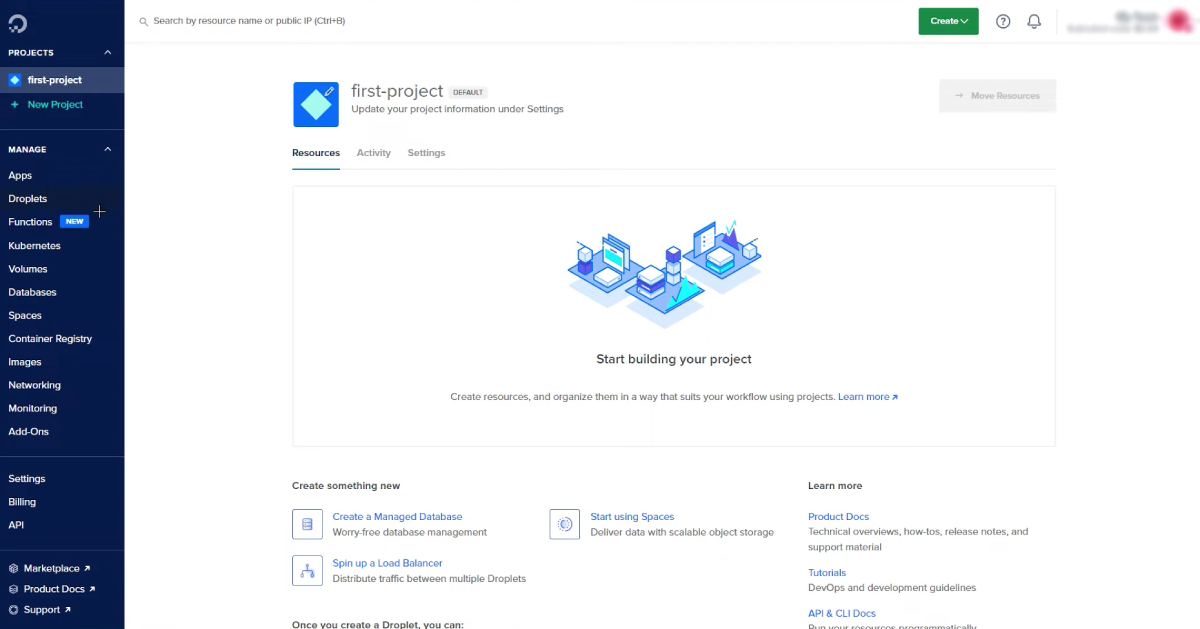
Paid support plans exist for teams needing faster response times or dedicated account support; specific pricing wasn’t detailed on the general pricing page checked for this review.
Documentation. DigitalOcean maintains an extensive public tutorial library and community Q&A section, a resource some competitors don’t offer at the same depth.
This review didn’t independently test response times on any paid support tier.
Frequently Asked Questions
Is DigitalOcean the same as shared hosting?
No. DigitalOcean sells cloud infrastructure (virtual servers, managed databases, Kubernetes, and similar products), not the shared, cPanel-based hosting most beginner-focused hosts sell.
How much does DigitalOcean cost per month?
Basic Droplets start at $4 a month for 512 MiB RAM and 1 vCPU. Dedicated-CPU Droplet types start between $42 and $131 a month depending on type.
Does DigitalOcean have a money-back guarantee?
Not in the traditional sense. DigitalOcean commits to 99.99% monthly uptime per Droplet, backed by a 100% service credit toward future invoices if that’s missed.
Does DigitalOcean include cPanel?
No. DigitalOcean Droplets ship without a control panel by default. cPanel or other panels can be installed manually, or you can use Cloudways for a managed, panel-based experience.
Who owns DigitalOcean?
DigitalOcean is an independent, publicly traded company on the NYSE (ticker DOCN). It owns Cloudways, CSS-Tricks, and other brands, but isn’t owned by a larger hosting conglomerate itself.
Does DigitalOcean offer a free trial?
DigitalOcean’s own FAQ states new accounts receive a $5 free credit. This review didn’t independently confirm the larger promotional credit amounts some third-party sites advertise.
What is DigitalOcean’s uptime guarantee?
99.99% monthly uptime per individual Droplet, with a 100% service credit applied to a future invoice if DigitalOcean misses that commitment during a billing cycle.
Can I run WordPress on DigitalOcean?
Yes, but you’d configure and manage it yourself on a Droplet. For a managed WordPress experience on DigitalOcean’s infrastructure, Cloudways is the company’s own packaged alternative.
Our Verdict
DigitalOcean’s strongest documented advantage is transparent, per-second billing on published, predictable prices, a genuinely different model from shared hosting’s tiered, contract-based pricing.
It’s not a fit for anyone expecting a control panel, a one-click WordPress install, or a support team that configures the server for them.
For that experience on the same underlying infrastructure, DigitalOcean’s own Cloudways is the more direct comparison than a traditional shared host.
Developers and technical teams comfortable with SSH and root access get a wide range of compute, database, and platform products at competitive published rates.
For a side-by-side against a similarly developer-focused competitor, see our DigitalOcean vs Linode comparison.
Related Reviews

DigitalOcean’s own managed hosting brand, built on its infrastructure

a similarly developer-focused cloud VPS competitor

another self-managed cloud infrastructure alternative
How We Evaluated DigitalOcean
This review is built from DigitalOcean’s own current live pricing pages for Droplets, App Platform, and Managed Databases, plus its official SLA documentation and Trustpilot profile.
Company history and financial figures were cross-checked against DigitalOcean’s own investor relations materials and Wikipedia’s sourced company record rather than a single secondary source.
See our Methodology page for what each of our evaluation methods means and what it entitles a review to claim.

