
Self-hosting Kimi K3, Moonshot AI’s new 2.8 trillion parameter open-weight model, needs serious GPU infrastructure. DigitalOcean’s own pricing puts a real number on that: an 8x H100 node through its Dedicated Inference product runs $30.32 an hour, or roughly $22,100 a month at full-time use.
DigitalOcean also offers the same model through Serverless Inference, billed per token instead of per GPU-hour.
If you’re trying to decide between those paths, this article walks through all three: what the hardware actually costs, how DigitalOcean’s per-token option compares, and a full setup guide.
Every number below is sourced directly from Moonshot’s or DigitalOcean’s own published pages, and flagged clearly where we could not confirm something.
Key Takeaways
- Kimi K3 is a 2.8 trillion parameter open-weight model with a 1 million token context window, using a mixture-of-experts design that activates 16 of 896 experts per request, per Moonshot AI’s own technical blog.
- Running it yourself typically starts at 8x H100 80GB GPUs, and Moonshot recommends supernode configurations of 64 or more accelerators for large-scale, high-throughput serving.
- DigitalOcean’s own Dedicated Inference pricing lists an 8x H100 node at $30.32 an hour, or roughly $22,100 a month at full-time usage. That’s a first-party benchmark for what the hardware actually costs.
- DigitalOcean’s Serverless Inference hosts Kimi K3 for you and bills per token, removing the need to provision and manage GPU infrastructure yourself.
- As of this writing, DigitalOcean has not published a Kimi K3-specific rate on its Serverless Inference pricing page. We checked directly. Confirm current pricing before estimating your own costs.
A note from Shaddam: Across the hosting accounts I test for HostingGuider, the same gap keeps showing up between a spec sheet and an actual invoice. Kimi K3’s GPU requirement is a clean example. “Needs 8x H100 GPUs” sounds like a technical detail until you price out what that server actually costs to rent for a month.
What Is Kimi K3?
Kimi K3 is Moonshot AI’s flagship large language model, released in July 2026. At 2.8 trillion total parameters, it’s currently the largest publicly released open-weight language model.
Open-weight means the trained model files are published for anyone to download and run. You don’t need access to a private API to use it, which is exactly why the hosting question in this article matters.
It uses a mixture-of-experts architecture. Instead of activating all 2.8 trillion parameters for every request, the model routes each request through 16 of 896 smaller “expert” sub-networks, according to Moonshot AI’s own technical blog. It also supports a 1 million token context window, letting it process an entire codebase or a long set of documents in a single request.
The model’s size and architecture are already well documented elsewhere. What’s missing from most coverage is what that size costs to run, which is where we’re going next.
What It Actually Takes to Self-Host Kimi K3
Because Kimi K3 is open-weight, you can download and run it yourself. In practice, running it yourself needs serious hardware.
The model’s weight files total approximately 600GB in BF16 format, based on community analysis rather than an official figure from Moonshot. A single GPU, or even a pair of them, cannot hold that. Running Kimi K3 at reasonable speed typically starts at 8x H100 80GB GPUs in one node, according to hardware guides published after the model’s open-weight release.
For larger-scale, high-throughput serving, Moonshot AI’s own technical blog goes further, recommending supernode configurations with 64 or more accelerators, citing the benefits of larger high-bandwidth communication domains at Kimi K3’s level of MoE sparsity.
Beyond the GPUs themselves, you’d need fast networking between nodes, enough host RAM and storage to load hundreds of gigabytes of weights, and cooling and power capacity for sustained heavy load.
None of that is a one-time cost. It runs for as long as your deployment stays up.
Translating Hardware Requirements Into Real Costs
This is the part most Kimi K3 coverage skips: what that hardware requirement actually costs per month, in numbers you can check yourself.
The clearest figure comes straight from DigitalOcean’s own pricing documentation. Its Dedicated Inference product, which bills by the GPU-hour rather than by the token, lists an 8x NVIDIA H100 node at $30.32 per hour.
At full-time usage over a 730-hour month, that works out to roughly $22,100, before you’ve deployed Kimi K3 itself or added networking, storage, or engineering time on top.
The same pricing page also lists 8x NVIDIA H200 at $35.78 per hour, or roughly $26,100 a month at full-time use. That’s worth knowing if you’re following hardware guidance that recommends H200 over H100 for quantized, single-node deployments of Kimi K3.
For context, H100 rental rates elsewhere in the market generally fall somewhere between $2 and $14 per GPU per hour depending on the provider, so DigitalOcean’s dedicated rate sits within the normal range rather than being unusually expensive.
If your workload needs Moonshot’s recommended 64-accelerator supernode configuration for large-scale serving, this cost scales up accordingly, not down.
That’s the real number behind a spec sheet that just says “8x H100 GPUs.” It’s a hosting decision, not a technical footnote, and it’s the number worth running before you commit to renting dedicated GPU capacity for Kimi K3, whether through DigitalOcean or anyone else.
How DigitalOcean’s Serverless Inference Compares
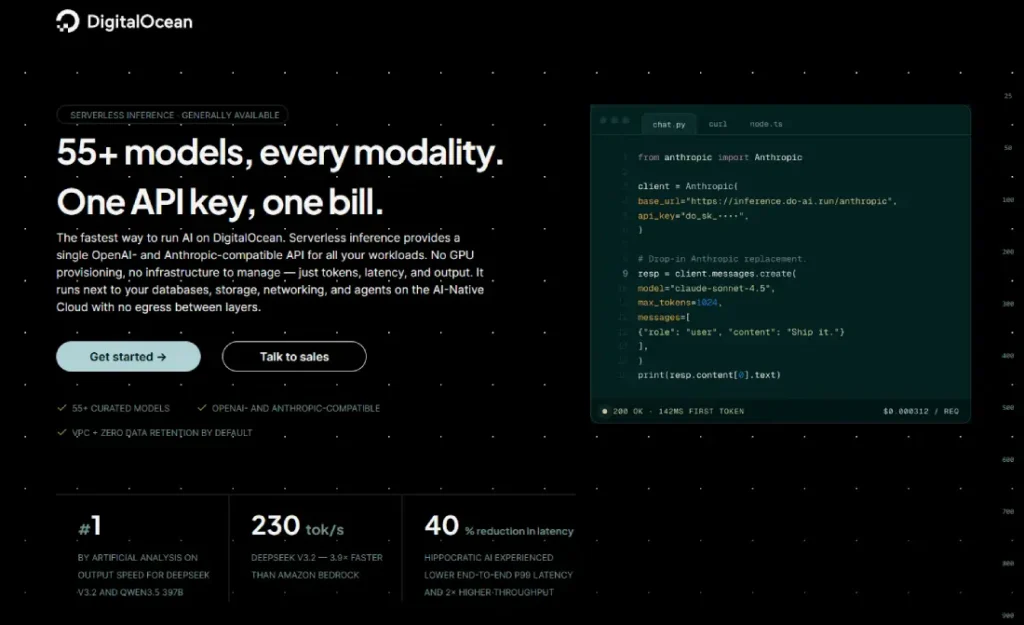
DigitalOcean added Kimi K3 to its Serverless Inference platform. Instead of renting GPU capacity by the hour whether you’re using it or not, Serverless Inference bills per token processed, and DigitalOcean handles the underlying hardware, scaling, and maintenance for you.
Here’s how the pricing picture looks as of this writing:
| Access method | Price | Source |
|---|---|---|
| Kimi K3 official API (Moonshot) | $3.00 per 1M input tokens (cache miss), $0.30 per 1M input tokens (cache hit), $15.00 per 1M output tokens | Moonshot AI |
| DigitalOcean Dedicated Inference, 8x H100 | $30.32 per hour (roughly $22,100 a month at full-time use) | DigitalOcean |
| DigitalOcean Serverless Inference (Kimi K3) | Not yet published as of this writing | DigitalOcean |
DigitalOcean has not yet published a Kimi K3-specific rate on its own Serverless Inference pricing page. We confirmed this by checking that page directly rather than assuming.
Check DigitalOcean’s live pricing before budgeting against any number here, including the Dedicated Inference figure above, since GPU and inference pricing both get updated regularly.
One more cost factor is worth flagging, since it’s specific to how Kimi K3 is meant to be used. DigitalOcean bills separately for its server-side web search ($10 per 1,000 requests) and web fetch ($3 per 1,000 requests) tools, on top of standard token costs.
Those charges are waived for Anthropic models on the platform, but Kimi K3 isn’t an Anthropic model, so if you’re using it for the long, multi-tool-call agentic work it’s designed for, factor these in alongside your token bill.
Set up Kimi K3 on DigitalOcean
- Create a DigitalOcean account. Visit the DigitalOcean Serverless Inference page to get started. According to DigitalOcean, no credit card is required to sign up, and you won’t be charged until you make your first API call.
- Generate an API key. From the Inference section of your DigitalOcean control panel.
- Select Kimi K3 as your model. DigitalOcean’s inference endpoints are OpenAI- and Anthropic-compatible, so if you already have code built for one of those APIs, it generally works by pointing it at DigitalOcean’s base URL with your new API key, with minor endpoint and authentication changes.
- Use the Inference Router if you plan to mix models. DigitalOcean’s Serverless Inference catalog spans 55-plus models, and the router (currently in public preview) lets you route requests across them by cost, speed, or task type, including automatic fallback to another model if a provider has an outage, instead of committing to one model for everything.
- Test with a small request first before pointing production traffic at it.
Who Should Self-Host, and Who Should Use Serverless
Self-hosting, or DigitalOcean’s Dedicated Inference, makes sense if you already operate GPU infrastructure at scale, need full control over the weights for fine-tuning or air-gapped deployment, or have data residency requirements a shared inference platform can’t meet. At that scale, a monthly GPU cost in the range of $22,000 or more for a single node is likely a cost you were already planning for.
Serverless Inference makes more sense if you’re experimenting with Kimi K3, building a product around it, or running variable, unpredictable request volume. Paying per token means you’re not committing to five figures a month in GPU capacity before you know whether the workload justifies it.
There’s also a middle path. DigitalOcean’s Bring Your Own Model option stores custom model weights for $5 a month and can be paired with Dedicated Inference. If you want to run a fine-tuned or customized build of Kimi K3 without setting up fully independent infrastructure, this sits between self-hosting elsewhere and using Kimi K3 as DigitalOcean provides it out of the box.

DigitalOcean
Limitations and Things to Watch
- GPU pricing changes regularly. The Dedicated Inference figure above reflects DigitalOcean’s published rate at the time of writing, not a live quote.
- DigitalOcean has not published a Kimi K3-specific Serverless Inference rate as of this writing. We checked this three ways: DigitalOcean’s pricing documentation, its product announcement blog post, and its own Serverless Inference sign-up page, and none of the three list Kimi K3-specific pricing yet. Confirm current rates before estimating your own costs.
- The 600GB weight-size figure is a community estimate, not an official number from Moonshot. Treat it as approximate.
- A large context window does not guarantee accurate output on every task. Test with your own prompts before relying on it for production work.
- Independent, long-term benchmarking of Kimi K3 outside launch-week comparisons is still limited, since the model is new.
Frequently Asked Questions
How much does it cost to run Kimi K3 on dedicated GPU infrastructure?
DigitalOcean’s own Dedicated Inference pricing lists an 8x NVIDIA H100 node at $30.32 an hour, or roughly $22,100 a month at full-time usage. That’s a first-party benchmark for the hardware Kimi K3 typically requires, before factoring in deploying and running the model itself.
Is Kimi K3 available on DigitalOcean?
Yes. DigitalOcean added Kimi K3 to its Serverless Inference platform, billing per token instead of per GPU-hour.
What hardware do I need to run Kimi K3 myself?
Hardware guides published after the open-weight release generally put the practical starting point at 8x H100 80GB GPUs. Moonshot AI’s own technical blog recommends supernode configurations of 64 or more accelerators for large-scale, high-throughput serving.
Does DigitalOcean publish Kimi K3 pricing for Serverless Inference?
Not yet, as of this writing. We checked DigitalOcean’s official Inference Pricing documentation directly, and Kimi K3 was not listed among the DigitalOcean-hosted models at the time of publication.
Is Kimi K3 free to use?
The model weights are free to download and self-host, but running it, whether on your own hardware or through a managed service like DigitalOcean, has real compute costs.
Can I use Kimi K3 through an OpenAI-compatible API on DigitalOcean?
Yes, with minor endpoint and authentication differences. DigitalOcean’s inference endpoints are OpenAI-compatible, so code already built for an OpenAI-style API generally works by swapping in DigitalOcean’s base URL and API key.
Bottom Line
Kimi K3’s size is genuinely impressive, but the number that decides whether you should run it yourself is a hosting number, not a benchmark score. DigitalOcean’s own Dedicated Inference pricing puts that at roughly $22,100 a month for a single 8-GPU node. Serverless Inference turns that into a per-token bill instead, though DigitalOcean hasn’t published Kimi K3’s specific rate yet.
If you’re still deciding, run your own expected usage against the numbers in the table above before you commit either way. That’s the calculation that actually matters here, not which model scores higher on a leaderboard.
Every time a new frontier model launches, I see the same pattern in the hosting decisions I track for HostingGuider. The excitement is about the model, but the real decision comes down to server infrastructure costs that rarely make it into the announcement post.
If you’re weighing managed cloud infrastructure more broadly, our cloud hosting overview and VPS hosting guide cover how platforms like DigitalOcean compare to alternatives. Linode and Vultr are worth a look too, if dedicated compute fits your needs better than managed inference.
Sources:
- Kimi K3 Tech Blog: Open Frontier Intelligence: Moonshot AI’s official announcement and technical breakdown, including MoE architecture and hardware recommendations
- Kimi K3 Pricing: Plans, Membership & API Costs: Moonshot’s official Kimi K3 API pricing
- What’s New on DigitalOcean’s Inference Engine: DigitalOcean’s product announcement confirming Kimi K3 availability on Serverless Inference
- Inference Pricing Documentation: DigitalOcean’s live pricing page for Serverless Inference and Dedicated Inference, including the H100 GPU-hour rates cited in this article


