Best WooCommerce Hosting: Every Top Provider Compared for Real Stores

Written by:

·

Last Updated on:

·

HostingGuider uses affiliate links. We may earn a commission if you purchase through them, at no extra cost to you.

WooCommerce is not just a website. It is a store. And a store has requirements that a standard blog or brochure site does not.

Your cart page must load fast even during a sale. Your checkout must never go down when customers are ready to pay. Your product catalogue must handle hundreds of simultaneous database queries without slowing to a crawl. Your backups must run every day because losing an order database is a real business crisis.

This is why choosing hosting for WooCommerce is different from choosing hosting for any other type of WordPress site. Generic shared hosting that works fine for a blog will buckle under a WooCommerce store’s dynamic requests. The hosts on this list have been selected specifically because they handle WooCommerce workloads reliably.

Every review uses a consistent format: a short description, a spec table, bullet points for pros and cons, and a clear statement of who the host actually suits.

Key Takeaways

  • WooCommerce needs more server resources than a standard WordPress site because cart, checkout, and account pages cannot be cached
  • PHP workers, object caching, and dedicated WooCommerce optimisation are the three factors that matter most
  • Managed WooCommerce hosting handles all technical maintenance so you focus entirely on selling
  • Shared hosting works for small stores but becomes unreliable as product count and order volume grows
  • Every host on this list supports WooCommerce, but not every host optimises for it equally
  • SSL is required for accepting payments and should be free and automatic on any host you choose

Quick Answer

For most growing WooCommerce stores, Kinsta and Cloudways offer the strongest combination of performance and managed features. For enterprise WooCommerce and large catalogues, Liquid Web is purpose-built for that scale. For small stores just starting out, SiteGround and Hostinger provide reliable WooCommerce performance at accessible prices.

woocommerce hosting tier comparison
Comparison of WooCommerce hosting tiers and providers

Why WooCommerce Hosting Is Different

Understanding what makes WooCommerce demanding helps you evaluate hosts more accurately.

Many WooCommerce store owners started on Shopify or Squarespace and the migration steps for both platforms are well-documented.

A standard WordPress blog serves mostly static or cached content. The same HTML is sent to every visitor. Caching plugins and CDNs handle most of the load.

WooCommerce stores have specific hosting requirements that standard WordPress plans do not always meet. Cart pages and checkout cannot be cached the same way blog posts can.

This means your hosting needs enough PHP workers to handle simultaneous dynamic requests without queuing. It means your database must handle write-heavy operations, not just reads. It means your server must stay fast when ten customers check out simultaneously, not just when one person is browsing.

WooCommerce FactorWhy It MattersWhat to Look For
PHP workersHandle simultaneous dynamic page requestsMultiple dedicated workers, not shared
Object cachingReduces repetitive database queriesRedis or Memcached included
Uncached page handlingCart and checkout cannot be cachedServer handles dynamic load efficiently
SSL certificateRequired for payment processingFree, automatic, always active
Daily backupsStore data is business-criticalDaily automatic with quick restore
Staging environmentTest plugin updates before applying to live storeIncluded, one click push to live
Uptime guaranteeDowntime during a sale means lost revenue99.9% minimum, 99.99% preferred
ScalabilityHandle traffic spikes during promotionsAuto-scale or easy manual upgrade
Payment gateway compatibilityStripe, PayPal and others must workYes on all hosts
Support expertiseWordPress and WooCommerce problems need WooCommerce knowledgeWooCommerce-specialist support

Best WooCommerce Hosting at a Glance

ProviderBest ForStarting PriceManagedFull Review
KinstaBest overall managed WooCommerceFrom $35/monthYesReview
Liquid Web / NexcessBest enterprise WooCommerceFrom $25/monthYesReview
WP EngineBest for agencies with WooCommerce clientsFrom $23/monthYesReview
CloudwaysBest flexible managed cloud WooCommerceFrom $14/monthYesReview
NexcessBest dedicated WooCommerce platformFrom $21/monthYesNo review yet
A2 HostingBest shared for WooCommerce performanceFrom $2.99/monthPartiallyNo review yet
SiteGroundBest beginner WooCommerce sharedFrom $5.99/monthYesReview
Rocket.netBest speed-focused WooCommerceFrom $30/monthYesReview
PressableBest managed WooCommerce for creatorsFrom $25/monthYesReview
GreenGeeksBest eco-friendly WooCommerceFrom $3.95/monthPartiallyReview
HostingerBest budget WooCommerceFrom $2.69/monthPartiallyReview
BluehostBest beginner WooCommerce all-in-oneFrom $2.95/monthPartiallyReview
DreamHostBest WooCommerce for bloggers with storesFrom $2.59/monthPartiallyReview
InMotionBest business WooCommerceFrom $3.99/monthPartiallyReview
WPMU DEVBest WooCommerce for professionalsFrom $3/monthYesReview
ScalaHostingBest managed VPS WooCommerceFrom $29.95/monthYesReview
FastCometBest global WooCommerce audienceFrom $3.95/monthPartiallyReview
HostArmadaBest cloud shared WooCommerceFrom $2.49/monthPartiallyReview
OVHcloudBest European WooCommerceFrom $3.50/monthNoReview
AccuWebBest Windows WooCommerceFrom $5.99/monthYesReview
InterServerBest price-lock WooCommerceFrom $2.50/monthPartiallyReview
HostGatorBest budget entry WooCommerceFrom $2.75/monthPartiallyReview
HostPapaBest small business WooCommerceFrom $3.95/monthPartiallyReview
NamecheapBest domain-bundled WooCommerceFrom $1.98/monthNoReview

Detailed WooCommerce Hosting Reviews

Kinsta: Best Overall Managed WooCommerce Hosting

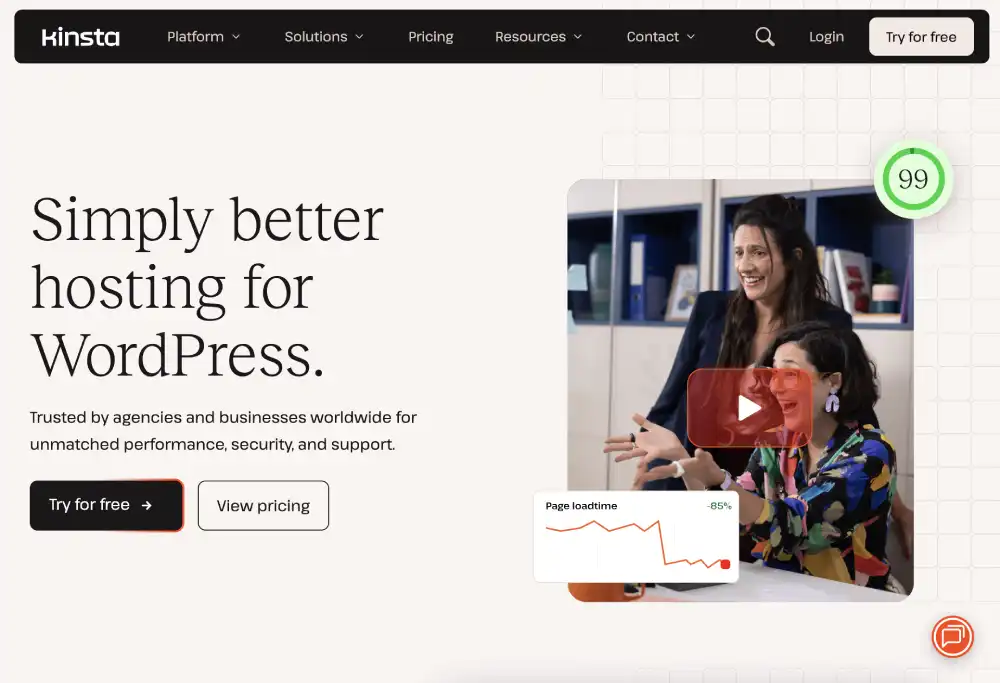
Kinsta runs WooCommerce on Google Cloud infrastructure with dedicated PHP workers, Redis object caching, and a staging environment on every plan. It is the strongest all-round managed WooCommerce option for growing stores.

SpecDetails
Starting price$35/month
InfrastructureGoogle Cloud
PHP workersDedicated per plan
Object cachingRedis included
Staging environmentYes, all plans
Daily backupsYes, 14-day retention
CDNCloudflare, 260+ locations
Free SSLYes, automatic
Uptime guarantee99.9%
Support24/7 WordPress and WooCommerce specialist

Pros:

  • Dedicated PHP workers handle simultaneous checkout requests cleanly
  • Redis object caching eliminates repetitive database queries
  • Cloudflare CDN included for global static content delivery
  • MyKinsta dashboard shows real-time WooCommerce performance metrics
  • Automatic daily backups with one-click self-serve restore
  • Expert support team handles WooCommerce-specific issues directly

Cons:

  • Highest starting price of any host on this list
  • Visitor limits on entry plans require upgrade as store grows
  • No phone support on any plan

Who it is for: Established WooCommerce stores generating regular revenue where downtime and slow pages translate directly to lost sales.

Read the full Kinsta review | Visit Kinsta

Liquid Web and Nexcess: Best Enterprise WooCommerce Hosting

Liquid Web and its sister brand Nexcess are purpose-built for large WooCommerce stores. Nexcess operates specifically as a managed WooCommerce platform with features no other host provides at this level.

SpecDetails
Starting price$21/month (Nexcess), $25/month (Liquid Web)
InfrastructureLiquid Web owned cloud
PHP workersAutoscaling included
Object cachingYes, Redis and Memcached
Staging environmentYes, all plans
Daily backupsYes, 30-day retention
CDNYes, enterprise grade
Free SSLYes, automatic
Uptime guarantee100% with compensation
Support59-second guaranteed phone response

Pros:

  • Nexcess includes automatic image optimisation and plugin performance monitoring
  • Nexcess plugin performance monitor alerts you when a plugin slows your store
  • Autoscaling PHP workers handle flash sales and seasonal spikes automatically
  • 30-day backup retention with granular restore options
  • 100% uptime SLA with financial compensation if missed
  • WooCommerce-exclusive performance features not available on any other host

Cons:

  • Higher price point than all general-purpose hosts
  • Can be overkill for small stores with low order volume
  • Nexcess brand less known than Kinsta or WP Engine

Who it is for: High-volume WooCommerce stores, agencies managing large client stores, and businesses where one hour of downtime costs more than a month of hosting.

Read the full Liquid Web review | Visit Liquid Web

WP Engine: Best Managed WooCommerce for Agencies

WP Engine’s managed WordPress infrastructure handles WooCommerce reliably with strong developer tooling, multi-site management, and Git integration that agencies running client stores need.

SpecDetails
Starting price$23/month
InfrastructureWP Engine proprietary cloud
PHP workersDedicated per site
Object cachingYes, EverCache with WooCommerce exclusions
Staging environmentYes, all plans
Daily backupsYes, 40-day retention on higher plans
CDNYes, global
Free SSLYes, automatic
Uptime guarantee99.95%
Support24/7 WordPress and WooCommerce specialist

Pros:

  • EverCache automatically excludes WooCommerce cart and checkout from caching
  • 40-day backup retention on growth plans
  • Git integration and local development through LocalWP
  • Multi-site management dashboard for agency use
  • Free access to Genesis framework and StudioPress themes
  • Transferable sites feature for agencies handing off client sites

Cons:

  • Plugin restrictions occasionally conflict with specific WooCommerce extensions
  • Higher price than Cloudways at similar resource levels
  • Renewal rates can be significant

Who it is for: Agencies building and maintaining WooCommerce stores for clients, and established stores that need developer tools alongside managed WooCommerce hosting.

Read the full WP Engine review | Visit WP Engine

Cloudways: Best Flexible Cloud WooCommerce Hosting

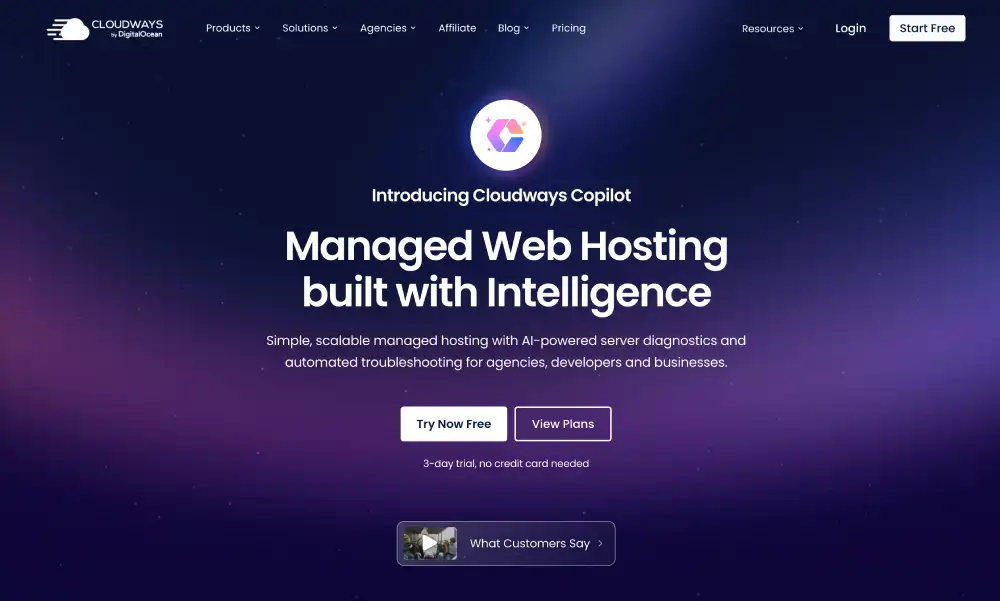
Cloudways lets you run WooCommerce on your choice of cloud infrastructure, from affordable DigitalOcean to enterprise Google Cloud and AWS, with a managed interface on top. No visitor limits and genuine cloud scalability.

SpecDetails
Starting price$14/month (DigitalOcean)
InfrastructureDigitalOcean, AWS, Google Cloud, Linode, Vultr
PHP workersConfigurable per application
Object cachingYes, Redis and Memcached
Staging environmentYes, all plans
Daily backupsYes, automated
CDNCloudflare integration included
Free SSLYes, automatic
Uptime guarantee99.99% on premium cloud providers
Support24/7 managed support

Pros:

  • Choose your cloud provider and scale without migrating to a new host
  • No visitor limits, billing based on server resources only
  • Redis object caching included on all plans
  • Breeze caching plugin pre-configured for WooCommerce exclusions
  • WooCommerce-specific PHP configuration guidance in their documentation
  • Most flexible hosting setup of any managed provider on this list

Cons:

  • Slightly steeper learning curve than fully managed hosts
  • Pay-per-use billing on higher cloud tiers can be unpredictable
  • Less WordPress-specific support depth than Kinsta or WP Engine

Who it is for: Technically capable store owners who want cloud infrastructure performance at a flexible price, and stores that need to scale rapidly without changing hosting providers.

Read the full Cloudways review | Visit Cloudways

Hosting.Com: Best Shared Hosting for WooCommerce Performance

A2 Hosting has built a strong reputation specifically for WooCommerce performance on shared hosting through its Turbo servers, which use LiteSpeed web server with a proprietary caching layer called Turbo Cache.

SpecDetails
Starting price$2.99/month
InfrastructureA2 owned shared and VPS
PHP workersShared, more on Turbo plans
Object cachingYes, on Turbo plans
Staging environmentYes, on higher plans
Daily backupsYes
CDNYes, included
Free SSLYes, automatic
Uptime guarantee99.9%
Support24/7 live chat, phone, and email

Pros:

  • Turbo server plans consistently top WooCommerce speed benchmarks at the shared level
  • Anytime money-back guarantee with no time limit restrictions
  • WooCommerce pre-installed option during signup
  • Developer-friendly with SSH access on higher plans
  • Multiple US and European data centre options

Cons:

  • Turbo pricing is higher than standard entry pricing
  • Shared resources still affected by neighbour site load on standard plans
  • Renewal prices are higher than promotional rates

Who it is for: WooCommerce store owners who want maximum shared hosting performance and are willing to pay slightly more for Turbo-level speed without moving to managed VPS.

Read the full Hosting.Com review | Visit Hosting.Com

Rocket.net: Best Speed-Focused WooCommerce Hosting

Rocket.net builds on Cloudflare’s enterprise network, serving WooCommerce sites from the nearest of 300+ global edge locations. For stores with an international customer base, the speed advantage is measurable.

SpecDetails
Starting price$30/month
InfrastructureCloudflare enterprise edge network
PHP workersDedicated
Object cachingYes, Redis
Staging environmentYes, all plans
Daily backupsYes
CDNCloudflare enterprise, 300+ locations
Free SSLYes, automatic
Uptime guarantee99.99%
Support24/7 WordPress specialist

Pros:

  • Serves WooCommerce product pages from Cloudflare edge, not a central server
  • Fastest time-to-first-byte of any provider on this list in independent tests
  • Unlimited free site migrations included
  • WooCommerce checkout and cart handled with smart cache exclusions
  • Cloudflare enterprise DDoS protection included

Cons:

  • Starting price higher than mid-range managed alternatives
  • Fewer developer tools than WP Engine
  • Relatively newer brand

Who it is for: Speed-focused WooCommerce stores with a global or international customer base where product page load time directly influences conversion rates.

Read the full Rocket.net review | Visit Rocket.net

Pressable: Best Managed WooCommerce for Smaller Stores

Owned by Automattic, the company behind WooCommerce itself, Pressable brings deep platform knowledge to managed WooCommerce hosting. Jetpack Security is included on every plan.

SpecDetails
Starting price$25/month
InfrastructureAutomattic cloud
PHP workersDedicated
Object cachingYes
Staging environmentYes, all plans
Daily backupsYes, via Jetpack
CDNYes, via Jetpack
Free SSLYes, automatic
Uptime guarantee99.99%
Support24/7 WordPress and WooCommerce specialist

Pros:

  • Built by Automattic who also owns and develops WooCommerce
  • Jetpack Security included: backups, malware scanning, brute force protection
  • Staging environment with one-click push to live
  • Free migrations handled by technical team
  • Automatic WordPress and WooCommerce core updates

Cons:

  • Fewer developer tools than WP Engine
  • Visitor-based pricing scales costs as store traffic grows
  • Less brand recognition than Kinsta or WP Engine

Who it is for: Small to medium WooCommerce stores that want the confidence of Automattic’s direct WooCommerce expertise and Jetpack security included without separate plugin costs.

Read the full Pressable review | Visit Pressable

SiteGround: Best Shared WooCommerce Hosting

SiteGround’s WooCommerce hosting includes one-click WooCommerce installation with a pre-configured store setup, SuperCacher server-level caching with smart WooCommerce exclusions, and the best support quality in shared hosting.

SpecDetails
Starting price$5.99/month
InfrastructureSiteGround cloud shared
PHP workersDynamic, shared
Object cachingSuperCacher with WooCommerce rules
Staging environmentGrowBig plan and above
Daily backupsYes, all plans
CDNYes, Cloudflare integration
Free SSLYes, automatic
Uptime guarantee99.99%
Support24/7 WordPress and WooCommerce knowledgeable

Pros:

  • WooCommerce-specific server caching rules exclude cart and checkout automatically
  • One-click WooCommerce setup during onboarding installs and configures the store
  • Free WooCommerce store creation service included on WooCommerce plans
  • Best support quality among shared hosts for WooCommerce questions
  • Free automatic daily backups with one-click restore

Cons:

  • No free domain included
  • Entry plan limited to one website
  • Highest renewal price among shared hosts

Who it is for: Small WooCommerce stores and first-time store owners who want the most capable shared hosting for WooCommerce with strong support to help with setup and troubleshooting.

Read the full SiteGround review | Visit SiteGround

GreenGeeks: Best Eco-Friendly WooCommerce Hosting

GreenGeeks combines its renewable energy commitment with LiteSpeed servers and LSCache WooCommerce rules, making it a capable choice for environmentally conscious store owners.

SpecDetails
Starting price$3.95/month
InfrastructureGreenGeeks cloud shared
PHP workersShared
Object cachingLSCache with WooCommerce support
Staging environmentYes, with Pro plan
Daily backupsYes, nightly
CDNYes, Cloudflare
Free SSLYes, automatic
Uptime guarantee99.9%
Support24/7 live chat, phone, email

Pros:

  • 300% renewable energy matched
  • LSCache handles WooCommerce dynamic page exclusions
  • Free domain and nightly backups included
  • WooCommerce pre-installed on WordPress setup
  • Phone support available 24/7

Cons:

  • Staging only on Pro plan and above
  • Shared resources limit performance during peak store traffic
  • Renewal price significantly higher than promo

Who it is for: Small WooCommerce stores owned by environmentally conscious businesses who want solid performance with a credible green hosting credential.

Read the full GreenGeeks review | Visit GreenGeeks

Hostinger: Best Budget WooCommerce Hosting

Hostinger offers WooCommerce-ready shared hosting on LiteSpeed servers at entry pricing that makes it accessible for stores just launching with limited budgets.

SpecDetails
Starting price$2.69/month
InfrastructureHostinger shared, LiteSpeed
PHP workersShared
Object cachingLiteSpeed LSCache
Staging environmentBusiness plan and above
Daily backupsYes
CDNYes, included
Free SSLYes, automatic
Uptime guarantee99.9%
Support24/7 live chat

Pros:

  • WooCommerce pre-installed option during WordPress setup
  • LiteSpeed LSCache handles basic WooCommerce caching efficiently
  • AI store builder helps first-time store owners with setup
  • Free daily backups and CDN included
  • Lowest entry price for WooCommerce-capable shared hosting

Cons:

  • Shared resources become limiting above a few hundred orders per month
  • Support quality inconsistent for complex WooCommerce questions
  • Staging only available from Business plan upward

Who it is for: Brand-new WooCommerce stores in early stages with limited budgets that need a reliable starting point before upgrading as order volume grows.

Read the full Hostinger review | Visit Hostinger

Bluehost: Best All-in-One WooCommerce Setup

Bluehost offers a dedicated WooCommerce plan that installs WordPress, WooCommerce, and a Storefront theme together in a single onboarding flow, making it the simplest starting point for first-time store builders.

SpecDetails
Starting price$2.95/month (shared), $6.95 (WooCommerce specific)
InfrastructureBluehost shared
PHP workersShared
Object cachingBluehost caching plugin
Staging environmentHigher plans only
Daily backupsPaid add-on
CDNYes, Cloudflare
Free SSLYes, automatic
Uptime guarantee99.9%
Support24/7 live chat and phone

Pros:

  • WooCommerce-specific onboarding installs store with products and payments ready
  • Bluehost is officially partnered with WooCommerce
  • 24/7 phone support available
  • Free domain for first year

Cons:

  • Backups require a paid add-on
  • Performance below LiteSpeed-based alternatives
  • WooCommerce-specific plan is priced higher than base shared plans

Who it is for: Complete beginners building their first WooCommerce store who want the most guided setup experience available with official WooCommerce partnership backing.

Read the full Bluehost review | Visit Bluehost

InMotion Hosting: Best WooCommerce for Business Sites

InMotion’s managed WordPress and WooCommerce hosting includes UltraStack technology tuned for WooCommerce workloads with LiteSpeed, object caching, and genuine phone support.

SpecDetails
Starting price$3.99/month (shared), $17.99 (VPS)
InfrastructureInMotion SSD shared and VPS
PHP workersLiteSpeed workers on higher plans
Object cachingYes, on UltraStack plans
Staging environmentYes
Daily backupsYes
CDNYes
Free SSLYes, automatic
Uptime guarantee99.9%
Support24/7 phone, chat, email

Pros:

  • UltraStack specifically tuned for WooCommerce on higher plans
  • Phone support genuinely available 24/7 for WooCommerce help
  • Free launch assist for one-on-one store setup help
  • 90-day money-back guarantee
  • SSD storage on all plans

Cons:

  • US data centres only
  • UltraStack WooCommerce tuning only on higher-priced plans
  • Performance on entry shared plans not exceptional

Who it is for: US-based small businesses running WooCommerce stores who need phone support availability and want hands-on launch assistance during store setup.

Read the full InMotion Hosting review | Visit InMotion

WPMU DEV: Best WooCommerce for WordPress Professionals

WPMU DEV combines managed WooCommerce hosting with a full plugin suite covering forms, SEO, security, and performance tools, all under one subscription.

SpecDetails
Starting priceFrom $3/month (basic), full hosting bundle higher
InfrastructureGoogle Cloud
PHP workersDedicated
Object cachingYes, Redis
Staging environmentYes
Daily backupsYes, automated
CDNYes, included
Free SSLYes, automatic
Uptime guarantee99.9%
Support24/7 WordPress specialist

Pros:

  • All-in-one: hosting plus premium plugin suite for store management
  • Google Cloud infrastructure for reliable WooCommerce performance
  • WooCommerce-compatible security, forms, and SEO plugins all included
  • Hub dashboard manages multiple WooCommerce stores from one login
  • Strong value for agencies managing multiple client stores

Cons:

  • Pricing structure complex across different plan levels
  • Most valuable when you actively use the plugin suite
  • Less known as a hosting brand than Kinsta or WP Engine

Who it is for: WordPress professionals and agencies managing multiple WooCommerce client stores who want hosting combined with a complete professional plugin toolkit.

Read the full WPMU DEV review | Visit WPMU DEV

ScalaHosting: Best Managed VPS for WooCommerce

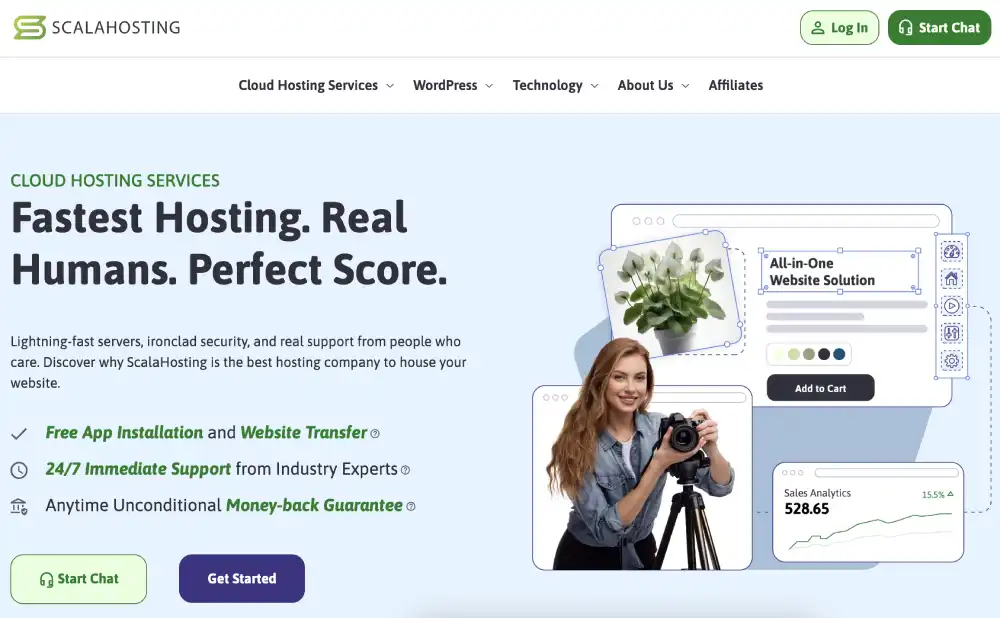
ScalaHosting’s managed VPS with SPanel gives WooCommerce stores dedicated resources and security monitoring without the complexity of self-managing a server.

SpecDetails
Starting price$29.95/month
InfrastructureScalaHosting cloud VPS
PHP workersDedicated VPS resources
Object cachingYes, Redis on VPS
Staging environmentYes
Daily backupsYes, automated
CDNYes
Free SSLYes, automatic
Uptime guarantee99.9%
Support24/7 live chat and tickets

Pros:

  • Dedicated VPS resources mean WooCommerce never shares CPU or RAM
  • SShield blocks 99.998% of web attacks in real time
  • Anytime resource scaling without migration
  • SPanel provides full WooCommerce management without command-line skills
  • Clear upgrade path from shared to VPS within same provider

Cons:

  • Higher starting price than shared hosting
  • No phone support
  • SPanel unfamiliar to cPanel users initially

Who it is for: Growing WooCommerce stores that have outgrown shared hosting and need dedicated VPS resources with managed support rather than self-management.

Read the full ScalaHosting review | Visit ScalaHosting

FastComet: Best WooCommerce Hosting for Global Stores

FastComet’s eleven global data centres allow WooCommerce stores to host their server closest to their primary customer base, reducing checkout latency for international buyers.

SpecDetails
Starting price$3.95/month
InfrastructureFastComet shared, SSD
PHP workersShared
Object cachingYes, Redis on higher plans
Staging environmentYes
Daily backupsYes, 7-day retention
CDNYes, free
Free SSLYes, automatic
Uptime guarantee99.9%
Support24/7 live chat and tickets

Pros:

  • Eleven data centres allow hosting close to primary customer base
  • Free lifetime domain registration included
  • WooCommerce-compatible caching configuration
  • Free website migration service
  • Daily backups included on all plans

Cons:

  • No phone support
  • Shared resources become limiting as order volume grows
  • Redis object caching on higher plans only

Who it is for: WooCommerce stores selling internationally where customer geographic proximity to the server reduces checkout loading time and cart abandonment.

Read the full FastComet review | Visit FastComet

HostArmada: Best Cloud Shared WooCommerce Hosting

HostArmada runs WooCommerce on cloud infrastructure rather than traditional shared servers, providing better uptime consistency for stores that cannot afford downtime during sales.

SpecDetails
Starting price$2.49/month
InfrastructureCloud shared, LiteSpeed
PHP workersShared, cloud-backed
Object cachingLiteSpeed LSCache
Staging environmentYes
Daily backupsYes, 7-day retention
CDNYes
Free SSLYes, automatic
Uptime guarantee99.9%
Support24/7 live chat, strong user ratings

Pros:

  • Cloud infrastructure means hardware failures do not take your store offline
  • LiteSpeed LSCache with WooCommerce-aware caching rules
  • Competitive entry pricing for cloud-hosted WooCommerce
  • Free migrations handled by their team
  • Global data centre locations for audience proximity

Cons:

  • Renewal prices significantly higher than promo rates
  • No phone support
  • Newer brand with shorter track record

Who it is for: Budget-conscious WooCommerce store owners who want cloud reliability over traditional shared hosting without paying full managed hosting prices.

Read the full HostArmada review | Visit HostArmada

DreamHost: Best WooCommerce for Content-Led Stores

DreamHost’s WooCommerce plan installs the full store alongside WordPress and includes unlimited storage, making it a practical option for product catalogues with many images and downloadable products.

SpecDetails
Starting price$16.95/month (WooCommerce plan)
InfrastructureDreamHost shared and VPS
PHP workersShared
Object cachingYes, on DreamPress plans
Staging environmentYes, on DreamPress
Daily backupsYes
CDNYes, Cloudflare
Free SSLYes, automatic
Uptime guarantee100%
Support24/7 live chat and email

Pros:

  • 100% uptime guarantee with compensation if missed
  • Unlimited storage for large product catalogues and digital downloads
  • WooCommerce pre-installed with sample products
  • 97-day money-back guarantee
  • Month-to-month billing available

Cons:

  • No phone support on shared plans
  • US data centres only
  • Performance trails LiteSpeed-based alternatives

Who it is for: Bloggers and content creators who want to add a WooCommerce store alongside their existing content site without changing hosts or managing a separate installation.

Read the full DreamHost review | Visit DreamHost

OVHcloud: Best European WooCommerce Hosting

OVHcloud provides WooCommerce-capable shared and VPS hosting with EU data centre options for stores that need GDPR-compliant data storage within European jurisdiction.

SpecDetails
Starting price$3.50/month
InfrastructureOVHcloud shared and VPS
PHP workersShared
Object cachingAvailable on VPS plans
Staging environmentOn VPS plans
Daily backupsWeekly on shared, configurable on VPS
CDNYes
Free SSLYes
Uptime guarantee99.9%
SupportChat and email

Pros:

  • EU data centres in France, Germany, and UK for GDPR compliance
  • Honest renewal pricing, closer to promo rates than most
  • Large European infrastructure provider with strong track record
  • Anti-DDoS protection included at infrastructure level

Cons:

  • Less WooCommerce-specific optimisation than dedicated WordPress hosts
  • Only weekly backups on shared plans
  • Support slower than dedicated WooCommerce hosts

Who it is for: European WooCommerce stores with GDPR or data residency requirements that need confirmed EU data storage without paying premium managed hosting prices.

Read the full OVHcloud review | Visit OVHcloud

Other WooCommerce-Capable Providers

InterServer provides WooCommerce-capable shared hosting at a locked $2.50 per month that never increases at renewal. SSL, unlimited storage, and LiteSpeed web server included. Best for: budget stores that hate renewal pricing surprises. Review | Visit

HostGator covers WooCommerce on shared plans with one-click installation. Unlimited bandwidth and 24/7 phone support available. Backups require a paid add-on. Best for: budget beginners with low order volume. Review | Visit

Namecheap runs WooCommerce through EasyWP, a simple managed WordPress product. Suitable for very small stores with minimal technical requirements. Best for: existing Namecheap domain customers adding a simple store. Review | Visit

HostPapa provides WooCommerce-ready shared hosting with one-on-one PapaSquad onboarding assistance. Good for first-time Canadian store owners who want human help during setup. Review | Visit

AccuWeb Hosting supports WooCommerce on both Linux and Windows hosting plans. Windows WooCommerce is rare and AccuWeb is one of the few providers covering it. Review | Visit

How to Choose WooCommerce Hosting for Your Store

Start from your current store size and expected growth.

If you are launching your first store with no existing traffic, Hostinger, SiteGround, or GreenGeeks all provide WooCommerce-capable shared hosting at manageable prices. You can move to managed hosting as your order volume justifies it.

If your store already processes regular orders and downtime costs you money, the jump to managed WooCommerce hosting is worth it immediately. Kinsta and Cloudways both handle WooCommerce workloads with dedicated resources and automatic scaling for traffic spikes.

If you run a high-volume store with hundreds of daily orders, Liquid Web and Nexcess are purpose-built for that scale. Nexcess in particular includes WooCommerce-specific features like plugin performance monitoring that no other host provides.

If your customers are spread across multiple countries, FastComet and Rocket.net both reduce checkout latency for international buyers through geographic data centre distribution and edge serving respectively.

Understanding the broader security benefits that managed hosting provides is worth reading before committing, since WooCommerce stores handle customer payment data and need strong security infrastructure.

woocommerce hosting decision flowchart
Flowchart for choosing the right WooCommerce hosting

Frequently Asked Questions

What is the best hosting for a WooCommerce store?

The best WooCommerce hosting depends on your store size and order volume. For small stores just starting out, SiteGround and Hostinger provide WooCommerce-optimised shared hosting at accessible prices. For growing stores processing regular orders, Kinsta and Cloudways offer managed cloud hosting with dedicated PHP workers and Redis caching specifically suited to WooCommerce workloads. For high-volume enterprise stores, Liquid Web is purpose-built for large WooCommerce operations.

Why does WooCommerce need more server resources than a regular WordPress site?

WooCommerce generates dynamic pages that cannot be cached. Every customer’s cart is unique. Every checkout page is personalised. Every account page shows individual order history. Serving these pages requires PHP to execute and the database to run queries for every page load from every customer. A blog post can be cached once and served from that cache to thousands of visitors. A checkout page cannot. This higher rate of live PHP execution and database queries requires more PHP workers and more database capacity than a content-only WordPress site of the same traffic level.

Is shared hosting enough for a WooCommerce store?

Shared hosting works for small stores in their early stages with low order volume, typically under 100 orders per month. As your store grows, shared resources become limiting. Multiple simultaneous checkouts compete for the same PHP workers. Database queries slow under concurrent load. Traffic spikes from promotions can crash a shared server. The transition point to managed WooCommerce hosting is usually when you start seeing performance degradation during sales events or when downtime during checkout has a direct financial impact.

Do I need SSL for WooCommerce?

Yes. SSL is required for any website accepting payments. It encrypts the connection between your customer’s browser and your server, protecting card details and personal information in transit. Every host on this list includes free automatic SSL certificates. WooCommerce itself will display warnings if your store is not running on HTTPS. In practice, most payment gateways like Stripe and PayPal also require SSL to be active on your site before you can process real transactions.

What is the difference between managed WooCommerce hosting and regular shared hosting?

Regular shared hosting gives you a server where you install and manage everything yourself, including WordPress updates, plugin updates, caching configuration, security, and backups. Managed WooCommerce hosting handles all of that automatically. The provider applies WordPress and WooCommerce updates, configures caching with WooCommerce-specific rules that exclude cart and checkout from caching, runs daily backups, monitors for security threats, and provides support from people who specifically understand WooCommerce. The result is better performance and reliability with significantly less time spent on technical maintenance.

Can WooCommerce handle thousands of products on shared hosting?

A large product catalogue on shared hosting creates challenges not because of the product count itself but because of how WooCommerce queries that catalogue. Shared hosting databases have resource limits. Complex product filter queries, variable product lookups, and inventory checks across thousands of products become slow when database resources are shared with hundreds of other sites. For catalogues above 500 products, VPS or managed cloud hosting with dedicated database resources delivers meaningfully better search, filter, and category browsing performance than shared hosting.

Which WooCommerce host is best for international stores?

For stores selling to customers across multiple countries, geographic hosting distribution matters significantly. FastComet allows you to host your server in the region closest to your primary customer base across eleven locations worldwide. Rocket.net serves your WooCommerce store from Cloudflare’s 300+ global edge locations, meaning every customer receives content from a server near them regardless of where your store is based. For high-volume WooCommerce operations, the hosting providers built specifically for WooCommerce workloads go significantly deeper than general managed WordPress plans.

About The Author

Hostinger

4.7/5 (62k)
Claim 88% OFF Now

Liquid Web

4.3/5 (2.6k)
Claim 50% OFF Now

WP Engine

4.3/5 (1.6k)
Claim 33% OFF Now