
You are building a business website and two names keep appearing: Webflow and WordPress. Both are serious platforms used by millions of companies. Both can produce fast, professional websites. Both have genuine strengths and genuine limits.
This guide compares them directly across five areas that matter most for business owners: ease of use, design flexibility, SEO, pricing, and performance. It also covers e-commerce, security, and content management, with clear recommendations on which platform fits which type of business.
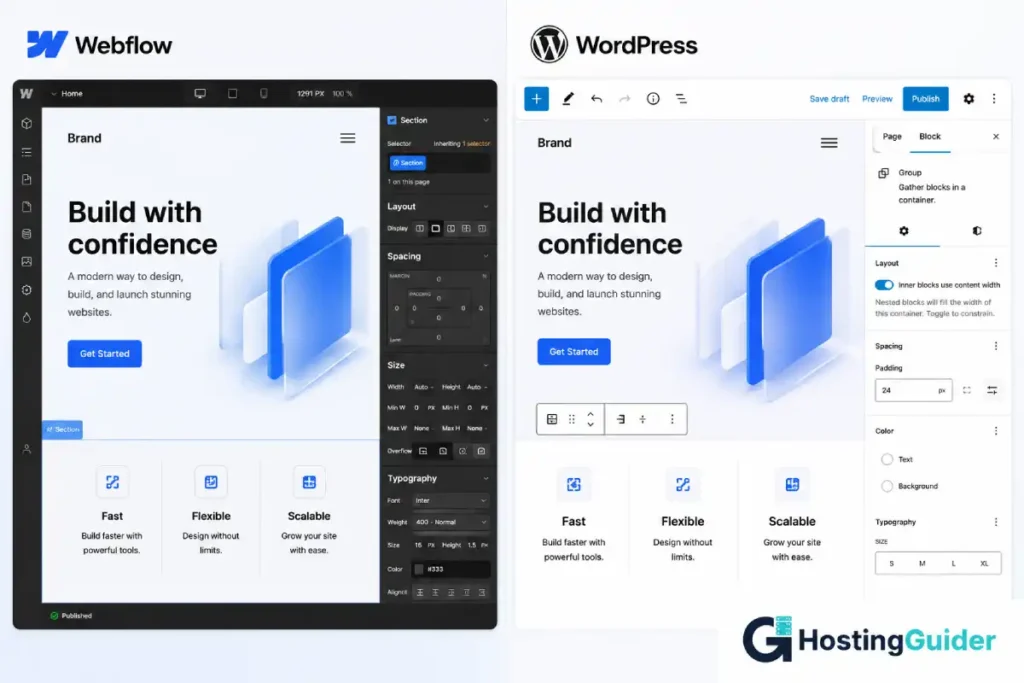
Table of Contents
Quick Comparison: Webflow vs WordPress at a Glance
| Feature | Webflow | WordPress |
|---|---|---|
| Setup time | Under 1 hour | 1 to 3 hours |
| Hosting included | Yes | No (separate purchase) |
| Design flexibility | High (visual CSS control) | High (with theme and page builder) |
| Content management | Moderate | Excellent |
| E-commerce | Basic to intermediate | Advanced (WooCommerce) |
| SEO tools | Good built-in basics | Industry-leading with plugins |
| Performance | Fast by default | Fast with good hosting |
| Security | Managed by Webflow | Managed by host and user |
| Pricing range | $14 to $212/month | $3 to $50/month (hosting only) |
| Free to start | Trial only | Yes (software is free) |
| Plugin ecosystem | Limited | 60,000+ plugins |
| Portability | Partial (HTML/CSS export) | Full (standard XML export) |
According to current data, WordPress powers over 40% of all websites on the internet. Webflow has grown rapidly among design agencies and SaaS companies. Each platform dominates a different segment for a reason.
Ease of Use
Ease of use means different things depending on what you are trying to do. Setting up a new site, writing content every week, and adding a new product to a store are three different tasks. Each platform handles them differently.
Setting Up a New Site
Webflow setup:
- Create an account at webflow.com
- Choose a template or start from a blank canvas
- Build visually in the browser
- Connect your domain
- Publish
No server. No hosting account. No database configuration. The entire process happens inside Webflow’s browser-based editor. A non-technical business owner can be live in under an hour.
WordPress setup:
- Purchase a hosting plan
- Connect your domain
- Install WordPress (most managed hosts do this in one click)
- Choose a theme
- Install a page builder like Elementor or Kadence
- Build your pages
More steps. But each step is guided by the hosting provider’s interface, and most managed WordPress hosts now offer onboarding wizards that reduce the setup to under 30 minutes. The additional complexity comes from choosing a hosting provider, which Webflow removes fully.
Verdict: Webflow is simpler to start. WordPress has more moving parts but managed hosting closes most of the gap.
Writing and Updating Content Day to Day
WordPress was built for content publishing. The block editor (Gutenberg) is clean, fast, and genuinely beginner-friendly. Adding a blog post, editing a service page, or publishing a team update takes two minutes for anyone who has used a word processor.
Webflow’s CMS can handle content, but it was designed with developers and designers in mind rather than daily editors. Finding the right panel, editing a CMS item, and publishing a change requires more navigation steps than WordPress for non-technical staff who update content regularly.
Verdict: WordPress wins for teams that publish content frequently.
Ease of Use Scorecard
| Task | Webflow | WordPress |
|---|---|---|
| Initial site setup | Easier | More steps |
| Daily blog writing | Moderate | Easy |
| Adding team members or pages | Moderate | Easy |
| Updating homepage design | Easy | Easy (with page builder) |
| Adding a new product | Moderate | Easy (WooCommerce) |
| Managing users and roles | Basic | Full control |
Winner: WordPress for ongoing content management. Webflow for initial visual design.
Design Flexibility
Webflow
Webflow is a design tool first and a website builder second. It gives you access to CSS properties (spacing, typography, animation, layout) through a visual interface without writing code. Designers trained in Figma or Sketch feel at home immediately.
What this means in practice:
- Custom animations and scroll interactions are built directly into the editor
- Typography control is pixel-level, not theme-constrained
- Layouts use CSS Grid and Flexbox visually, not via templates
- The finished site is clean HTML and CSS without unnecessary code bloat
The result is that Webflow sites tend to look more custom and polished out of the box than most WordPress themes. For a SaaS company, design agency, or brand where visual quality is a core part of the pitch, this is a meaningful advantage.
The limit: Webflow’s visual CSS system has a learning curve. A business owner with no design background will struggle with it. Webflow is not a drag-and-drop tool in the Wix sense. It is a professional design environment that happens to not require code.
WordPress
WordPress design depends on your theme and page builder. Out of the box, a default WordPress theme looks functional but generic. With a premium theme and a page builder, the design gap with Webflow narrows significantly.
The design ecosystem includes:
- Thousands of premium themes covering every industry and style
- Page builders like Elementor, Kadence, Beaver Builder, and Bricks
- Full developer access to customize anything in PHP, CSS, and JavaScript
- No ceiling on what is possible if you have a developer
WordPress cannot match Webflow for out-of-box design sophistication without investment in a good theme and builder. But it can exceed Webflow in design depth with custom development. That is something Webflow cannot fully accommodate.
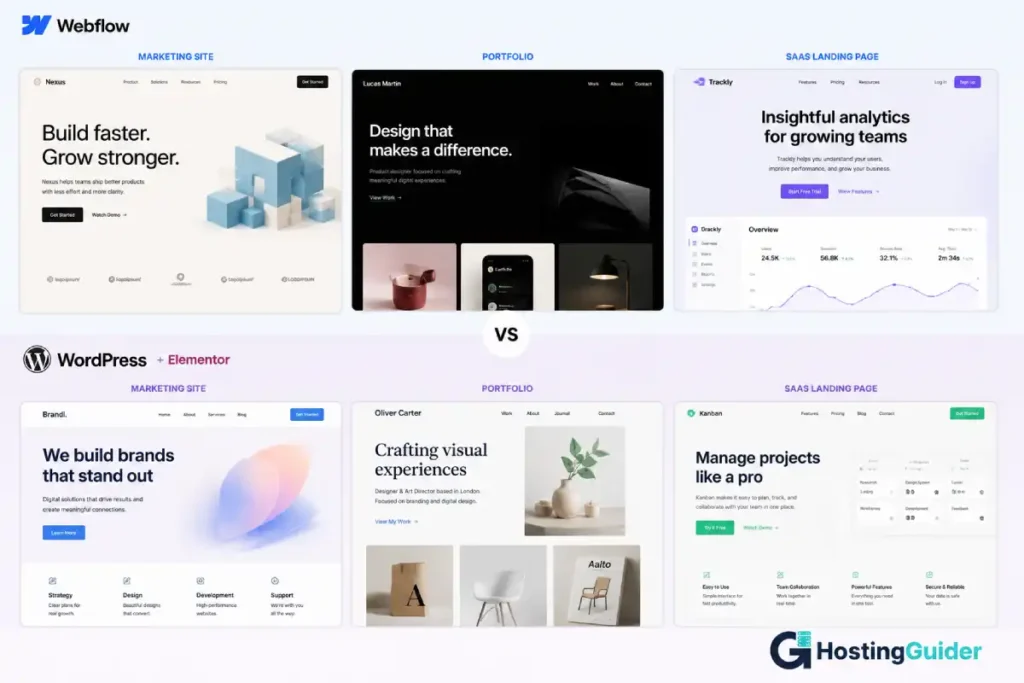
Design Flexibility Scorecard
| Capability | Webflow | WordPress |
|---|---|---|
| Visual design control | Excellent | Good (varies by theme/builder) |
| Custom animations | Built-in | Plugin required |
| Template variety | Moderate | Thousands |
| Custom development ceiling | Moderate | Unlimited |
| Mobile responsiveness | Built-in | Built-in (most themes) |
| Code access for developers | Limited | Full |
Winner: Webflow for visual polish without a developer. WordPress for unlimited design depth with development.
SEO
Search engine optimisation is where WordPress creates the clearest gap between the two platforms.
Webflow SEO
Webflow handles SEO basics well:
- Custom meta titles and descriptions on every page
- Automatic XML sitemap generation
- Clean semantic HTML output
- Canonical tag support
- 301 redirect management
- Open Graph tags for social sharing
For a small business site targeting local or niche keywords, Webflow’s built-in SEO tools are sufficient. You do not need a plugin to set meta data. The clean code output can actually improve crawlability compared to a bloated WordPress theme.
The limits appear at scale or complexity:
- No granular schema markup control without custom code
- Limited technical SEO audit tools
- No built-in keyword tracking
- No breadcrumb schema without developer work
- Fewer options for structured data on ecommerce products
WordPress SEO
Yoast SEO and RankMath are the two dominant WordPress SEO plugins. Both are free at entry level. Both give you control that Webflow cannot match:
- Real-time content analysis with keyword density feedback
- Automatic schema markup for articles, products, local business, FAQs
- Breadcrumb navigation with structured data
- XML sitemap with fine-grained include and exclude controls
- Redirect manager built into the plugin
- Internal linking suggestions
- Core Web Vitals integration
Beyond the plugins, WordPress gives you direct access to everything that affects SEO at the server level. Hosting choice determines page speed. Caching configuration affects Time to First Byte. Server-level caching is one of the most direct improvements you can make to WordPress SEO performance.
SEO Comparison Table
| SEO Factor | Webflow | WordPress |
|---|---|---|
| Meta titles and descriptions | Built-in | Plugin (Yoast/RankMath) |
| XML sitemap | Automatic | Automatic (plugin) |
| Schema markup | Limited | Full control |
| Redirects | Built-in | Plugin |
| Technical SEO audit tools | External tools needed | Plugin + external tools |
| Page speed control | Webflow-managed | Hosting and cache-managed |
| Open Graph / social tags | Built-in | Plugin |
| Breadcrumb schema | Developer required | One-click plugin |
| Ecommerce structured data | Limited | Full (WooCommerce + plugin) |
Winner: WordPress by a clear margin for any business where organic search is a growth channel.
Pricing
Pricing comparisons between Webflow and WordPress are frequently misleading. Webflow’s price includes hosting. WordPress’s price does not. Here is the honest breakdown.
Webflow Pricing
| Plan | Monthly (billed annually) | Best For |
|---|---|---|
| Basic | ~$14/month | Simple brochure sites, no CMS |
| CMS | ~$23/month | Blogs, team pages, content sites |
| Business | ~$39/month | High-traffic marketing sites |
| Ecommerce Standard | ~$29/month | Small online stores |
| Ecommerce Plus | ~$74/month | Growing stores |
| Ecommerce Advanced | ~$212/month | High-volume stores |
Hosting, SSL, CDN, and backups are all included. Domain registration is separate (~$12 to $15 per year).
WordPress Total Cost
WordPress software is free. Everything else costs money.
| Item | Typical Cost |
|---|---|
| WordPress software | Free |
| Domain name | ~$12 to $15/year |
| Shared hosting (basic) | $3 to $10/month |
| Managed WordPress hosting | $15 to $50/month |
| Premium theme (one-time) | $50 to $100 |
| Page builder plugin (annual) | $0 to $100/year |
| SEO plugin (annual) | $0 to $99/year |
| Backup plugin (annual) | $0 to $80/year |
| Security plugin (annual) | $0 to $99/year |
The honest comparison:
For a simple business site with a blog, Webflow at $23/month and managed WordPress hosting at $20 to $30/month with a free theme and free Yoast are comparable in cost.
For a growing content site or WooCommerce store, WordPress becomes significantly cheaper per feature at volume. WooCommerce is free. Adding subscription billing, affiliate management, or advanced shipping rules costs far less on WordPress than the equivalent Webflow ecommerce tier.
For a high-traffic business site over three to five years, WordPress on quality managed hosting almost always costs less than equivalent Webflow plans.
Pricing Verdict
Webflow is cost-competitive for simple sites. One predictable monthly bill with no surprise plugin costs. No hosting account to manage.
WordPress is cheaper at scale. The open-source ecosystem means most advanced features are available free or at low cost. Long-term, a business that grows its site significantly pays less on WordPress.
Performance
Website performance directly affects user experience, Google rankings, and conversion rates. Both platforms can deliver fast sites. The difference is in how much control and effort is required.
Webflow Performance
Webflow hosts every site on its global CDN infrastructure. SSL, compression, image optimisation, and asset delivery are handled at the platform level. A newly published Webflow site is fast by default without any configuration from the user.
What Webflow manages automatically:
- Global CDN delivery
- Automatic SSL
- Image compression and lazy loading
- Minified CSS and JavaScript output
- HTTP/2 connections
You do not need to configure a caching plugin, choose a CDN provider, or optimise server response time. The platform does it.
The limit: you cannot push beyond what Webflow provides. If their CDN is slow in a specific region or their image compression algorithm underserves your use case, your options are limited. Webflow controls the infrastructure ceiling.
WordPress Performance
WordPress performance depends almost fully on your hosting provider and configuration. A poorly configured WordPress site on cheap shared hosting is slow. A well-configured WordPress site on managed hosting is as fast as Webflow and often faster on server response time.
The factors you control on WordPress:
- Hosting provider quality (TTFB, server speed)
- Full-page caching configuration
- CDN setup
- Image compression settings
- JavaScript deferral
- Database query optimisation
This control is both the strength and the complexity. For business owners who want speed without configuration, managed WordPress hosting providers handle most of this automatically.
Our testing across managed WordPress providers shows significant performance variation. WP Engine passes all three Google mobile Core Web Vitals. Rocket.net delivers 46ms concurrent load handling. SiteGround earns GTmetrix Grade A out of the box. The hosting choice is the performance choice.
Performance Comparison
| Factor | Webflow | WordPress |
|---|---|---|
| Default speed (no config) | Fast | Depends on hosting |
| CDN | Included | Included with good hosts |
| Page caching | Automatic | Configurable |
| HTTP/3 support | Yes | Depends on host |
| Core Web Vitals (default) | Generally good | Varies by host and theme |
| Performance ceiling | Platform-limited | Unlimited with configuration |
| Server response time control | None | Full |
Winner: Webflow for out-of-box speed without effort. WordPress for performance ceiling and control with the right hosting.
E-Commerce
Webflow Ecommerce
Webflow has a native store builder that works well for straightforward product catalogues. Setting up a store, adding products, and accepting payments through Stripe or PayPal is clean and visual.
Where Webflow ecommerce works well:
- Small stores with simple product variations
- Design-forward brands where store aesthetics matter
- Digital product downloads
- Small physical product ranges
Where Webflow ecommerce falls short:
- Subscription and recurring billing is limited
- Multi-currency support is basic
- Abandoned cart recovery is on higher tiers
- Third-party integrations are narrower than WooCommerce
- Complex shipping rule logic is difficult
WordPress with WooCommerce
WooCommerce is the world’s largest open-source ecommerce platform. It is a free plugin for WordPress that handles everything from a three-product digital shop to a 50,000 SKU store.
What WooCommerce supports:
- Physical and digital products
- Variable products with unlimited attribute combinations
- Subscription billing (with extension)
- Membership and course sales
- Multi-currency (with extension)
- Abandoned cart recovery
- Advanced shipping rules and zones
- Dozens of payment gateway integrations
- Inventory management
- Order tracking and customer accounts
The plugin ecosystem extends WooCommerce further than any hosted platform. Need a specific feature? There is almost certainly a WooCommerce extension for it.
E-Commerce Verdict
Webflow for small stores where design is the priority. Clean checkout experience, beautiful product pages, minimal setup.
WordPress with WooCommerce for anything with complexity. Subscriptions, large catalogues, advanced shipping, multi-currency, and custom integrations all point to WooCommerce.
Security
Webflow Security
Webflow manages infrastructure security at the platform level. This means:
- SSL is automatic on every published site
- The platform updates itself (you cannot fall behind on security patches)
- There is no plugin vulnerability surface because there are no server-side plugins
- DDoS protection is handled at the CDN layer
For a non-technical business owner, this is genuinely valuable. You cannot accidentally break your own security by installing an outdated plugin or skipping an update notification.
WordPress Security
WordPress security is the user’s responsibility or the hosting provider’s. The risk profile is different from Webflow. Security at the hosting layer goes beyond SSL certificates and includes server-level firewalls, malware scanning, and update management.
On self-managed WordPress with no maintenance:
- Outdated plugins are the most common attack vector
- Shared hosting environments create cross-site contamination risk
- No automatic malware scanning without a dedicated plugin
On managed WordPress hosting (WP Engine, Pressable, SiteGround):
- Managed core and plugin updates
- Server-level WAF
- Daily malware scanning included
- Free hack remediation on some platforms
Security verdict: Webflow is simpler for security by removing the attack surface. Managed WordPress hosting is comparable in practice. Self-managed WordPress on shared hosting is the riskiest configuration.
If You Choose WordPress: Picking the Right Host
If WordPress is the right platform for your business, the hosting provider determines most of your day-to-day experience. This decision is as important as the platform choice itself.
For non-technical business owners who want WordPress to behave like Webflow with minimal technical overhead, our comparison of DreamHost DreamPress vs Pressable covers two platforms built for users who do not want to manage a server. DreamPress is cheaper with a free domain and 97-day money-back guarantee. Pressable provides 24/7 Automattic WordPress engineers at any hour.
For businesses choosing between full management and cloud flexibility, our SiteGround vs Cloudways comparison covers the most common choice in this tier. SiteGround handles everything automatically with Grade A GTmetrix out of the box. Cloudways gives you five cloud provider options and direct server control.
For agencies and high-traffic sites, our Kinsta vs WP Engine comparison covers the two dominant premium managed WordPress platforms. WP Engine passes all three Google mobile Core Web Vitals. Kinsta runs on Google Cloud Platform infrastructure.
For WooCommerce stores that need enterprise-grade reliability, our Cloudways vs Liquid Web comparison covers the clearest mid-market vs enterprise decision. Liquid Web includes auto-scaling PHP workers, a 22-second phone support response, and a 100% uptime SLA with a 10x credit clause.
For growing businesses not yet at premium tier, our WP Engine vs Pressable comparison covers two strong managed platforms in the $25 to $35 per month range.
[IMAGE PLACEMENT 6 — In the hosting section] What: A comparison table graphic showing five managed WordPress hosting providers side by side with key metrics: price, support type, mobile CWV pass/fail, and a one-line summary. Alt text: Managed WordPress hosting options comparison Caption: If you choose WordPress, your hosting provider determines speed, security, and how much technical work falls to you. Managed hosting removes most of the burden. Where: After the five hosting comparison links, before the “Who Should Choose Webflow” section.
Who Should Choose Webflow
Choose Webflow if:
- Your primary goal is a visually distinctive marketing or portfolio site
- You want one monthly bill with no separate hosting, security, or update decisions
- Your content updates are infrequent (monthly redesigns rather than weekly blog posts)
- You are a designer or creative professional building sites for clients
- Your store has a small, simple product catalogue where design matters more than feature depth
- You want to avoid plugins, updates, and server decisions for good
Who Should Choose WordPress
Choose WordPress if:
- You publish content regularly and need an efficient writing workflow
- Organic search is a core part of your marketing strategy
- You run or plan to run a WooCommerce store with significant product depth
- You need a specific capability that exists as a WordPress plugin (bookings, memberships, courses, multilingual)
- You want the flexibility to change hosting providers without rebuilding your site
- You need professional email hosting included alongside your website
- Your site will grow significantly in content volume over the next two years
- You want full developer access to customise every aspect of the platform
One Practical Test Before You Decide
Answer this question: what will you do on your website every single week?
If your answer is “update design, swap out images, occasionally add a case study”: Webflow fits this workflow well.
If your answer is “write three blog posts, add products, update pricing pages, run A/B tests on landing pages, manage customer accounts”: WordPress handles this volume with less friction.
The Portability Question
One factor rarely mentioned in Webflow vs WordPress comparisons: what happens when you want to move?
Webflow exports clean HTML and CSS files. Your content can be migrated, but the site structure does not map cleanly onto another platform. Moving from Webflow to WordPress means rebuilding, not migrating.
WordPress exports your full content (posts, pages, media, custom fields, settings) as a standard XML file that every major platform can import. Moving from one WordPress host to another takes under ten minutes. Moving your WordPress content to another CMS takes a day. Moving from Webflow to any other platform takes a full rebuild.
For a business investing seriously in content over several years, this difference in data portability is meaningful.
Final Verdict
Both platforms are capable. Neither is the wrong choice for the right use case.
Webflow is the better choice if: You want a design-led, low-maintenance marketing site with everything managed in one place and minimal technical decisions.
WordPress is the better choice if: Your site is a growth asset that needs to publish content, rank on Google, sell products, or scale in complexity over time.
Most businesses that depend on their website for revenue end up on WordPress. Not because it is easier to start. Webflow is easier to start. Because WordPress is more capable at scale, has the deeper SEO ecosystem, powers WooCommerce, and gives you complete ownership of your data and infrastructure.
Summary Table
| Category | Winner | Why |
|---|---|---|
| Ease of setup | Webflow | Fewer steps, no hosting decision |
| Daily content editing | WordPress | Block editor built for publishing |
| Design flexibility | Webflow (out of box) | CSS-level visual control |
| Design ceiling | WordPress (with dev) | Unlimited custom development |
| SEO capability | WordPress | Plugin ecosystem, technical control |
| Pricing (simple site) | Comparable | Similar monthly total |
| Pricing (at scale) | WordPress | Open-source ecosystem saves cost |
| E-commerce | WordPress | WooCommerce depth vs Webflow limits |
| Security (default) | Webflow | No plugin vulnerabilities |
| Security (managed WP) | Comparable | Managed hosts close the gap |
| Performance (default) | Webflow | Fast without configuration |
| Performance (ceiling) | WordPress | Full hosting and cache control |
| Data portability | WordPress | Full XML export, move anywhere |
Frequently Asked Questions
Is Webflow better than WordPress for SEO?
No. WordPress with Yoast SEO or RankMath provides deeper technical SEO control than Webflow. Both platforms support meta titles, descriptions, canonical tags, and clean URLs. WordPress goes further with full schema markup, advanced redirect management, breadcrumb structured data, and a plugin ecosystem that covers every technical SEO requirement at scale.
Can a non-technical business owner run WordPress without a developer?
Yes, with managed hosting. Providers like SiteGround, WP Engine, Pressable, and DreamPress handle server updates, security patching, backups, and performance optimisation automatically. A business owner on managed WordPress using a visual page builder can update their site without technical knowledge. The self-managed VPS version of WordPress requires Linux administration skills.
Is Webflow free to use?
Webflow has a free plan that lets you build in the editor but does not allow publishing to a custom domain. Publishing to your own domain requires a paid plan starting at approximately $14 per month billed annually. E-commerce plans start at approximately $29 per month. WordPress software is free, but hosting costs money separately.
Which is faster, Webflow or WordPress?
Both can be fast. Webflow sites are fast by default because Webflow controls the infrastructure and includes a global CDN. WordPress speed depends on hosting and configuration. A WordPress site on managed hosting with caching active performs comparably to Webflow on most metrics. Our testing shows top managed WordPress hosts like Rocket.net and WP Engine match or exceed default Webflow speeds on mobile Core Web Vitals.
Can I move from Webflow to WordPress later?
Yes, but it requires rebuilding rather than migrating. Webflow exports HTML and CSS but not in a format WordPress can import as structured content. Your pages, blog posts, and media need to be recreated in WordPress. This is why the platform choice matters early. Changing platforms later costs developer time and money.
What is the main difference between Webflow and WordPress?
Webflow is a hosted visual design platform. It manages the server, security, and infrastructure. You design and publish. WordPress is open-source software you install on a hosting server. You manage the application. WordPress is more powerful and flexible. Webflow is simpler and more self-contained. The right choice depends on whether you need design simplicity or platform depth.
Does WordPress work well for small businesses?
Yes. WordPress is used by businesses of every size from single-person freelancers to Fortune 500 companies. For a small business, the combination of a managed WordPress host and a visual page builder produces a professional site with minimal technical knowledge required. The platform scales naturally as the business grows without requiring a platform migration.


