
Web hosting comes with more jargon than almost any other part of running a website, and most glossaries make it worse by explaining one confusing term with three more.
You look up a word to get an answer and walk away with new questions instead.
This dictionary is built to actually be useful. Each entry tells you what a term means in plain language first, then adds just enough context or a real example to make it stick.
You do not need an IT background to use it, just a word you want to understand and a minute to read.
Here is what you will find below:
- Over 300 terms covering domains, hosting types, servers, security, performance, email, WordPress, billing, and networking
- Clear, standalone definitions that make sense on their own, without needing to read anything else on the page
- Terms grouped by topic, so related concepts sit next to each other instead of being scattered alphabetically
- Links to deeper guides on HostingGuider wherever a term deserves more explanation than a glossary entry allows
- A quick jump menu so you can go straight to the section you need
Use your browser’s search function (Ctrl+F on Windows, Cmd+F on Mac) if you already know the exact word you are looking for. Otherwise, browse by category below.
Key Takeaways
- This collection defines over 300 web hosting, domain, security, and WordPress terms and concepts, organized into 14 categories.
- Every definition leads with a direct answer in plain language before adding technical detail or examples.
- Domain names and web hosting are separate products that work together. Confusing the two is one of the most common beginner mistakes covered here.
- Security terms like WAF, DDoS protection, and two-factor authentication are grouped so you can compare what protection a hosting plan actually includes.
- Performance terms such as TTFB, Core Web Vitals, and caching explain why two hosting plans with the same specs can feel completely different in real use.
- Bookmark this page. New terms get added as hosting technology changes, and it is updated regularly rather than published once and left alone.
Quick Answer
A web hosting glossary is a dictionary of definitions that explains the technical terms used in domain registration, server infrastructure, security, and website management in plain language. This glossary covers 300+ terms across 14 categories, from basic definitions like “what is a domain name” to advanced concepts like PHP-FPM and DNSSEC, each explained in a direct, standalone answer.
Table of Contents
What Do These Hosting Terms and Concepts Actually Mean?
Web hosting terminology describes the services, hardware, and software involved in storing a website’s files and making them accessible online. Most terms fall into one of a few buckets: how your site is stored (hosting type), how fast it loads (performance), how it stays safe (security), and how you manage it day to day (control panels and tools).
Understanding this vocabulary matters most at two moments: when you are comparing hosting plans and cannot tell what you are actually paying for, and when something goes wrong, and a support agent uses a term you have never heard. This glossary is built to help with both.
Domain Names and Registration
Domain name
A domain name is the web address people type into a browser to reach your website, such as yourbusiness.com. It is a human-readable label that points to your server’s IP address. Domain names are purchased and managed separately from hosting, even though the two work together.
FQDN (Fully Qualified Domain Name)
An FQDN is the complete, unambiguous address of a specific location on the Internet, including any subdomain, the domain name, and the TLD, such as blog.yourbusiness.com. It differs from a plain domain name because it specifies an exact host, not just the overall domain.
TLD (Top Level Domain)
A TLD is the part of a domain name that comes after the final dot. In yourbusiness.com, the TLD is .com. There are over 1,500 domain extensions available today, from standard options like .net and .org to newer ones like .io and .ai.
gTLD (Generic Top Level Domain)
A gTLD is a TLD that is not tied to a specific country. Examples include .com, .net, .org, .io, .app, and .ai. Anyone in the world can register a gTLD without geographic restrictions.
New gTLD
A new gTLD is one of the hundreds of domain extensions introduced since ICANN expanded the domain system in 2013, including .shop, .dev, .app, and .xyz. Some new gTLDs are genuinely worth registering for a specific brand or niche, while others carry little practical benefit over a standard extension.
ccTLD (Country Code Top Level Domain)
A ccTLD is a two-letter TLD assigned to a specific country, such as .co.uk for the United Kingdom or .de for Germany. Some ccTLDs require local presence to register, while others are open to anyone regardless of location.
Domain registrar
A domain registrar is the company you buy your domain name from. Registrars are accredited by ICANN to sell domain registrations. Namecheap, GoDaddy, Porkbun, and Cloudflare Registrar are common examples, and keeping your registrar separate from your web host is often the safer long-term setup.
Domain registry
A domain registry is the organization that manages a specific TLD’s master database, distinct from the registrar you buy from. Verisign operates the registry for .com and .net, while individual registrars sell those domains to the public on the registry’s behalf.
ICANN (Internet Corporation for Assigned Names and Numbers)
ICANN is the non-profit organization that oversees the global domain name system. It accredits registrars, sets policy for TLDs, and maintains the root zone database that makes domain names work worldwide.
WHOIS
WHOIS is a publicly accessible database that stores registration information for domain names. Without domain privacy protection, your name, address, email, and phone number can be visible to anyone who looks up your domain. Check any domain’s current registration details with our WHOIS lookup tool.
Domain privacy protection
Domain privacy protection replaces your personal contact details in the WHOIS database with the registrar’s proxy information. Domain privacy protection does not hide everything, though. Your domain name, nameservers, and registration dates stay visible to anyone who looks.
Nameservers
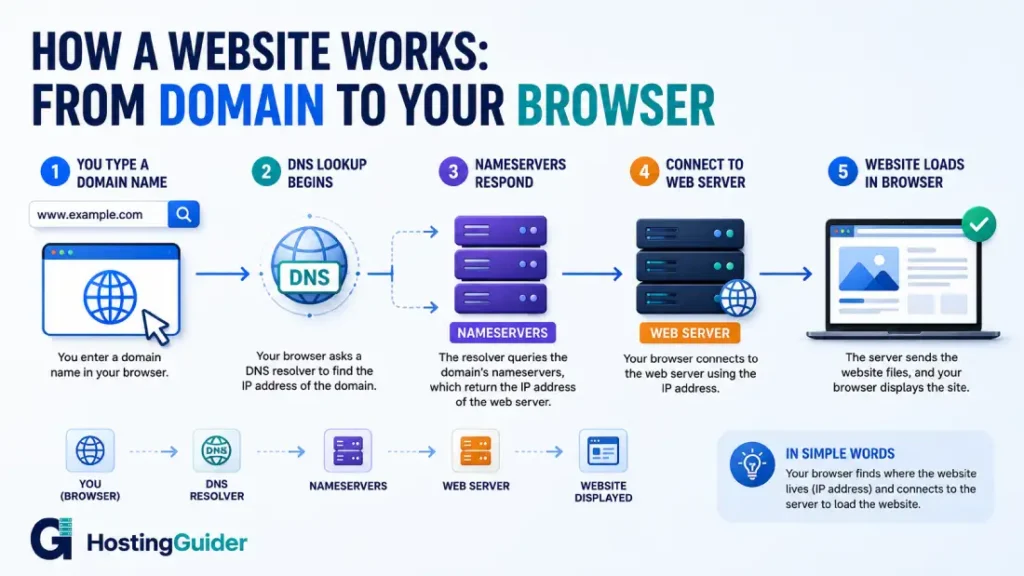
Nameservers are the servers that tell the internet where your website is hosted. When someone types your domain name, their browser asks your nameservers for your server’s IP address. Changing nameservers changes where your domain points.
DNS (Domain Name System)
DNS is the system that translates domain names into IP addresses, working like a phone book for the internet. Your browser looks up your domain name in the DNS to find which server to connect to.
DNS record
A DNS record is an entry in the DNS system that controls how your domain behaves. Different record types handle different jobs, from pointing to a server to routing email, and several of the most common types are defined individually below.
A record
An A record is a DNS record that points your domain name to an IPv4 address. It is the most common record type and is how your domain finds your web server.
AAAA record
An AAAA record is a DNS record that points your domain name to an IPv6 address, working the same way an A record does for the older IPv4 system. Most modern hosting supports both record types side by side.
CNAME record (Canonical Name record)
A CNAME record points one domain name to another domain name instead of directly to an IP address. It is commonly used for subdomains, such as pointing www.yourdomain.com to yourdomain.com, or for connecting a domain to a CDN or third-party service.
MX record (Mail Exchange record)
An MX record tells the Internet where to deliver email for your domain. Without a correct MX record, emails sent to your address will bounce back or never arrive. See the Email Hosting Terms section below for more on how this connects to your inbox.
TXT record
A TXT record stores text information inside your domain’s DNS settings. It is commonly used for email authentication (SPF, DKIM, DMARC) and for verifying domain ownership with services like Google Search Console.
PTR record
A PTR record maps an IP address back to a domain name, the reverse of what an A record does. Mail servers check PTR records during reverse DNS lookups to help confirm that outgoing email is not coming from a spoofed source.
SRV record
An SRV record specifies the location, including hostname and port, of a specific service running on your domain, such as VoIP or instant messaging servers. It is less common than an A or CNAME record, but essential for the services that rely on it.
Wildcard DNS
Wildcard DNS is a DNS setup that routes any undefined subdomain to a single destination automatically, using an asterisk in place of a specific subdomain name. It is useful for platforms that generate unlimited customer subdomains, such as anyusername.yourplatform.com.
DNS propagation
DNS propagation is the time it takes for a DNS change to spread across every server on the Internet. After you update a DNS record or change nameservers, it can take anywhere from a few minutes to 48 hours before the change is visible everywhere.
TTL (Time to Live)
TTL is a value attached to a DNS record that tells other servers how long to cache that record before checking for updates. A TTL of 3600 seconds means servers hold the cached record for one hour before rechecking it.
Domain transfer
A domain transfer moves your domain name from one registrar to another. It requires an authorization code from your current registrar and typically takes up to seven days. The domain transfer process is straightforward but requires unlocking the domain first.
EPP code (Auth code)
An EPP code is a unique code generated by your current registrar that you need to transfer your domain elsewhere. Think of it as the key that unlocks a domain for transfer.
Domain lock (registrar lock)
Domain lock is a security setting that prevents a domain from being transferred to another registrar without your explicit authorization. Most registrars enable it by default, and you need to remove it before starting a legitimate transfer.
Domain expiry
Domain expiry is the date on which your domain registration ends if you do not renew it. After expiry, domains move through grace and redemption periods before they are released back to the public.
Domain renewal
Domain renewal is the act of extending your domain registration for another term before it expires, either manually or through auto-renewal. Renewing before expiry avoids the grace period, redemption fees, and the risk of losing the domain entirely.
Grace period
A grace period is the window after a domain expires during which you can still renew it at the standard price without losing it. This typically runs 30 to 45 days, depending on the registrar.
Redemption period
The redemption period is the stage after the grace period ends, during which you can still recover an expired domain by paying a redemption fee, usually $50 to $300. After this window closes, the domain moves to pending delete.
Pending delete
Pending delete is the final five-day stage before an expired domain is released back into the public registration pool. During this time, nobody, including the original owner, can recover the domain. Our guide on recovering a deleted or expired domain covers what options actually remain at each stage.
Domain backorder
A domain backorder is a service that automatically attempts to register a domain for you the moment it becomes available after expiring. It does not guarantee success, since multiple backorder services often compete for the same dropped domain.
Subdomain
A subdomain is a prefix added before your main domain name, such as blog.yourdomain.com or shop.yourdomain.com. The difference between subdomains and separate domains affects how search engines treat each section of your site.
Apex domain (root domain)
An apex domain, also called a root domain, is a domain name with no subdomain prefix, such as yourdomain.com rather than www.yourdomain.com. Apex domains have specific DNS limitations that subdomains do not, since they cannot use a CNAME record at the root level in most DNS setups.
Domain forwarding
Domain forwarding redirects visitors from one domain name to a different URL automatically. It is often used to point to an old domain, a common misspelling, or a secondary brand extension to your main website.
IDN (Internationalized Domain Name)
An IDN is a domain name that includes non-Latin characters, such as accented letters or non-English scripts. Browsers convert these into a special ASCII format behind the scenes so the domain works across the entire internet.
Punycode
Punycode is the ASCII encoding format browsers use to represent internationalized domain names behind the scenes. A domain like café.com is stored and transmitted as a Punycode string starting with “xn--” even though it displays normally to users.
Domain authority
Domain authority is a metric created by SEO tool providers, not Google, that estimates how well a domain might rank based on the quality and quantity of links pointing to it. Domain authority is useful for comparison purposes, but is not an official Google ranking signal, and hosting choices themselves also play a role in search rankings.
Domain squatting (cybersquatting)
Domain squatting is the practice of registering a domain name that closely matches a known brand or trademark, usually to resell it at a markup or to divert traffic. Trademark holders can pursue formal domain name disputes to reclaim domains registered in bad faith.
Premium domain
A premium domain is a short, memorable, or highly searched domain name that a registrar or reseller prices well above standard registration cost, sometimes into the thousands of dollars, because of its perceived resale or branding value.
Parked domains
Parked domains are registered domain names that do not host a fully developed website. They typically display a placeholder page, advertisements, or a message indicating the domain is reserved, and are often held to protect a brand name or for a future project.
Web Hosting Types
Web hosting
Web hosting is a service that provides storage and computing resources for your website files so they can be accessed on the internet. Without hosting, your website files have no place to live, which makes them publicly accessible. Web hosting and domain names are separate purchases that work together, and understanding how hosting actually works helps you compare plans more confidently.
Shared hosting
Shared hosting is a hosting arrangement where your website shares a server with many other websites, with resources like CPU, RAM, and bandwidth divided among all sites on that machine. Shared hosting is the cheapest option and works well for low-traffic sites, but it becomes a limitation as your site grows.
VPS hosting (Virtual Private Server)
VPS hosting gives your website its own dedicated portion of a server, isolated from other websites, even though they may share the same physical machine. VPS hosting is more reliable and more powerful than shared hosting and suits growing businesses that have outgrown basic plans.
Cloud hosting
Cloud hosting runs your website across a network of multiple servers rather than a single machine, with resources scaling automatically as traffic increases. Cloud hosting is the most resilient option because if one server has a problem, others take over instantly.
Dedicated server
A dedicated server is a hosting arrangement where you rent an entire physical server exclusively for your website, with no other websites sharing any resources. Dedicated servers offer the highest performance and cost the most, suiting large businesses with heavy workloads or strict compliance needs.
Managed hosting
Managed hosting is an arrangement where the provider handles server maintenance, security updates, backups, and technical management for you, so you can focus on your website instead of the infrastructure behind it. It typically costs more than an unmanaged plan.
Unmanaged hosting
Unmanaged hosting is an arrangement where you are responsible for server configuration, software updates, security, and ongoing maintenance yourself. It offers more control at a lower cost, but requires real technical skill. The managed versus unmanaged VPS comparison breaks down which option each actually suits.
Managed WordPress hosting
Managed WordPress hosting is built specifically for WordPress websites, with the provider handling core updates, security, caching, backups, and staging on your behalf. Managed WordPress hosting costs more than standard hosting but removes a significant amount of maintenance work, and most plans also include a hands-on migration service to move an existing site over at no extra charge.
WordPress hosting
WordPress hosting is a general term for any hosting plan optimized to run WordPress efficiently, which may or may not include the full management layer that defines managed WordPress hosting specifically. Some WordPress hosting plans are closer to standard shared hosting with WordPress preinstalled.
Reseller hosting
Reseller hosting lets you buy hosting resources wholesale and resell them to your own customers under your own brand. Web designers and agencies commonly use it to offer hosting as part of a broader service package.
Colocation (colo)
Colocation is a service where you own your physical server hardware but rent space, power, cooling, and network connectivity in a data center. You manage the hardware. The facility handles everything around it.
White label hosting
White label hosting is a version of reseller hosting where the underlying provider’s branding is fully hidden, letting you present the service entirely under your own company name, including custom control panel branding and client-facing invoices.
Free web hosting
Free web hosting is a no-cost hosting plan, usually supported by ads, a shared subdomain instead of your own domain, and limited storage or bandwidth. It suits basic testing or hobby projects, but is rarely suitable for a business site.
High-availability hosting
High-availability hosting is an infrastructure setup designed to keep a website online continuously by using redundant servers, automatic failover, and load balancing, so a single hardware failure does not cause downtime.
Static site hosting
Static site hosting serves prebuilt HTML, CSS, and JavaScript files directly without running server-side code for each visitor, which makes it extremely fast and simple to secure. See our roundup of hosting built for static sites and Jamstack projects for platform options.
Green hosting (carbon-neutral hosting)
Green hosting refers to hosting providers that offset their energy use through renewable energy purchases, carbon credits, or efficient data center design. Our guide to green and carbon-neutral hosting providers compares how different hosts approach this claim.
Hybrid hosting
Hybrid hosting combines two or more hosting types, such as a dedicated server for a database paired with cloud servers for the application layer, to balance cost, control, and scalability.
Multi-tenant hosting
Multi-tenant hosting is any hosting environment where multiple customers share the same underlying infrastructure, as seen in shared hosting and most VPS setups. It is the opposite of single-tenant hosting.
Single-tenant hosting
Single-tenant hosting dedicates an entire server or environment to one customer only, as seen with dedicated servers. It offers more predictable performance and stronger isolation than multi-tenant setups, usually at a higher price.
Cluster hosting
Cluster hosting distributes a single website across a group of interconnected servers that work together as one system, so if one server in the cluster fails, the others continue serving the site without interruption. It is common in enterprise and high-traffic environments.
Servers and Infrastructure
Server
A server is a computer that stores your website files and sends them to visitors when requested. A server runs continuously and stays connected to the internet around the clock.
Web server
A web server is the software running on a server that receives requests from browsers and sends back the requested webpage, distinct from the physical server hardware itself. Apache, Nginx, and LiteSpeed are the three most widely used web server programs in hosting today.
Apache
Apache is one of the most widely used web server programs, known for its flexibility and broad compatibility with older configurations through .htaccess files. It generally uses more server resources than Nginx or LiteSpeed under heavy traffic.
Nginx
Nginx is a web server program built to handle large numbers of simultaneous connections efficiently, often used as both a web server and a reverse proxy in front of other software. Many modern hosting stacks use Nginx specifically for its lower resource use under load.
LiteSpeed
LiteSpeed is a web server program designed as a high-performance alternative to Apache, with built-in caching and strong compatibility with existing Apache configurations. It is popular among managed WordPress hosts because of its speed advantages for PHP-based sites.
Virtualization
Virtualization is the technology that lets one physical server be divided into multiple isolated virtual environments, each behaving like its own independent machine. VMware, KVM, Xen, and OpenVZ are common virtualization platforms used to build VPS hosting products.
Physical server (bare metal server)
A physical server, also called a bare metal server, is an actual physical computer in a data center, as opposed to a virtualized or cloud environment. Renting a dedicated server means renting physical hardware directly.
Virtual machine (VM)
A virtual machine is a software-based simulation of a physical computer. VPS hosting creates virtual machines on physical servers, dividing one physical machine into multiple isolated virtual ones.
Container
A container is a lightweight method of isolating applications on a shared operating system, starting faster than a full virtual machine and using resources more efficiently. Many managed WordPress hosts use container technology to isolate each customer’s website.
Hypervisor
A hypervisor is software that creates and manages virtual machines on a physical server. It allocates hardware resources between virtual machines and keeps them isolated from one another.
Data center
A data center is a facility that houses servers, networking equipment, and the infrastructure that supports them, including power, cooling, physical security, and network connectivity. Your hosting provider operates in one or more of these facilities.
Server location
Server location is the physical geographic location of the server hosting your website, and it directly affects load speed for nearby visitors. A server in Frankfurt loads faster for German users than one in the United States, which is why server location has a measurable effect on hosting performance.
IP address
An IP address is a unique numerical address that identifies a device on the Internet. Your server has an IP address, and DNS translates your domain name into that address whenever someone visits your site.
IPv4
IPv4 is the older IP addressing format that uses four sets of numbers up to three digits each, separated by dots, such as 192.168.1.1. The pool of available IPv4 addresses has run out, which is why IPv6 was developed.
IPv6
IPv6 is the newer IP addressing format that uses a much longer structure, allowing for an enormous number of unique addresses. Most modern hosting supports both IPv4 and IPv6 side by side.
Shared IP address
A shared IP address is an IP address used by multiple websites on the same server at once. It is common on shared hosting plans and has no meaningful downside for most small sites.
Dedicated IP address
A dedicated IP address is assigned exclusively to your website. It is required for certain advanced SSL configurations and is sometimes useful for protecting email sending reputation.
Uptime
Uptime is the percentage of time a server stays online and accessible. A host guaranteeing 99.9% uptime allows for roughly 8.7 hours of downtime per year, and uptime matters more than most business owners realize because even short outages during busy hours translate directly into lost revenue.
Downtime
Downtime is the period when a server or website is offline and inaccessible to visitors, whether due to a hardware failure, maintenance, or an attack.
SLA (Service Level Agreement)
An SLA is a written contract defining the service standards a hosting provider must meet, including uptime guarantees, and what compensation you receive if they fail to meet them. An uptime guarantee without an SLA behind it is a marketing claim, not a binding commitment.
Bandwidth
Bandwidth is the amount of data that can be transferred between your server and visitors in a given period, measured in gigabytes per month. A 2MB page receiving 10,000 visits uses roughly 20GB of bandwidth.
Storage
Storage is the amount of disk space available on your server for website files, databases, emails, and backups, measured in gigabytes or terabytes.
RAM (Random Access Memory)
RAM is the short-term working memory a server uses to process requests. More RAM lets a server handle more simultaneous visitors and more complex tasks without slowing down.
CPU (Central Processing Unit)
The CPU is the processor that executes computing tasks on a server. More CPU cores and faster processing speeds let a server handle more requests at the same time.
SSD (Solid State Drive)
An SSD is a storage device with no moving parts that reads and writes data far faster than a traditional hard drive. Most modern hosting now uses SSD or NVMe storage as standard.
NVMe (Non-Volatile Memory Express)
NVMe is a faster type of SSD storage that uses a different connection interface than standard SSD, delivering significantly better speed for database-heavy workloads like WordPress.
HDD (Hard Disk Drive)
An HDD is an older storage technology that uses spinning magnetic disks and is much slower than SSD or NVMe. It is rarely used in modern hosting outside older or budget infrastructure.
CDN (Content Delivery Network)
A CDN is a network of servers spread across multiple geographic locations that delivers your website’s content from whichever server sits closest to each visitor. This reduces load times for visitors far from your main server. See how caching and CDN together improve website speed.
Anycast
Anycast is a networking approach where the same IP address is announced from multiple server locations at once, and traffic automatically routes to the nearest one. Cloudflare uses Anycast for its DNS and CDN network.
Load balancer
A load balancer distributes incoming traffic across multiple servers so no single server becomes overwhelmed. When one server gets too much traffic, the load balancer sends new requests to a less busy one. Load balancing on shared hosting works differently than on dedicated infrastructure, and it is worth understanding what your plan actually includes.
Failover
Failover is the automatic process of redirecting traffic to a backup server if the primary server fails. It is a core component of any high-availability hosting setup.
Redundancy
Redundancy means having backup systems in place so that if one component fails, another takes over without interruption. Redundant power supplies, network connections, and servers all prevent single points of failure.
Edge server
An edge server is a server positioned physically close to end users, often as part of a CDN, that handles requests locally instead of routing everything back to a central origin server. This reduces latency for the visitor.
Edge computing
Edge computing runs processing tasks on servers near the end user rather than in a centralized data center, reducing the delay caused by sending every request across long distances.
Multi-cloud
Multi-cloud is an infrastructure strategy that uses more than one cloud provider at once, such as running parts of an application on both AWS and Google Cloud, usually to avoid depending on a single vendor.
Private cloud
A private cloud is cloud infrastructure dedicated entirely to one organization, rather than shared across multiple customers. It offers more control and isolation than a public cloud, typically at a higher cost.
Public cloud
A public cloud is cloud infrastructure shared across many customers over the same underlying hardware, with each customer’s resources logically separated. Most commercial cloud hosting plans run on public cloud infrastructure.
Hybrid cloud
A hybrid cloud combines private and public cloud infrastructure, letting an organization keep sensitive workloads on private servers while using public cloud resources for everything else.
RAID (Redundant Array of Independent Disks)
RAID is a storage configuration that combines multiple physical drives to improve performance, redundancy, or both. If one drive in a RAID array fails, the data can often still be recovered from the others.
Disk I/O
Disk I/O refers to the speed at which a server can read from and write to its storage. Slow disk I/O is a common bottleneck on busy shared hosting servers, especially for database-heavy sites.
Swap space
Swap space is a portion of disk storage a server uses as overflow memory when RAM runs out. It prevents crashes under memory pressure but is much slower than real RAM. Our guide on configuring swap space on a Linux VPS explains when and how to set it up.
Kernel
The kernel is the core part of a server’s operating system that manages hardware resources and communication between software and hardware. Tuning kernel settings can meaningfully improve performance on a self-managed VPS.
Operating system (Linux vs Windows hosting)
The operating system is the underlying software platform a server runs on, most commonly Linux or Windows, in hosting environments. Linux and Windows VPS plans support different software stacks, and most WordPress and PHP sites run better on Linux.
Performance Terms
Page load time
Page load time is the total time it takes for a webpage to fully load in a visitor’s browser, measured in seconds. Shorter is always better for both user experience and search rankings, and uptime and load performance together shape how visitors experience your site.
TTFB (Time to First Byte)
TTFB is the time between a browser sending a request and receiving the first byte of the server’s response. It measures how fast your server responds, and a slow TTFB usually points to a server performance or caching problem.
Caching
Caching stores a saved version of content so it can be delivered quickly without regenerating it from scratch each time. Server-level caching is one of the most effective ways to speed up a WordPress site, and understanding how caching works helps before you compare hosting plans on speed claims alone.
Browser cache
A browser cache is a copy of website files stored on a visitor’s own device. When a returning visitor loads your site, cached files load instantly from their device instead of downloading again from your server.
Server cache
A server cache is a saved version of a webpage stored on the server itself. Instead of generating the page fresh for every visitor, the server sends the cached version, which is much faster.
Object cache
An object cache stores the results of database queries in fast memory so they do not need to be recalculated on every request. Redis and Memcached are the two most common object caching systems used with WordPress.
Redis
Redis is an in-memory data storage system used for object caching. It stores database query results so WordPress can pull them from memory instead of querying the database repeatedly. Our step-by-step guide to setting up Redis object caching walks through the configuration.
Memcached
Memcached is another in-memory caching system similar to Redis, used to reduce database load and speed up dynamic websites.
PHP
PHP is the programming language on which WordPress and many other websites are built. Your hosting server must run PHP, and the version in use affects both performance and security, with PHP 8.1 or newer currently recommended for WordPress.
PHP-FPM
PHP-FPM is a PHP processing method that handles multiple requests more efficiently than older approaches, using a pool of worker processes to manage traffic spikes. PHP-FPM generally outperforms mod_php on busy WordPress sites.
mod_php
mod_php is an older method of running PHP directly inside the Apache web server process. It is simpler to configure than PHP-FPM, but it handles concurrent traffic less efficiently on high-traffic sites.
OPcache
OPcache is a PHP extension that stores precompiled script code in memory, so PHP does not need to reparse the same files on every page load. Properly configuring OPcache can noticeably speed up WordPress without changing any code.
Database optimization
Database optimization is the process of cleaning up and streamlining a website’s database, such as removing spam comments, old post revisions, and unused tables, so queries run faster. It is one of the most overlooked WordPress performance fixes.
Latency
Latency is the delay between a request being made and a response being received. It is affected by the physical distance between the user and the server and by network congestion along the way.
HTTP (HyperText Transfer Protocol)
HTTP is the protocol browsers use to communicate with web servers. When you visit a website, your browser sends HTTP requests to the server and receives HTTP responses in return.
HTTPS
HTTPS is the secure version of HTTP that encrypts communication between a browser and a server using SSL or TLS. All modern websites should use HTTPS, and browsers display a warning for any site that does not.
HTTP/2
HTTP/2 is a newer version of HTTP that loads multiple resources at the same time instead of one at a time, making it significantly faster than HTTP/1.1 for most modern websites.
HTTP/3
HTTP/3 is the newest major version of HTTP, built on a different underlying transport protocol that improves performance, especially for users on unreliable or high-latency connections. HTTP/3 and QUIC support is becoming a meaningful differentiator between hosting providers.
QUIC
QUIC is the transport protocol that HTTP/3 is built on, designed to reduce connection setup time and recover from lost data packets faster than the older TCP-based approach used by HTTP/2. It is a major reason HTTP/3 performs better on unstable networks.
Compression
Compression is the general process of shrinking file sizes before they travel across the internet, so pages transfer and load faster. Gzip and Brotli, defined below, are the two compression methods most commonly used on the web today.
Gzip compression
Gzip compression shrinks web files before sending them to a visitor’s browser, so they transfer faster. Most modern servers and browsers support Gzip automatically.
Brotli compression
Brotli compression is a newer compression method that achieves better compression ratios than Gzip in many cases. It is supported by modern browsers and increasingly adopted by hosting providers.
Minification
Minification removes unnecessary characters like whitespace and comments from CSS and JavaScript files without changing what they do, reducing file size and speeding up page loads. Our guide to minifying CSS and JavaScript covers the practical steps.
Lazy loading
Lazy loading delays loading images and other heavy content until a visitor scrolls near them, instead of loading everything the moment a page opens. This speeds up initial page load, especially on image-heavy pages.
Image optimization
Image optimization reduces image file sizes without a noticeable drop in visual quality, usually through compression and choosing efficient formats like WebP. Optimizing images properly is one of the highest-impact speed fixes available to most site owners.
Render-blocking resources
Render-blocking resources are CSS or JavaScript files that a browser must fully load before it can display any content on the page, which can delay how quickly a visitor sees anything at all.
LCP (Largest Contentful Paint)
LCP is a Core Web Vital that measures how long it takes for the main content of a page to become visible, with a good score under 2.5 seconds. Server response time is one of the biggest factors in LCP, which is one reason a high PageSpeed score does not always match real user experience.
CLS (Cumulative Layout Shift)
CLS is a Core Web Vitals that measures how much page content shifts unexpectedly while loading. A high CLS score means elements move around and visitors click the wrong thing by accident. A good CLS score sits under 0.1.
INP (Interaction to Next Paint)
INP is a Core Web Vital that measures how quickly a page responds to a user’s clicks and taps. A good INP score is under 200 milliseconds.
Core Web Vitals
Core Web Vitals are a set of performance metrics defined by Google that measure real user experience on a webpage, and they factor into Google Search rankings. LCP, CLS, and INP are the three current Core Web Vitals.
First Contentful Paint (FCP)
FCP measures how long it takes for the very first piece of content, such as text or an image, to appear on screen after a visitor requests a page. It is an early signal of perceived speed, separate from when the full page finishes loading.
Time to Interactive (TTI)
TTI measures how long it takes for a page to become fully interactive, meaning it responds reliably to clicks and input. A page can appear visually loaded well before it is actually interactive.
Security Terms
SSL certificate
An SSL certificate is a digital certificate that enables encrypted communication between a visitor’s browser and your server. It creates the padlock in the browser address bar and enables HTTPS. Most hosts now include SSL certificates free on every plan.
TLS (Transport Layer Security)
TLS is the encryption protocol that SSL certificates actually use today. TLS 1.2 and 1.3 are the current standards, while older TLS 1.0 and 1.1 are insecure and should not remain active anywhere.
Firewall
A firewall is a security system that monitors incoming and outgoing network traffic and blocks connections that look malicious. A server-level firewall is the first line of defense against attacks, and firewall quality varies a lot between hosting providers, so it is worth checking what is actually included.
WAF (Web Application Firewall)
A WAF is a firewall built specifically to protect web applications, filtering HTTP traffic and blocking attacks like SQL injection and cross-site scripting before they reach your site. A server-side WAF generally offers stronger protection than a plugin-based WAF, since it filters traffic before it even reaches WordPress.
DDoS attack (Distributed Denial of Service)
A DDoS attack floods a server with an overwhelming volume of requests at once, causing it to slow down or go offline entirely. DDoS protection should run continuously at the infrastructure level rather than kicking in only after an attack has already taken a site down.
Bot protection
Bot protection identifies and blocks automated traffic, such as scrapers, spam bots, and credential-stuffing scripts, before it can interact with a website. It works alongside a WAF but focuses specifically on distinguishing bots from real visitors.
CAPTCHA
A CAPTCHA is a challenge, such as selecting images or typing distorted text, designed to confirm that a user is human rather than an automated bot. It is commonly used on login forms and contact forms to reduce spam and brute force attempts.
Zero trust
Zero trust is a security model that assumes no user or device should be automatically trusted, even inside a private network, and instead verifies every access request individually. It is increasingly used in hosting environments that manage sensitive business data.
Brute force attack
A brute force attack is an automated attempt to guess a login by trying large numbers of username and password combinations in sequence. Limiting login attempts, using strong passwords, and hardening a VPS against brute force SSH attempts all help block this.
Malware
Malware is malicious software that, on a website, can redirect visitors, steal data, display spam, or be used to attack other sites. Good hosting includes automated malware scanning and removal as standard.
SQL injection
SQL injection is an attack where malicious code is inserted into a database query through a form field or URL parameter. A properly configured WAF blocks most SQL injection attempts before they ever reach the database.
Cross-site scripting (XSS)
Cross-site scripting is an attack where malicious scripts are injected into a webpage and then run inside other visitors’ browsers. WAFs and content security policies both help prevent XSS attacks from succeeding.
Two-factor authentication (2FA)
Two-factor authentication requires a second verification step beyond your password to log in, so a stolen password alone cannot grant access. Setting up two-factor authentication on a hosting account takes about five minutes and is one of the most effective security steps available to anyone.
PCI DSS (Payment Card Industry Data Security Standard)
PCI DSS is a security standard for any business that accepts credit or debit card payments, requiring specific infrastructure, encryption, and access controls. Your hosting environment must support PCI compliance if your site processes payments directly.
GDPR (General Data Protection Regulation)
GDPR is a European regulation governing how personal data is collected, stored, and processed. If your site has EU visitors, GDPR affects your hosting decisions around data location, encryption, and the agreement you need with your host as a data processor.
DPA (Data Processing Agreement)
A DPA is a contract between you and your hosting provider, acting as a data processor, required under GDPR. It defines how your data is handled, who can access it, and what happens in the event of a breach.
SSL/TLS handshake
An SSL/TLS handshake is the process by which a browser and server establish an encrypted connection, happening automatically whenever you visit an HTTPS site. A slow handshake adds to overall page load time.
Certificate authority (CA)
A certificate authority is an organization that issues SSL certificates and vouches for their authenticity. Let’s Encrypt is a free CA, while DigiCert and Comodo are examples of paid CAs.
Let’s Encrypt
Let’s Encrypt is a free, automated certificate authority that provides free SSL certificates. Most reputable hosting providers include Let’s Encrypt certificates as standard and renew them automatically without any action from you.
DNSSEC (DNS Security Extensions)
DNSSEC is a security extension to the DNS system that uses digital signatures to verify that DNS responses are authentic and have not been tampered with, protecting against DNS spoofing attacks.
SPF (Sender Policy Framework)
SPF is a DNS record that specifies which servers are authorized to send email from your domain. It helps prevent email spoofing and improves the chance your emails reach the inbox instead of spam.
DKIM (DomainKeys Identified Mail)
DKIM is an email authentication method that adds a digital signature to outgoing emails. Receiving servers check that signature to confirm the email genuinely came from your domain.
DMARC (Domain-based Message Authentication Reporting and Conformance)
DMARC is an email policy that tells receiving servers what to do with messages that fail SPF or DKIM checks, such as quarantining or rejecting them, and it sends reports back to you about the results.
Blacklist
A blacklist is a list of IP addresses or domains flagged for sending spam or hosting malicious content. Being placed on a blacklist can cause your emails to be blocked or your site to be flagged by browsers.
Backup
A backup is a saved copy of your website files and database that you can use to restore your site if something goes wrong. Good hosting includes daily automated backups stored separately from the main server, and backup and security failures at the hosting level are more common than most site owners assume.
Restore point
A restore point is a specific backup you can use to roll your website back to a previous state. A restore point saved before a bad update or a hack allows a fast, clean recovery.
Zero-day exploit
A zero-day exploit is an attack that takes advantage of a software vulnerability before the developer has released a fix. Zero-day exploits are a real risk on shared hosting specifically, since one compromised account can sometimes affect neighboring sites on the same server.
Vulnerability
A vulnerability is a weakness in software, a server configuration, or a plugin that an attacker could exploit to gain unauthorized access or disrupt a website. Not every vulnerability gets actively exploited, but each one represents a real risk until it is fixed.
Patch management
Patch management is the ongoing process of applying software updates that fix known vulnerabilities, across the operating system, web server, PHP, and any installed applications. Falling behind on patches is one of the most common ways websites get compromised.
Security headers
Security headers are HTTP response headers that instruct browsers on how to handle a site’s content securely, covering things like preventing clickjacking or blocking mixed content. HTTPS alone is not enough without these additional layers configured properly.
Content Security Policy (CSP)
A Content Security Policy is a security header that controls which sources of scripts, styles, and other resources a browser is allowed to load on your site, reducing the risk of cross-site scripting attacks. Configuring a CSP on WordPress hosting requires some care to avoid breaking legitimate plugins.
HSTS (HTTP Strict Transport Security)
HSTS is a security header that forces browsers to connect to your site only over HTTPS, even if a visitor types or clicks a plain HTTP link. It closes a common gap where the first request to a site could otherwise happen over an unencrypted connection.
X-Frame-Options
X-Frame-Options is a security header that controls whether your website can be displayed inside a frame on another site, helping prevent clickjacking attacks where a hidden frame tricks visitors into clicking something they did not intend to.
Rate limiting
Rate limiting restricts how many requests a single user or IP address can make to a server within a given time period, helping prevent brute force attacks and abuse without blocking legitimate traffic entirely.
Penetration testing
Penetration testing is a controlled, authorized simulated attack on a website or server used to find security weaknesses before a real attacker does. Larger businesses often commission this as part of routine security practice.
Ransomware
Ransomware is malicious software that encrypts a victim’s files and demands payment for the decryption key. Website owners can reduce the impact of a ransomware incident by keeping backups stored separately from the live server.
Phishing
Phishing is a scam that tricks someone into revealing login credentials or payment details, usually through a fake email or website designed to look like a legitimate service, including hosting account logins.
Control Panels and Management Tools
Hosting control panel
A hosting control panel is a web-based interface that lets you manage your hosting account, including files, databases, email, and domain settings, without needing direct server access. cPanel, Plesk, and DirectAdmin, covered below, are the most common examples.
cPanel
cPanel is the most widely used web hosting control panel, providing a graphical interface for managing website files, databases, email accounts, and hosting settings. It is used on most shared and VPS hosting plans.
Plesk
Plesk is an alternative hosting control panel to cPanel, more commonly used on Windows servers but also available on Linux, offering similar core functionality.
WHM (WebHost Manager)
WHM is a server-level control panel used alongside cPanel, allowing hosting providers and resellers to manage multiple cPanel accounts from one central place.
FTP (File Transfer Protocol)
FTP is a method of transferring files between your computer and your server, commonly used to upload website files directly. FTP sends data without encryption, which is why SFTP is the safer choice.
SFTP (Secure File Transfer Protocol)
SFTP is an encrypted version of FTP that transfers files between your computer and server securely. Always choose SFTP over FTP when your hosting supports it.
File manager
A file manager is a browser-based tool inside your hosting control panel that lets you browse, upload, edit, and delete files on your server without needing separate FTP software.
SSH (Secure Shell)
SSH is an encrypted protocol for accessing and controlling your server through a command line, required for advanced server management. Most managed hosting plans do not expose SSH to end users, but self-managed VPS hosting typically requires comfort with SSH and the command line.
Root access
Root access is the highest level of access on a Linux server, letting you install software, change server configuration, and make system-wide changes. It is usually only available on VPS and dedicated hosting.
File permissions
File permissions control who can read, write, or execute a file or folder on your server, typically shown as three-digit codes like 644 for files and 755 for folders. Setting permissions too loosely is a common, avoidable security risk on self-managed hosting.
phpMyAdmin
phpMyAdmin is a browser-based tool for managing MySQL databases, letting you view, edit, and run queries without using command-line tools directly.
MySQL
MySQL is the most widely used open-source database system. WordPress stores all of its content in a MySQL database, and your hosting server runs MySQL to support it.
MariaDB
MariaDB is an open-source fork of MySQL that stays compatible with MySQL while often performing faster in benchmarks. Many hosting providers now run MariaDB in place of standard MySQL.
Softaculous
Softaculous is an auto-installer tool available in cPanel and other control panels, letting you install WordPress, Joomla, Drupal, and dozens of other applications with a single click.
Staging environment
A staging environment is a copy of your live website where you can test changes, updates, and new features without affecting the real site. Changes stay private until you push them live, and hosting plans that include staging environments make this far easier to use than setting one up manually. Our managed WordPress staging environment guide covers the workflow step by step.
Git
Git is a version control system developers use to track changes in code over time. Some hosting environments support Git deployment, letting developers push code changes directly from their development tools.
Composer
Composer is a dependency manager for PHP that automatically downloads and manages the code libraries a PHP application needs to run. Developers building custom PHP applications on VPS or dedicated hosting rely on it heavily, though most WordPress sites never need it directly.
DirectAdmin
DirectAdmin is a lightweight hosting control panel, generally considered simpler and lower resource than cPanel or Plesk, and often used on budget VPS plans as a lower-cost alternative.
CloudLinux
CloudLinux is an operating system built specifically for shared and VPS hosting environments, designed to isolate each customer’s resource usage so one busy account cannot slow down others on the same server.
Cron job
A cron job is a scheduled task that runs automatically on a server at set intervals, such as every hour or once a day. WordPress uses cron jobs internally for tasks like checking for updates and publishing scheduled posts.
Command line interface (CLI)
A command line interface is a text-based way of controlling a server by typing commands rather than clicking through a graphical control panel. It offers more precise control but requires learning the specific commands involved.
API key
An API key is a unique code that authenticates a request between two systems, such as your website and a payment processor or email service. Keeping API keys private is essential, since anyone with the key can access the connected service on your behalf.
Email Hosting Terms
Email hosting
Email hosting is a service that provides the infrastructure for your email accounts, separate from web hosting in many cases, though some providers bundle both together.
Mailbox
A mailbox is the storage space and account on a mail server where your email messages are held, tied to a specific email address. Hosting plans usually list a mailbox limit, capping how many separate email accounts you can create.
SMTP (Simple Mail Transfer Protocol)
SMTP is the protocol used to send email. Your email client uses SMTP to send messages to your mail server, which then forwards them on to the recipient’s server.
SMTP authentication
SMTP authentication requires a username and password before a mail server will accept and send a message, preventing anyone from using your mail server to send email without permission. Most modern hosting requires it by default.
POP3 (Post Office Protocol 3)
POP3 is a protocol for retrieving email from a mail server, typically downloading messages to your device and removing them from the server. It suits people who only check email from a single device.
IMAP (Internet Message Access Protocol)
IMAP is a protocol for accessing email that leaves messages on the server and syncs them across multiple devices. It is preferred over POP3 for most users since it keeps email accessible from any device at any time.
MX record
An MX record is the DNS record that tells the internet which server handles incoming email for your domain, as defined in full in the Domain Names and Registration section above.
Email deliverability
Email deliverability describes how successfully your emails reach a recipient’s inbox rather than their spam folder. It is affected by your server’s IP reputation and your SPF, DKIM, and DMARC configuration.
Spam filter
A spam filter is a system that analyzes incoming email and decides whether it is likely spam. Email that triggers a spam filter is diverted to a spam folder or rejected outright.
Transactional email
Transactional email is automated email sent in direct response to a user action, such as a password reset, order confirmation, or membership welcome message. Standard hosting-provided email is rarely built to handle transactional email at high volume reliably.
Webmail
Webmail is a browser-based email client that lets you access your email without installing separate email software. Roundcube and Squirrelmail are common webmail applications included with cPanel.
Catch-all email address
A catch-all email address receives every message sent to any address at your domain, even ones that were never created, such as a typo. It is convenient but increases the amount of spam a mailbox receives.
Email alias
An email alias forwards messages sent to one address on to a different real mailbox, without creating a separate inbox. It is useful for creating multiple public-facing addresses that all land in one place.
Email forwarding
Email forwarding automatically redirects incoming messages from one address to another mailbox, whether that mailbox lives on the same domain or somewhere else entirely, such as a personal Gmail account. An email alias is one specific way of setting up forwarding, but forwarding rules can also apply to a full existing mailbox.
Autoresponder
An autoresponder automatically sends a preset reply whenever an email arrives at a specific address, commonly used for out-of-office replies or simple automated confirmations.
Mail server
A mail server is the server responsible for sending, receiving, and storing email for a domain. It works alongside MX records and SMTP to move messages between senders and recipients.
Email bounce
An email bounce occurs when a message cannot be delivered and is returned to the sender. A hard bounce means the address does not exist, while a soft bounce means a temporary issue, like a full inbox, blocked delivery.
WordPress Specific Terms
WordPress
WordPress is the most widely used content management system in the world, open-source software that you install on your own hosting to build and manage a website. WordPress.org is the name for this self-hosted version specifically.
WordPress.com vs WordPress.org
WordPress.com is a hosted platform where WordPress is managed for you, with restrictions on plugins and customization. WordPress.org is the free software you download and install on your own hosting with full control. They share a name but are very different products.
Theme
A theme is a collection of files that controls the visual appearance and layout of a WordPress site. Themes can be free or paid and are installed directly through the WordPress dashboard.
Plugin
A plugin is an add-on that extends WordPress functionality. There are over 60,000 free and paid plugins available, adding features like contact forms, Page builder, ecommerce, SEO tools, and security scanning.
WooCommerce
WooCommerce is the most popular ecommerce plugin for WordPress, turning a WordPress site into an online store with product listings, a shopping cart, and checkout functionality.
WordPress multisite
WordPress multisite is a feature that lets you run multiple WordPress websites from a single WordPress installation, commonly used by networks, agencies, and organizations managing many sites at once.
Child theme
A child theme inherits the functionality of a parent theme but can be customized independently. Changes made in a child theme are not overwritten when the parent theme updates.
PHP memory limit
The PHP memory limit is the maximum amount of memory WordPress can use for a single process. A low memory limit can cause errors, especially on sites running many plugins, and it is typically set in your hosting configuration.
Block editor (Gutenberg)
The block editor, originally released under the codename Gutenberg, is WordPress’s default content editor, letting you build pages and posts from individual blocks like paragraphs, images, and columns instead of one long text field.
Classic Editor
The Classic Editor is WordPress’s older content editor, based on a single text field similar to a word processor, used before the block editor became the default. Many long-time WordPress users still install it as a plugin to avoid switching workflows.
Page builder
A page builder is a plugin that adds a visual, drag-and-drop design layer on top of WordPress, giving more layout control than the standard block editor without writing custom code.
Elementor
Elementor is the most widely used page builder plugin for WordPress, letting users design custom page layouts visually with real-time previews. It is a common starting point for beginners who want more design flexibility than default themes allow.
Shortcode
A shortcode is a short piece of text in square brackets, such as [ShortCodeName], that WordPress converts into more complex content or functionality when the page loads. Many plugins use shortcodes to insert their features into content.
Widget
A widget is a small block of content or functionality, such as a search bar or recent posts list, that you can add to sidebars, footers, and other designated areas of a WordPress theme.
Custom post type
A custom post type is a content type you define beyond WordPress’s default posts and pages, such as “Products,” “Recipes,” or “Testimonials,” each with its own fields and templates.
Taxonomy
A taxonomy is a way of grouping content in WordPress, such as categories and tags for posts. Custom post types can have their own custom taxonomies to organize content in ways specific to that content type.
Revision
A revision is an automatically saved snapshot of a post or page each time it is updated, letting you compare or restore an earlier version. Sites with frequent edits can accumulate large numbers of revisions, which is part of what database optimization cleans up.
Autosave
Autosave is a WordPress feature that automatically saves a draft copy of your work at regular intervals while editing, protecting against lost content if your browser closes or crashes unexpectedly.
WordPress core
WordPress core refers to the base WordPress software itself, separate from any installed themes or plugins. Keeping WordPress core updated is one of the most important recurring security tasks for any site owner.
REST API
The REST API is a built-in WordPress feature that lets external applications read and write site content over the internet using standard web requests. It powers the block editor itself and enables headless WordPress setups, defined later in this glossary.
XML-RPC
XML-RPC is an older WordPress feature that allows remote applications to interact with a site, such as publishing posts from a mobile app. It has largely been replaced by the REST API and is frequently disabled on security-conscious hosting because it has been a common target for brute force attacks.
wp-config.php
wp-config.php is the core configuration file for a WordPress installation, storing database connection details and key security settings. It is one of the most sensitive files on a WordPress site and should never be publicly accessible.
wp-content
wp-content is the WordPress folder that stores everything unique to your site, including themes, plugins, and uploaded media. It is the folder you back up most carefully, since it holds the parts of a WordPress install that are not replaced by a core update.
WP-CLI
WP-CLI is a command line tool for managing WordPress sites, letting developers update plugins, manage users, and perform bulk actions through commands instead of clicking through the dashboard. It is commonly available on VPS and dedicated hosting with SSH access.
Headless WordPress
Headless WordPress uses WordPress purely as a backend content source, feeding content to a separate frontend built with a different technology, rather than using WordPress’s own theme system to display pages directly.
Billing and Contract Terms
Auto-renewal
Auto-renewal is a setting that automatically charges your payment method and renews your hosting or domain before it expires, preventing accidental loss due to a missed manual renewal.
Promotional pricing
Promotional pricing is a discounted rate offered for the first term of a hosting or domain purchase. Renewal prices are almost always higher, so it pays to check the standard rate before signing up.
Renewal price
The renewal price is the standard rate your hosting or domain charges once the introductory promotional period ends, and it can run two to four times higher than the first-year rate. Understanding renewal pricing before you sign up avoids an unpleasant surprise later.
Money-back guarantee
A money-back guarantee is a window during which you can cancel your hosting and receive a refund, most commonly 30 days. Money-back guarantees vary significantly in what they actually cover, and domain registrations are usually excluded entirely.
Free trial
A free trial lets you test a hosting plan or service for a limited period before being charged, distinct from a money-back guarantee since no payment method is charged until the trial ends, if a payment method is required at all.
Bandwidth overage
A bandwidth overage is an additional charge applied when your website uses more data transfer than your plan includes. It is more common on older hosting plans, since many modern plans advertise unlimited bandwidth under a fair use policy instead.
Fair use policy
A fair use policy defines what counts as normal, acceptable resource usage on plans that advertise unlimited features, since resources are never truly unlimited in practice. Most beginners misunderstand what unlimited hosting actually means until they run into these clauses after signing up.
Uptime guarantee
An uptime guarantee is a hosting provider’s commitment that your site will be available for a stated percentage of time. It only carries real weight when backed by an enforceable SLA.
Data retention
Data retention refers to how long a hosting provider keeps your data after you cancel your account. Many providers delete data within 30 days of cancellation, so exporting everything beforehand matters.
Lock-in period
A lock-in period is a minimum contract duration during which you cannot cancel without a penalty, common on some managed hosting contracts. Reading the contract fine print before signing reveals lock-in terms that marketing pages rarely mention upfront.
Prorated billing
Prorated billing charges or credits you only for the exact portion of a billing period you actually used, commonly applied when you upgrade or downgrade a plan partway through a billing cycle.
Upgrade path
An upgrade path is the set of options available for moving to a higher-tier plan as your website grows, including how easily your data and settings carry over during the change.
Contract term length
Contract term length is the fixed period a hosting agreement covers, often offered in one, two, or three-year blocks at a discount compared to month-to-month pricing, in exchange for committing upfront.
Resource limits
Resource limits are the caps a hosting plan places on how much CPU, memory, storage, or activity your account can use, most common on shared hosting where limits keep one site from affecting others on the same server. CPU limits, entry processes, inodes, and I/O limits, defined below, are the specific resource limits site owners run into most often.
CPU limit
A CPU limit caps how much processing power your hosting account can use at once, usually expressed as a percentage of a CPU core. Exceeding it repeatedly can slow down your site or trigger a warning from your host, even if your plan is not technically full.
Entry processes
Entry processes are the number of simultaneous requests your hosting account can handle at one time, a common limit on cPanel-based shared hosting. A traffic spike or a busy plugin can hit this limit even on a site with plenty of storage and bandwidth left.
Inodes
An inode is a record the operating system keeps for every single file and folder on your hosting account, including cache files, emails, and log files, not just your visible website files. Hosting plans that advertise unlimited storage often still cap the number of inodes, and exceeding that limit can block new files from saving even though disk space looks available.
I/O limit
An I/O limit caps how fast your hosting account can read from and write to disk storage, measured in megabytes per second. A database-heavy site with a lot of write activity can hit this limit even when CPU and memory usage look fine.
Concurrent connections
Concurrent connections are the number of visitors or processes accessing your server or database at the exact same moment. Hosting plans with low concurrent connection limits can feel fine most of the time but struggle noticeably during traffic spikes.
Networking Terms
TCP/IP
TCP/IP is the foundational set of rules that governs how data moves across the internet, combining the Transmission Control Protocol and the Internet Protocol. Nearly every connection your website handles, from loading a webpage to sending an email, relies on TCP/IP underneath.
TCP (Transmission Control Protocol)
TCP is a connection-based protocol that guarantees data arrives complete and in the correct order, resending anything that gets lost along the way. Most web traffic, including standard HTTP and HTTPS requests, runs over TCP.
UDP (User Datagram Protocol)
UDP is a faster, connectionless protocol that sends data without confirming it arrived or checking the order, trading reliability for speed. It is used for things like video streaming and, notably, forms the basis of the QUIC protocol behind HTTP/3.
Ping
Ping is a test that measures how long it takes for a small data packet to travel from one point to another and back, measured in milliseconds. Lower ping means lower latency.
Traceroute
Traceroute is a diagnostic tool that shows the path data takes from your computer to a server, listing each network hop along the way and the time each hop takes. It helps identify where a slowdown is occurring.
Hop
A hop is one intermediate step data takes as it travels between your computer and a destination server, passing through routers and network devices along the way. Traceroute, defined above, lists every hop in a connection’s path.
Port
A port is a numbered channel through which network traffic flows, with different services using different ports. Port 80 handles HTTP, port 443 handles HTTPS, port 22 handles SSH, and port 25 handles SMTP.
Packet
A packet is a small unit of data transmitted over a network. All data sent over the internet is broken into packets, sent separately, and reassembled at its destination.
Proxy server
A proxy server acts as an intermediary between a user and a destination server. CDNs use proxy servers to deliver content from whichever location sits closest to the user.
Reverse proxy
A reverse proxy sits in front of your web server and handles incoming requests on its behalf, commonly used for load balancing, caching, and SSL termination. Cloudflare and Nginx can both act as reverse proxies.
Nameserver (NS record)
A nameserver, defined by an NS record, specifies which server is authoritative for a domain’s DNS, as covered in more detail in the Domain Names and Registration section above. Changing nameservers transfers DNS management from one provider to another.
Autonomous System (AS)
An Autonomous System is a large network or group of networks with a single routing policy, managed by one organization. Internet service providers and large hosting providers each operate their own autonomous system.
BGP (Border Gateway Protocol)
BGP is the routing protocol that manages how data moves between different autonomous systems across the internet. Hosting providers with direct BGP peering often deliver better network performance to end users.
Peering
Peering is a direct agreement between two networks to exchange traffic without routing it through a third party, typically reducing latency and cost for both sides. Hosting providers with strong peering relationships tend to deliver faster, more direct routes to visitors.
Subnet
A subnet is a smaller network created by dividing a larger network into segments, used to organize traffic and improve security by isolating groups of devices or servers from one another.
VPN (Virtual Private Network)
A VPN creates an encrypted connection between a device and a network over the public internet. Server administrators sometimes use a VPN to access hosting infrastructure securely instead of exposing management ports directly.
CIDR notation
CIDR notation is a compact way of writing an IP address range, such as 192.168.1.0/24, commonly used in firewall rules and network configuration to specify exactly which addresses are allowed or blocked.
Website Builders and No-Code Platforms
Website builder
A website builder is a tool that lets you create a website through a visual interface instead of writing code, typically bundling hosting, design, and publishing into one product. Website builders trade some flexibility for a much faster, simpler setup process.
Drag-and-drop editor
A drag-and-drop editor lets you place and arrange page elements, such as text boxes and images, by clicking and dragging them into position, rather than writing layout code by hand.
Website template
A website template is a prebuilt page design you can customize with your own content and branding, offered by most website builders and many WordPress themes as a faster starting point than a blank page.
No-code platform
A no-code platform lets you build a functional website or application without writing any programming code, using visual tools and prebuilt components instead.
WYSIWYG editor
WYSIWYG stands for “what you see is what you get,” describing an editor where the content looks the same while editing as it will once published, rather than showing raw code or markup.
Vendor lock-in
Vendor lock-in happens when a platform makes it difficult or impossible to move your content and design elsewhere, effectively tying you to that provider. Website builder vendor lock-in is worth understanding before you invest heavily in a closed platform.
Site export
Site export is the ability to download your website’s content and design in a format you can reuse on a different platform. Exporting content from a website builder is often more limited than users expect, which matters if you ever plan to switch.
Custom code limitations
Custom code limitations refer to the restrictions many website builders place on adding your own HTML, CSS, or JavaScript, which can block certain integrations or design changes. Understanding these limitations upfront helps avoid hitting a wall later.
Website builder SEO features
Website builder SEO features are the built-in tools a platform provides for meta titles, descriptions, sitemaps, and URL structure. SEO feature depth varies significantly between website builders, and some limit what you can control compared to self-hosted platforms.
Headless CMS
A headless CMS manages content separately from how it is displayed, delivering content through an API to any frontend you choose. It works on the same underlying principle as headless WordPress, described earlier in the WordPress Specific Terms section.
Ecommerce Hosting Terms
Ecommerce hosting
Ecommerce hosting is hosting configured specifically to support an online store, with enough resources, security, and uptime reliability for handling transactions. Ecommerce hosting requirements go beyond what a typical content site needs, especially around security and checkout reliability.
Shopping cart software
Shopping cart software is the application that manages product listings, customer carts, and checkout on an online store, such as WooCommerce or a website builder’s built-in store feature.
Payment gateway
A payment gateway is the service that securely processes a customer’s card or payment details during checkout and communicates approval or decline back to the store, without ever exposing raw card data to the store’s own server.
Checkout page
A checkout page is the page where a customer enters shipping and payment details to complete a purchase. Its speed and reliability directly affect how many visitors complete a purchase versus abandon it.
Cart abandonment
Cart abandonment occurs when a shopper adds items to a cart but leaves without completing the purchase. Slow checkout pages and unreliable hosting are common, avoidable contributors to a high abandonment rate.
Inventory management system
An inventory management system tracks product stock levels across an online store, updating availability automatically as orders come in to prevent overselling.
PCI compliant hosting
PCI compliant hosting meets the infrastructure and security requirements defined by PCI DSS, described earlier in the Security Terms section, and is required for any store handling card payment data directly on its own server.
Ecommerce website builder
An ecommerce website builder is a website builder with built-in store features like product pages, a cart, and checkout. Running a store on a website builder works well for simple catalogs, and our roundup of website builders for ecommerce compares the strongest options.
Cloud and Scalability Terms
Auto-scaling
Auto-scaling automatically adds or removes server resources based on real-time traffic demand, so a site can handle a sudden spike without manual intervention. Auto-scaling in practice works differently than the marketing suggests, and it is worth understanding the real limits before relying on it.
Vertical scaling
Vertical scaling increases a single server’s resources, such as adding more RAM or CPU, rather than adding more servers. It has a practical ceiling once a single machine reaches its maximum capacity. Our guide to cloud hosting scalability covers when this approach makes sense.
Horizontal scaling
Horizontal scaling adds more servers to handle increased load, rather than upgrading a single machine’s resources. It generally scales further than vertical scaling but requires infrastructure designed to distribute traffic across multiple servers.
Object storage
Object storage stores data as discrete objects with metadata, rather than in a traditional file system, and is commonly used for backups, media files, and large amounts of unstructured data. Object and block storage in cloud hosting each suit different workloads.
Block storage
Block storage divides data into fixed-size blocks that a server can read and write directly, functioning similarly to a traditional hard drive attached to a virtual machine, and is typically faster than object storage for active applications.
Pay-as-you-go pricing
Pay-as-you-go pricing charges you only for the actual resources your site consumes, rather than a fixed monthly rate. Predicting pay-as-you-go cloud hosting costs takes some planning, since bills can vary month to month with traffic.
Elastic computing
Elastic computing is the ability of cloud infrastructure to expand or shrink resources automatically in response to demand, forming the technical foundation that makes auto-scaling possible.
Business and Compliance Hosting Terms
Compliance hosting
Compliance hosting is hosting configured to meet specific regulatory requirements, such as GDPR, HIPAA, or PCI DSS, often including features like data residency controls and audit logging. Hosting compliance for business websites depends heavily on your industry and where your customers are located.
HIPAA hosting
HIPAA hosting meets the security and privacy requirements of the U.S. The Health Insurance Portability and Accountability Act requires any site or application that stores or transmits protected health information.
SOC 2
SOC 2 is an auditing standard that evaluates how a service provider manages data security, availability, and confidentiality. Some hosting providers publish SOC 2 compliance reports to demonstrate their security practices to business customers.
Business continuity plan
A business continuity plan outlines how an organization keeps critical operations running during a disruption, such as a hosting outage, including which systems must be restored first and how quickly.
Disaster recovery plan
A disaster recovery plan is the specific technical procedure for restoring servers, data, and services after a major failure, such as hardware loss or a security breach. Our dedicated server disaster recovery planning guide walks through building one.
Service credit
A service credit is compensation, usually a bill credit rather than cash, that a hosting provider issues when it fails to meet the uptime guarantee defined in its SLA.
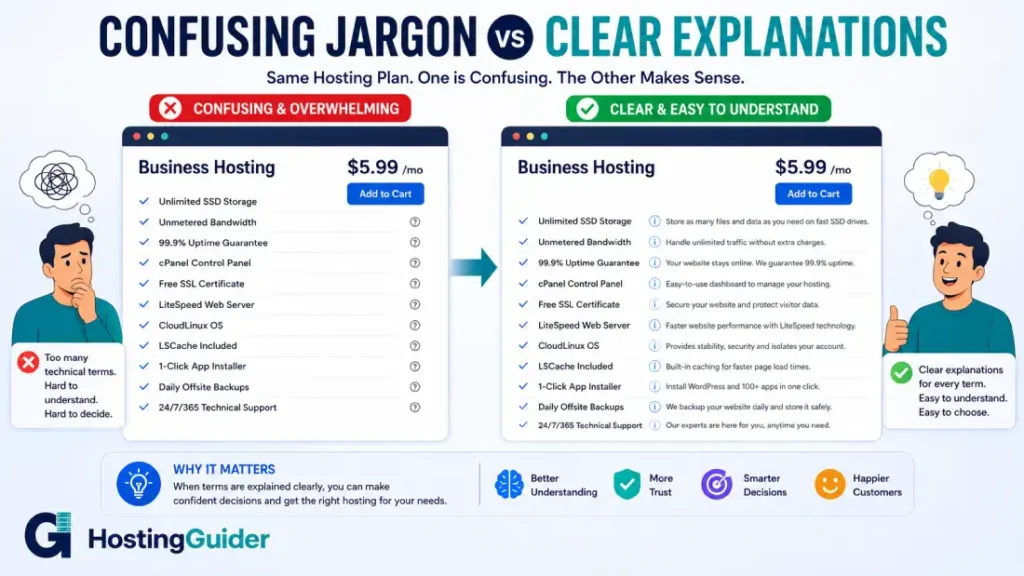
Frequently Asked Questions
What is the difference between a domain name and web hosting?
A domain name is the address people type to find your site, while web hosting is the service that stores your website files and makes them accessible. You need both, but they are separate purchases, and you can buy them from different companies.
What does shared hosting mean in simple terms?
Shared hosting means your website lives on the same physical server as many other websites, splitting the server’s resources among all of them. It is the cheapest hosting option and works fine for smaller sites with modest traffic.
Is cPanel the same thing as web hosting?
No. cPanel is a control panel, a tool for managing a hosting account through a visual interface. Web hosting is the underlying service that stores your files. Many hosting plans include cPanel, but plenty of hosts use other control panels or none at all.
What is the difference between SSL and HTTPS?
SSL is the certificate and underlying encryption technology, now technically succeeded by TLS, while HTTPS is the secure version of the HTTP protocol that uses that certificate to encrypt traffic. In everyday use, people often use the two terms interchangeably.
Do I need to understand every term in this glossary to choose a hosting plan?
No. Most people only need to understand the terms relevant to the decision in front of them, such as hosting type, uptime, and security features. This glossary is built so you can look up exactly the term you need without reading the rest.
What is the most important web hosting term for a complete beginner to learn first?
Understanding the difference between a domain name and web hosting solves more early confusion than any other single term. Once that distinction is clear, terms like shared hosting, SSL certificate, and uptime become much easier to place in context.
Final Note
This dictionary covers the terminology that comes up most often when buying, setting up, and managing hosting and domains, expanded and reorganized for 2026 with over 300 entries across 14 categories. If a term you are looking for is not here yet, it gets added as the list continues to grow.
The best way to put this knowledge to use is through our practical guides. Start with how web hosting works, move on to how to choose a web hosting plan, and browse our hosting reviews when you are ready to pick a provider.


